
VaultShield
An encrypted photo and video vault for iPhone and iPad with no account and offline functionality
- Upvotes
- 0
- DR
- 3 +3 (up) since last check
- Followers
- 0
VaultShield locks your photos and videos in an encrypted vault on your device, out of your camera roll, with no account required and optional Face ID on top of
About VaultShield
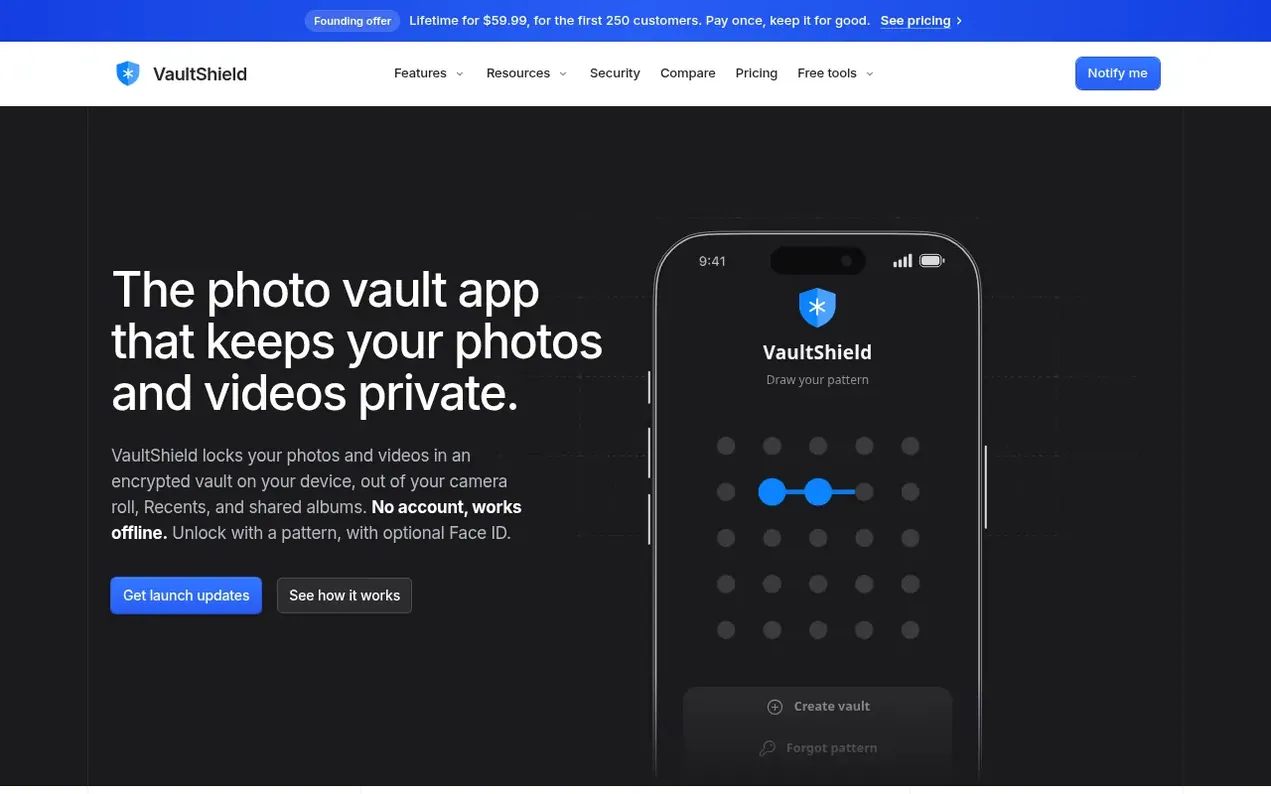
VaultShield is an encrypted photo and video vault for iPhone and iPad that keeps your private photos and videos encrypted on your device behind a pattern lock of their own, separate from your camera roll. The app uses XChaCha20-Poly1305 encryption on your iPhone before files are stored, with Argon2id key derivation to protect your pattern. You can add a second lock to individual folders, take photos with an in-app camera that never appears in your camera roll, and optionally enable encrypted iCloud backup. The app requires no account, includes a private browser with tracker shields, and works completely offline. It emphasizes transparency about its security methods rather than using marketing slogans, and explains what it cannot protect against.
- privacy
- encryption
- iphone
- offline
- ios
- no account
- photo vault
Features worth knowing
- Pattern and optional Face ID unlock
- In-app camera that skips camera roll
- Locked folders with individual patterns or passwords
- Duress pattern for emergency situations
- Disguised app icon
- Multiple vaults with separate patterns
- Document storage (PDFs and files)
- Auto-lock when leaving app
- Private browser with tracker shields
Pricing
Pricing model: Freemium
Free: up to 3 vaults and 100 items; Monthly: $7.99/month with 7-day free trial; Yearly: $39.99/year with 7-day free trial (saves 58% vs monthly); Lifetime: $59.99 once for first 250 customers (then $99.99)
Follow VaultShield and hear about their milestones, new launches and demo videos by email. Stop any time.
VaultShield metrics
| Metric | Value |
|---|---|
| Domain Rating | 3 +3 (up) since last check |
| Trust Flow | 0 no change since last check |
| Citation Flow | 0 no change since last check |
| Referring domains | 0 no change since last check |
| External backlinks | 0 no change since last check |
Ahrefs Domain Rating scanned 6 Nov 2026, updated 4 Nov 2026. Majestic scanned 3 Nov 2026, updated 3 Nov 2026. Link stats via Majestic. Trust Flow, Citation Flow and Topical Trust Flow are trademarks of Majestic-12 Ltd.
VaultShield domain facts
Reveal the domain facts
| Domain age | 14 days |
|---|---|
| Registered | |
| Expires | |
| Registrar | Namecheap Inc. |
| DNSSEC | Not signed |
VaultShield launch results
| Measure | At launch, then latest |
|---|---|
| Domain Rating (Ahrefs) | 0 to 3 +3 (up) since launch 3 Nov 2026, then 5 Nov 2026 |
| Trust Flow (Majestic) | 0 first measured 3 Nov 2026 |
| Referring domains (Majestic) | 0 first measured 3 Nov 2026 |
Day 2 since launch. Next receipt: day 30, 3 Dec 2026. The figures report a change; they do not say what caused it, and many things can. No figure here is a guess.
Launching something soon?
Free tips from Best Digital Launch for getting ready, launch day, the week after and what to do next.
- Set up
- On launch day
- The days after
- Beyond launch
Compare and explore
FAQ
- How does a photo vault work?
- You add photos and videos from your library, or take photos with the in-app camera. VaultShield encrypts each file and keeps it in its own vault, separate from the Photos app. You open the vault with your pattern, and it locks again as soon as you leave the app.
- Will my photos still be in my camera roll after importing to VaultShield?
- Importing makes an encrypted copy and leaves the original where it is. After importing, you can remove the originals from Photos in one step. Photos taken with the in-app camera never appear in your camera roll.
- Is VaultShield safe?
- Your photos and videos are encrypted on your iPhone with XChaCha20-Poly1305 before they are stored. Your pattern is turned into a key with Argon2id, and the key is protected by your iPhone's Secure Enclave. No app is perfectly secure, so instead of slogans the app explains exactly how it works.
- Does VaultShield work offline?
- Yes. The vault never needs an internet connection. The only parts that go online are the built-in private browser, and iCloud backup if you turn it on.
- What if I forget my pattern?
- Use the 24-word recovery phrase you were shown when you set up the vault. It gets you back in, and then you choose a new pattern. If you lose both your pattern and recovery phrase, nobody can open your vault, including us.
Leave a review for VaultShield
Nobody has reviewed VaultShield yet. Start things off.
A review is always free and can never be paid for. Go to the reviews and discussion
Reviews and chat · Product news · Send it on · Run this company? Claim it here · Report it
VaultShield has a free listing. The owner can unlock the full profile with a paid launch for $5:
- Founder story (locked)
- Milestones (locked)
- Demo video (locked)
- Dofollow website link (locked)
Alternatives to VaultShield
nookd.
A private nook for your photos, videos and files.
WavVv Music Player
Offline music player for your own audio files on iPhone and iPad
Ohana Labs
A small studio building iPhone apps for health, weather, listening, and kitchen life
Piqt
On-device photo curator that ranks your best shots, finds your trips, and organizes your library without uploading anything