Subtitle Remover
Remove burned-in subtitles, captions and on-screen text from videos with AI, then add translated subtitles
- Upvotes
- 0
- DR
- 4 no change since last check
- Followers
- 0
AI tool that removes hardcoded subtitles and text from videos by reconstructing the background, with optional translation into 19 languages.
About Subtitle Remover
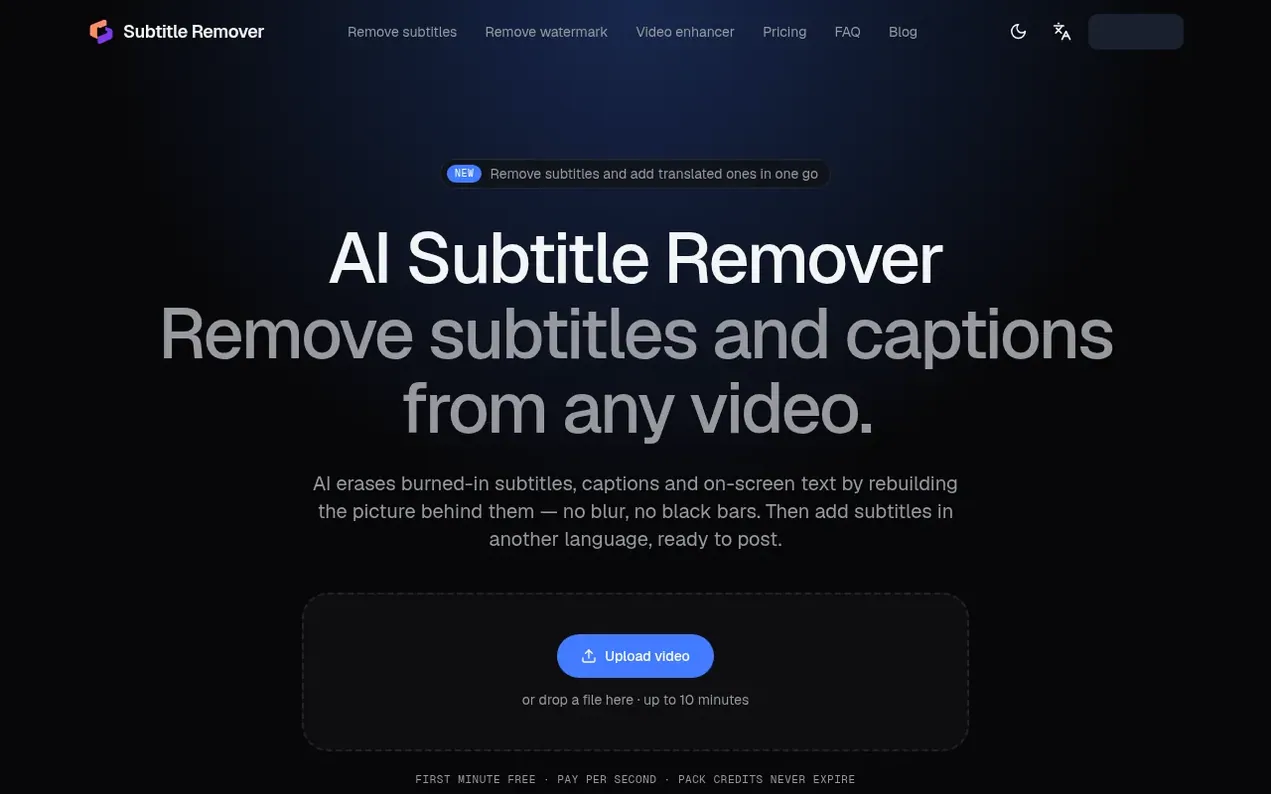
Subtitle Remover is an online tool that removes burned-in subtitles, captions, and on-screen text from videos using AI that reconstructs the background frame by frame rather than blurring or masking. The tool offers two removal modes: Auto mode, which automatically detects captions in the lower half of the frame, and Precise mode, which lets users draw boxes around text to remove it from any part of the video.
The service also provides subtitle translation. After removing original subtitles, users can have new ones added in any of 19 languages, with options to edit lines and download SRT files before burning them back into the video.
Users upload videos up to 10 minutes long (up to 2K resolution), and the output is delivered at maximum 1080p while preserving the original audio. Processing typically takes a few minutes, and users can close the page while jobs continue running in the background.
- ai
- translation
- caption removal
- subtitle remover
Features worth knowing
- Automatic detection of captions in the lower half of the frame
- Precise box drawing for any text removal anywhere in the frame
- Background reconstruction without blur or black bars
- Subtitle translation into 19 languages
- Editable subtitles with SRT file downloads
- Support for videos up to 10 minutes and 2K resolution
- Original audio track preserved
- No watermark on results
Pricing
Pricing model: Freemium
Free: 60 credits on signup (about 1 minute of Auto removal). Subscription plans: Basic $9.90/month (3000 credits), Standard $19.90/month (8000 credits), Pro $49.00/month (20000 credits). One-time packs: 600 credits for $4.99, 2400 credits for $14.99, 9000 credits for $39.99. Rates: Auto removal 1 cr
Follow Subtitle Remover and hear about their milestones, new launches and demo videos by email. Stop any time.
Subtitle Remover metrics
| Metric | Value |
|---|---|
| Domain Rating | 4 no change since last check |
| Trust Flow | 0 no change since last check |
| Citation Flow | 4 no change since last check |
| Referring domains | 1 no change since last check |
| External backlinks | 1 no change since last check |
Ahrefs Domain Rating scanned 6 Nov 2026, updated 4 Nov 2026. Majestic scanned 4 Nov 2026, updated 4 Nov 2026. Link stats via Majestic. Trust Flow, Citation Flow and Topical Trust Flow are trademarks of Majestic-12 Ltd.
Subtitle Remover domain facts
Reveal the domain facts
| Domain age | 15 days |
|---|---|
| Registered | |
| Expires | |
| Registrar | Cloudflare, Inc. |
| DNSSEC | Not signed |
Subtitle Remover launch results
| Measure | At launch, then latest |
|---|---|
| Domain Rating (Ahrefs) | 4 to 4 no change since launch 4 Nov 2026, then 5 Nov 2026 |
| Trust Flow (Majestic) | 0 first measured 4 Nov 2026 |
| Referring domains (Majestic) | 1 first measured 4 Nov 2026 |
Day 1 since launch. Next receipt: day 30, 4 Dec 2026. The figures report a change; they do not say what caused it, and many things can. No figure here is a guess.
Launching something soon?
Free tips from Best Digital Launch for getting ready, launch day, the week after and what to do next.
- Set up
- On launch day
- The days after
- Beyond launch
Compare and explore
FAQ
- How do I remove hard-coded subtitles from a video?
- Upload the video and choose Auto mode if captions are in the lower half of the frame and will be detected automatically, or Precise mode to draw boxes over the text. The AI then rebuilds the picture behind the text frame by frame and returns a clean MP4.
- Will it blur the video where the subtitles were?
- No. The model reconstructs the background from the surrounding frames instead of blurring or covering the area. In busy or fast-moving areas, the rebuilt section may look slightly soft, but Precise mode uses a finer model for better results.
- Does it keep the audio and resolution?
- Yes, the original audio track is preserved. Videos up to 2K are accepted and the output is at most 1080p, so a 1440p video returns as 1080p. The length stays the same.
- Why can't I just turn the subtitles off?
- If the subtitles disappear when you switch captions off in your player, they are a separate track and you don't need this tool. If they stay, they are burned into the picture (hard-coded), and only an editor that rebuilds the frames, like this one, can remove them.
- Does it keep the audio and the resolution?
- The original audio track is kept. Videos up to 2K are accepted and the result is at most 1080p, so a 1440p video comes back as 1080p. The length stays the same.
Leave a review for Subtitle Remover
Nobody has reviewed Subtitle Remover yet. Start things off.
A review is always free and can never be paid for. Go to the reviews and discussion
Reviews and chat · Product news · Send it on · Run this company? Claim it here · Report it
Subtitle Remover has a free listing. The owner can unlock the full profile with a paid launch for $5:
- Founder story (locked)
- Milestones (locked)
- Demo video (locked)
- Dofollow website link (locked)
Alternatives to Subtitle Remover
Turbogen
AI video and image studio with 28 models, pay per generation, no subscription
AI Media Generation1 votes. Log in to add your vote for TurbogenLayerGrab
Split any image into editable, named layers with AI
AI Media Generation1 votes. Log in to add your vote for LayerGrabKling 4.0
AI video generator that creates realistic videos up to 30 seconds from text or images with native 4K resolution and synchronized audio
AI Media Generation1 votes. Log in to add your vote for Kling 4.0Cinemagiq
AI production software for series and films
AI Media Generation0 votes. Log in to add your vote for Cinemagiq