Sprite Flow
AI sprite animation generator for game developers creating production-ready sprite sheets in minutes
- Upvotes
- 0
- DR
- 19 no change since last check
- Followers
- 0
Sprite Flow metrics
| Metric | Value |
|---|---|
| Domain Rating | 19 no change since last check |
| Trust Flow | 18 no change since last check |
| Citation Flow | 27 no change since last check |
| Referring domains | 186 no change since last check |
| External backlinks | 7,202 no change since last check |
Ahrefs Domain Rating scanned 17 Oct 2026, updated 15 Oct 2026. Main topic: Reference/Education (17). Majestic scanned 15 Oct 2026, updated 15 Oct 2026. Link stats via Majestic. Trust Flow, Citation Flow and Topical Trust Flow are trademarks of Majestic-12 Ltd.
Sprite Flow is an AI sprite generator that creates game-ready character animations and sprite sheets with style consistency for Unity, Godot, and Unreal Engine.
About Sprite Flow
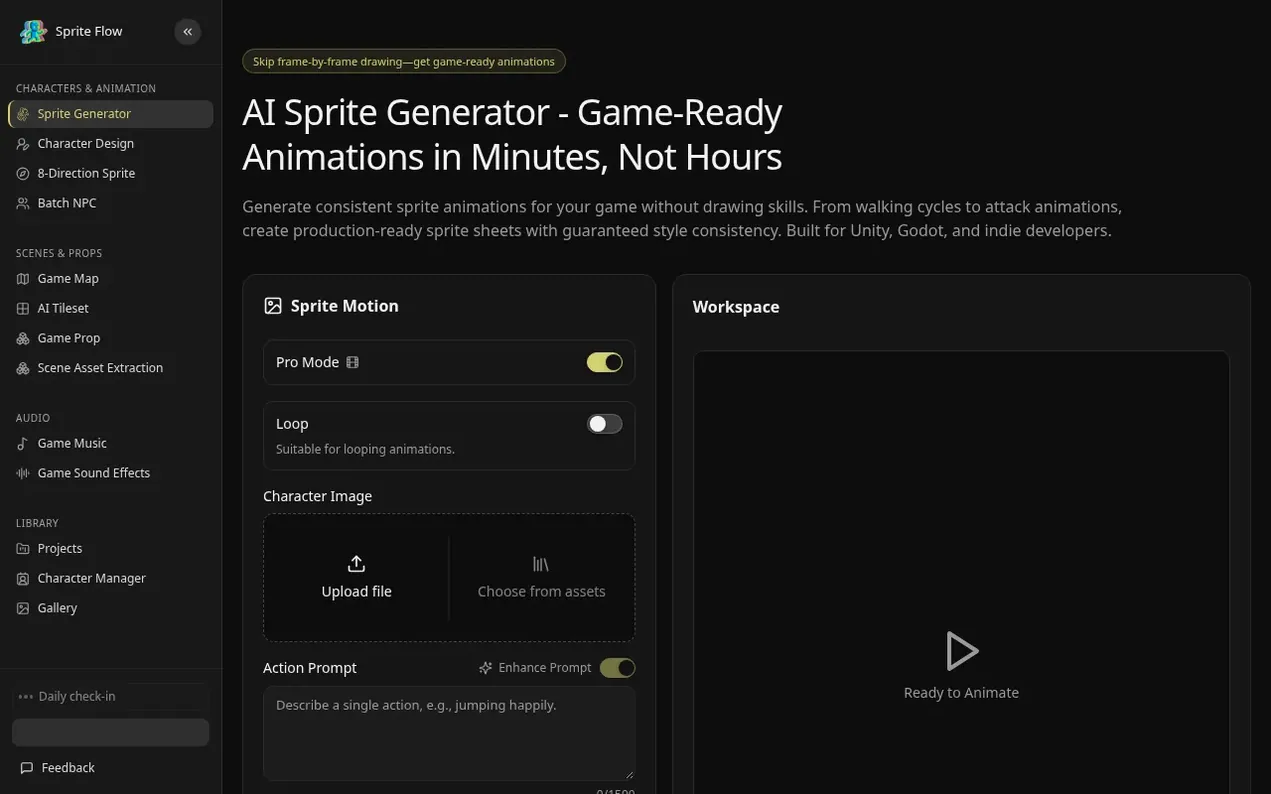
Sprite Flow is an AI-powered sprite animation generator designed for indie game developers. It automates character sprite creation, generating complete animation sets including walk cycles, idle loops, attack sequences, and jumps with locked color palettes and proportions to ensure style consistency. The platform exports directly to Unity, Godot, and Unreal Engine with sprite sheet atlases, JSON metadata, and animation controller presets, eliminating manual pixel-by-pixel drawing in tools like Aseprite. Users can train the AI on reference images to match their art style, then generate unlimited sprite variations—different outfits, colors, and equipment—in minutes instead of hours. It supports multiple art styles including retro pixel art, 2D cartoon, and anime, with directional support for 4-directional top-down games and 8-directional isometric RPGs. The tool is built for solo indie developers, small studios, game designers, and hobbyists who need professional-quality sprites without hiring pixel artists or learning advanced art software.
- sprite generator
- game animation
- character sprites
- unity export
- godot compatible
- indie game dev
- style consistency
Features worth knowing
- 8-directional sprite generation for top-down and isometric games
- Style consistency with palette locking and style training
- Complete animation sets including idle, walk, run, jump, and attack
- One-click export to Unity, Godot, and Unreal Engine
- Automatic sprite sheet atlas generation with JSON metadata
- Frame count and speed customization
Pricing
Pricing model: Freemium
Compare and explore
FAQ
- What is an AI sprite generator and how does it work?
- An AI sprite generator uses artificial intelligence to automatically create game character sprites and animations. Instead of manually drawing each frame pixel-by-pixel in tools like Aseprite, you describe your character, choose an art style, and the AI generates all animation frames with consistent style. You can upload reference images to train the AI on your exact art style, then generate walk cycles, idle animations, attack moves, and complete sprite sheets ready for Unity, Godot, or Unreal Engine.
- How do you guarantee style consistency across sprite animations?
- Style consistency is achieved through palette locking and style training. Upload 3-5 reference images of your desired art style, and the AI extracts your color palette, line thickness, detail level, and proportions. Every sprite generated uses only your approved colors with locked style parameters, ensuring frame 1 and frame 100 look identical in style, and animations created at different times match perfectly.
- Can I export sprites directly to Unity or Godot?
- Yes, you can export directly to both engines with one click. For Unity, you get sprite sheet atlas (PNG), JSON with frame positions and durations, animation controller preset, and collision box suggestions. For Godot, you get AnimatedSprite format with .tres resource files and properly named sprite frames. You can also export for Unreal Engine with Paper2D compatible formats, or as individual PNG frames and standard JSON sprite atlas for any engine.
- What animation types can the AI sprite generator create?
- The tool creates all essential game character animations including movement animations (idle loop, walk cycle 6-8 frames, run, jump), combat animations (melee attack, ranged attack, magic cast, hit reaction, death), and advanced animations (crouch, roll/dodge, climb, swim, victory). It supports 4-directional views for top-down games, 8-directional views for isometric RPGs, and side-view for platformers, with customizable frame counts and frame rates.
- How long does it take to generate a complete character?
- A single 8-frame walk cycle takes 60-90 seconds to generate. A complete character with idle, walk, run, jump, and attack animations takes 5-7 minutes on first use, or 2-3 minutes with a saved style preset. Character variations with different colors or outfits take about 90 seconds each. A batch of 10 similar characters can be generated in 15-20 minutes, compared to 20-40 hours for manual pixel art.
Leave a review for Sprite Flow
Nobody has reviewed Sprite Flow yet. Start things off.
A review is always free and can never be paid for. Go to the reviews and discussion
Reviews and chat · Product news · Send it on · Run this company? Claim it here · Report it
Sprite Flow has a free listing. The owner can unlock the full profile with a paid launch for $5:
- Founder story (locked)
- Milestones (locked)
- Demo video (locked)
- Dofollow website link (locked)
Alternatives to Sprite Flow
RPCrate
FiveM scripts, MLOs and assets marketplace for ESX, QBCore, QBOX and standalone servers
Game dev tools0 votes. Log in to add your vote for RPCrateEgmatic
Ship 2D games without code or backend setup
Game dev tools0 votes. Log in to add your vote for EgmaticGame Guides Box
In-depth game guides, databases and patch-tested builds
Game dev tools0 votes. Log in to add your vote for Game Guides BoxVibe Worlding
Turn ideas into structured, buildable world specifications
Game dev tools0 votes. Log in to add your vote for Vibe Worlding