SmoothCapture
3D app mockups and screen recording for Mac
- Upvotes
- 0
- DR
- 35 no change since last check
- Followers
- 0
A Mac app that records your screen or iOS device and transforms it into a polished product video with 3D device frames, auto zoom, captions and titles.
About SmoothCapture
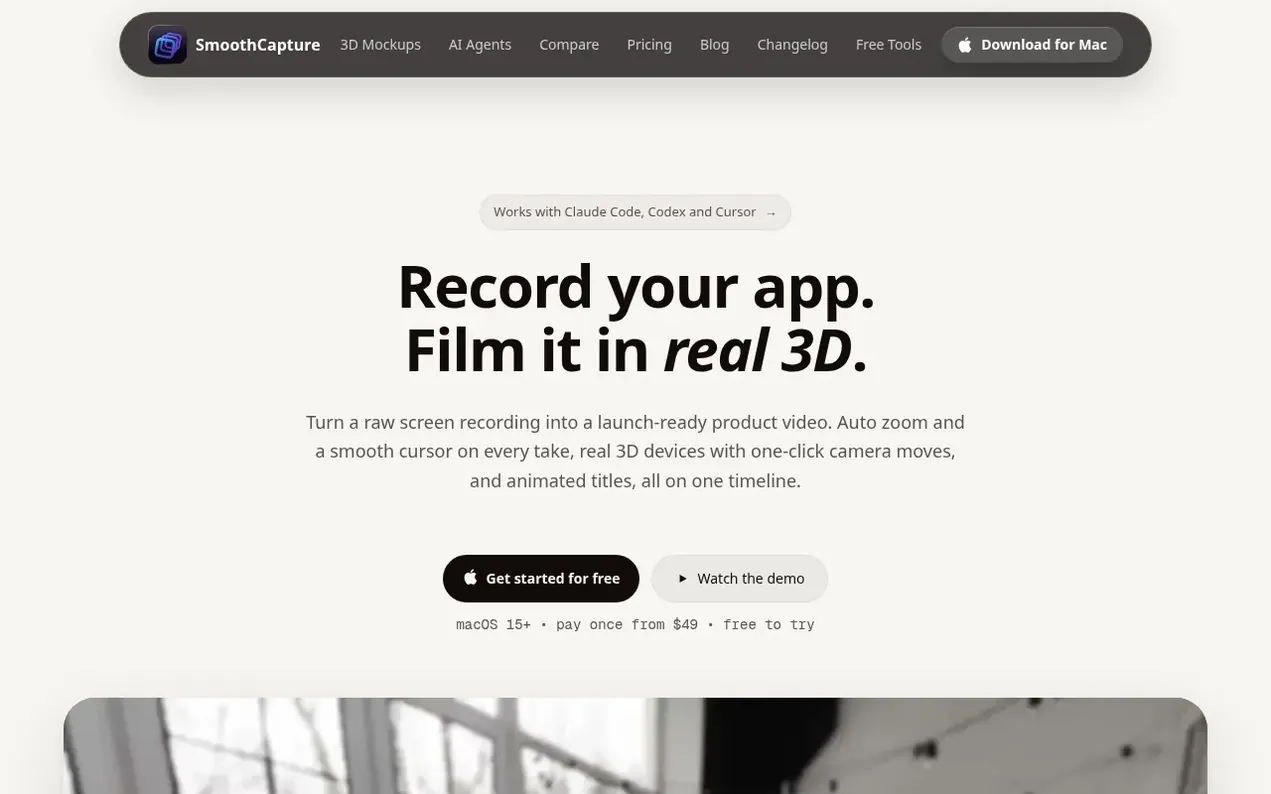
SmoothCapture is a native macOS application that turns raw screen recordings into professional product videos. It records your screen, iPhone, iPad or iOS Simulator, then adds cinematic effects like automatic zoom following mouse clicks, smooth cursor motion, and animated captions. Your footage can be placed on real 3D device mockups with one-click camera moves, or kept as a clean flat recording. The app includes a complete timeline editor for trimming and effects, animated titles and motion graphics, and exports to MP4, ProRes or GIF up to 4K at 60fps. It works offline for recording and editing, includes commercial use rights, and supports AI agents through a built-in MCP server that lets Claude Code, Codex or Cursor automate editing and export.
- 3d mockups
- app demo
- mobile recording
- video editing
- macos
- ai agents
Features worth knowing
- 3D device frames with real iPhone, iPad, Mac and Apple Watch models
- Automatic zoom following mouse clicks and typing
- Screen, window or area recording with system audio capture
- Animated titles and motion graphics on separate tracks
- Automatic transcription and word-by-word captions
- Multi-track audio editing with separate system audio and microphone tracks
- Export to MP4, ProRes with transparency or GIF up to 4K at 60fps
- AI agent control through built-in MCP server for Claude Code and Cursor
Pricing
Pricing model: Paid
Basic $49 (1 Mac, 1 year of updates), Personal $79 (2 Macs, 1 year of updates), Lifetime $149 (3 Macs, all future updates), or Monthly $10/month (3 Macs, cancel anytime). Free to record and edit with no time limit; licence required to export.
SmoothCapture metrics
| Metric | Value |
|---|---|
| Domain Rating | 35 no change since last check |
| Trust Flow | 15 no change since last check |
| Citation Flow | 33 no change since last check |
| Referring domains | 157 no change since last check |
| External backlinks | 998 no change since last check |
Ahrefs Domain Rating scanned 3 Nov 2026, updated 2 Nov 2026. Main topic: Regional/Asia (15). Majestic scanned 2 Nov 2026, updated 2 Nov 2026. Link stats via Majestic. Trust Flow, Citation Flow and Topical Trust Flow are trademarks of Majestic-12 Ltd.
SmoothCapture domain facts
Reveal the domain facts
| Domain age | 1 year |
|---|---|
| Registered | |
| Expires | |
| Registrar | CloudFlare, Inc. |
| DNSSEC | Not signed |
SmoothCapture launch results
| Measure | At launch, then latest |
|---|---|
| Domain Rating (Ahrefs) | 35 to 35 no change since launch 2 Nov 2026, then 3 Nov 2026 |
| Trust Flow (Majestic) | 15 first measured 2 Nov 2026 |
| Referring domains (Majestic) | 157 first measured 2 Nov 2026 |
Day 1 since launch. Next receipt: day 30, 2 Dec 2026. The figures report a change; they do not say what caused it, and many things can. No figure here is a guess.
Compare and explore
FAQ
- Can I put a video or screenshot I already have on a 3D device?
- Yes. You can open or import any MP4, MOV or image, choose a 3D device, and apply a camera move. It does not have to be recorded in SmoothCapture.
- Can an AI agent edit my videos in SmoothCapture?
- Yes. SmoothCapture includes an MCP server and command-line tool that works with Claude Code, Codex, Cursor or any MCP client to record, cut by transcript, add titles and graphics, move the 3D camera, generate voiceover and export, with edits landing in your open project where each change can be undone.
- Can SmoothCapture record system audio on a Mac?
- Yes. SmoothCapture captures system audio natively through Apple's ScreenCaptureKit without needing BlackHole or a Multi-Output Device, and records system sound and microphone as separate tracks so you can balance them after recording.
- Is SmoothCapture free?
- You can record and edit everything for free with no time limit. A one-time licence purchase unlocks the ability to export videos and share links. There is no subscription and the licence does not expire.
- What Mac do I need?
- SmoothCapture requires macOS 15.2 or later and runs natively on both Apple Silicon and Intel Macs, from MacBook Air to Mac Studio.
Leave a review for SmoothCapture
Nobody has reviewed SmoothCapture yet. Start things off.
A review is always free and can never be paid for. Go to the reviews and discussion
Reviews and chat · Product news · Send it on · Run this company? Claim it here · Report it
SmoothCapture has a free listing. The owner can unlock the full profile with a paid launch for $5:
- Founder story (locked)
- Milestones (locked)
- Demo video (locked)
- Dofollow website link (locked)
Alternatives to SmoothCapture
RemoveWatermark
Professional watermark removal for AI-generated videos with free tier and affordable Pro plans
Video generation1 votes. Log in to add your vote for RemoveWatermarkFilmCraft
A free, open-source Premiere Pro alternative
Video generation0 votes. Log in to add your vote for FilmCraftTapirUpscale
Free AI video upscaler that runs in your browser to turn blurry clips into sharp, detailed MP4s
Video generation0 votes. Log in to add your vote for TapirUpscaleIntegration Tour
Turn OpenAPI specs or MCP servers into animated integration videos
Video generation0 votes. Log in to add your vote for Integration Tour