ScreenMake
Design App Store and Google Play screenshots in minutes, with AI assistance and one-click publishing
- Upvotes
- 0
- DR
- 0 no change since last check
- Followers
- 0
ScreenMake is a design studio for creating App Store and Google Play screenshots. Users start with their app's screens, use AI to redesign them, translate into
About ScreenMake
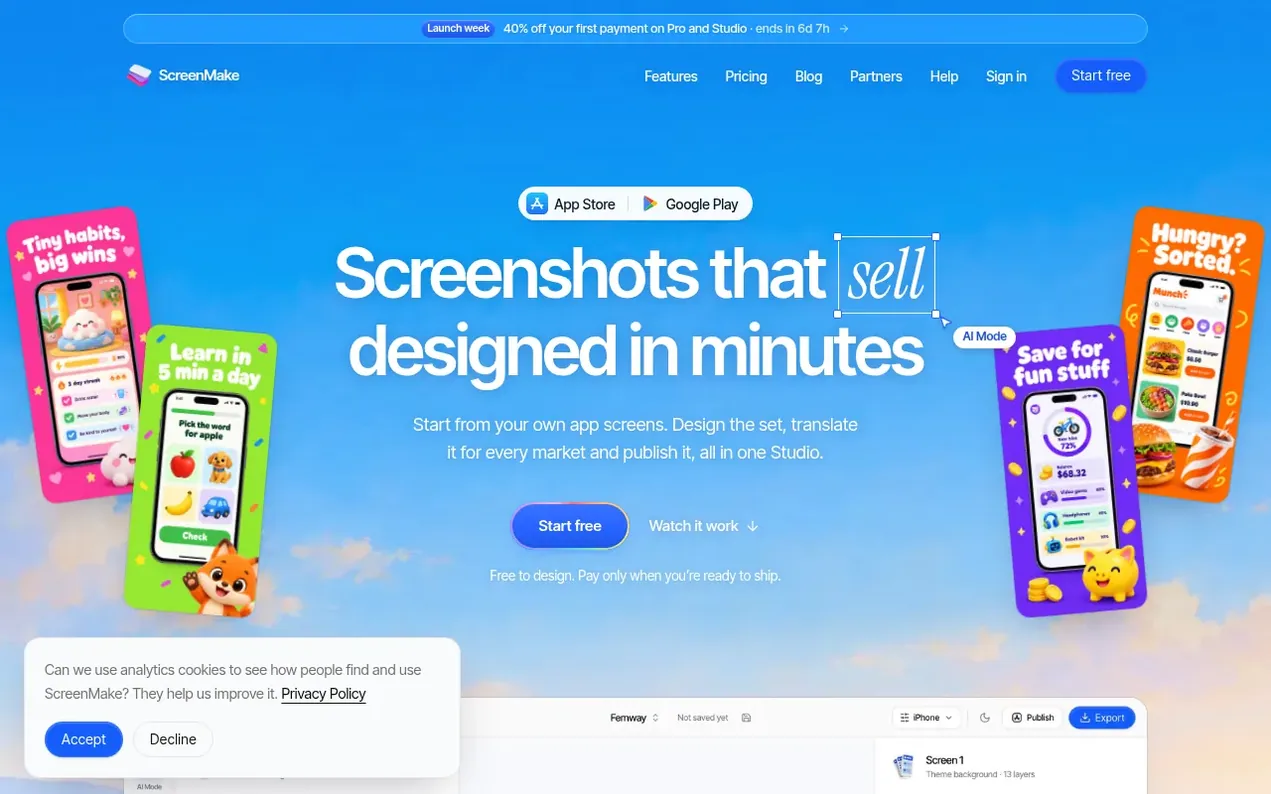
ScreenMake is a web-based studio for designing App Store and Google Play screenshots without requiring design skills. Users upload their app's screens, and the Quick Draft feature automatically converts them into a designed set. The AI Mode tool lets users describe desired changes in plain language, and every layer remains editable manually for full control.
The platform includes 34,000 design elements such as icons, 3D objects, device mockups, photos, and backgrounds. It supports translation into all 39 App Store languages, with right-to-left layout handling for Arabic and Hebrew. Each screenshot can be customized per language and market.
ScreenMake exports screenshots at the sizes required by App Store and Google Play for phones, tablets, and watches. iPhone designs can be adapted to iPad without redesigning. The platform offers one-click publishing to App Store Connect, while Google Play requires manual file upload.
Access is free to design with a watermark on exports, with paid plans removing the watermark and providing AI credits, additional features, and publishing capabilities.
- screenshot design
- app marketing
- translation
- app store optimization
- google play
- ai design
- app store connect
Features worth knowing
- AI Mode: describe screenshot changes in natural language and AI redesigns them
- Quick Draft: automatically generate a designed set from your app screens
- 34,000 design elements including icons, 3D objects, mockups, photos and backgrounds
- Translation into 39 App Store languages with per-language customization
- Export at App Store and Google Play sizes for phones, tablets and watches
- One-click publishing to App Store Connect
- Right-to-left layout support for Arabic and Hebrew
- Manual editing layer by layer for full design control
- Carry iPhone design to iPad without redesigning
Pricing
Pricing model: Freemium
Free: No card required. Pro: $19/month (or $17/month billed yearly at $204). Studio: $69/month (or $59/month billed yearly at $708).
ScreenMake metrics
| Metric | Value |
|---|---|
| Domain Rating | 0 no change since last check |
| Trust Flow | 0 no change since last check |
| Citation Flow | 0 no change since last check |
| Referring domains | 0 no change since last check |
| External backlinks | 0 no change since last check |
Ahrefs Domain Rating scanned 3 Nov 2026, updated 3 Nov 2026. Majestic scanned 3 Nov 2026, updated 3 Nov 2026. Link stats via Majestic. Trust Flow, Citation Flow and Topical Trust Flow are trademarks of Majestic-12 Ltd.
ScreenMake domain facts
Reveal the domain facts
| Domain age | 1 month |
|---|---|
| Registered | |
| Expires | |
| Registrar | UnstoppableUS3 LLC |
| DNSSEC | Not signed |
ScreenMake launch results
| Measure | At launch, then latest |
|---|---|
| Domain Rating (Ahrefs) | 0 first measured 3 Nov 2026 |
| Trust Flow (Majestic) | 0 first measured 3 Nov 2026 |
| Referring domains (Majestic) | 0 first measured 3 Nov 2026 |
Day 0 since launch. Next receipt: day 30, 3 Dec 2026. The figures report a change; they do not say what caused it, and many things can. No figure here is a guess.
Compare and explore
FAQ
- Do I need to be a designer?
- No. You add captures of your own app, and Quick Draft turns them into a designed set. From there, AI Mode makes changes you describe in plain words, and every layer stays editable by hand if you want full control.
- Is it really free to start?
- Yes, and no card is needed. You can design your whole set for free, with a few AI credits to try the AI tools. Exports from a free account carry a ScreenMake watermark; a plan removes it and adds one-click publishing.
- Does it work for Google Play and iPad too?
- Yes. Screenshots export at the sizes the App Store and Google Play ask for, for phones, tablets and more. One-click publishing is for the App Store; for Google Play you upload the exported files.
- Is it safe to connect my App Store account?
- Publishing uses an App Store Connect key from your own developer account with the App Manager role, which can update listings and nothing else. The key is stored encrypted, and you can disconnect it in Settings or revoke it in App Store Connect at any time.
- Can I cancel, and can I get a refund?
- Cancel whenever you like in Settings. Your plan stays active until the end of the period you paid for, and your projects stay in your account afterwards. A first plan payment can be refunded within 14 days if you've barely used it.
Leave a review for ScreenMake
Nobody has reviewed ScreenMake yet. Start things off.
A review is always free and can never be paid for. Go to the reviews and discussion
Reviews and chat · Product news · Send it on · Run this company? Claim it here · Report it
ScreenMake has a free listing. The owner can unlock the full profile with a paid launch for $5:
- Founder story (locked)
- Milestones (locked)
- Demo video (locked)
- Dofollow website link (locked)
Alternatives to ScreenMake
LayerGrab
Split any image into editable, named layers with AI
AI Media Generation1 votes. Log in to add your vote for LayerGrabKling 4.0
AI video generator that creates realistic videos up to 30 seconds from text or images with native 4K resolution and synchronized audio
AI Media Generation1 votes. Log in to add your vote for Kling 4.0ShotLearn AI
Your AI Photography Coach
AI Media Generation0 votes. Log in to add your vote for ShotLearn AIFlixly
Every AI model, one account. Pay once, no subscription.
AI Media Generation0 votes. Log in to add your vote for Flixly