
Screenforge
Free screen recorder with automatic zoom animations and built-in editing
- Upvotes
- 0
- DR
- 4 no change since last check
- Followers
- 0
- Since
- 2026
A free desktop screen recorder with automatic zoom detection, cursor effects, built-in timeline editor, and no watermark on exports. Works on macOS, Windows
About Screenforge
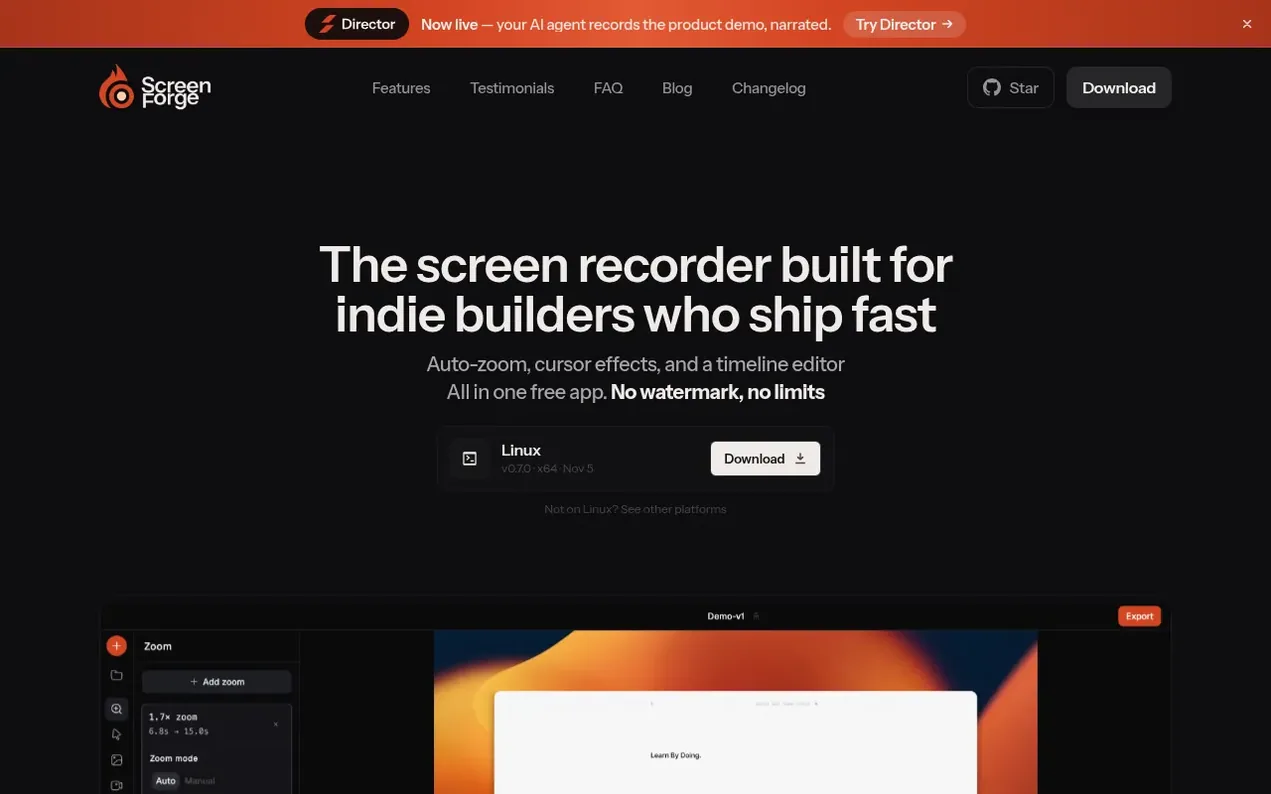
Screenforge is a free screen recorder designed for developers and product teams who need to create polished demo videos and tutorials quickly. It features automatic zoom detection that tracks cursor movement and places zoom clips without manual keyframing, adjustable cursor effects including click ripples and motion blur, and a built-in timeline editor for splitting, trimming, and rearranging clips. The app includes camera overlay recording, microphone input with level monitoring, multiple export formats (MP4, MOV, WebM, GIF), and background customization with wallpapers, padding, and drop shadows. All processing happens locally on your device with no watermark, no account required, and no limits—full features are free forever, including for commercial use.
- developer tools
- screen recording
- video editing
- desktop app
- no watermark
- local-processing
- product demos
- zoom animations
Features worth knowing
- Built-in timeline editor for splitting, trimming, and rearranging clips
- Camera overlay recording that stays visible during zoom
- Microphone input with device selection and live level indicator
- Multiple export formats: MP4, MOV, WebM, and GIF
- Window and region capture options
- Frame rate control at 24, 30, or 60 fps
- Local processing with no cloud upload required
Pricing
Pricing model: Free
Follow Screenforge and hear about their milestones, new launches and demo videos by email. Stop any time.
Screenforge metrics
| Metric | Value |
|---|---|
| Domain Rating | 4 no change since last check |
| Trust Flow | 5 no change since last check |
| Citation Flow | 28 no change since last check |
| Referring domains | 31 no change since last check |
| External backlinks | 136 no change since last check |
Ahrefs Domain Rating scanned 6 Nov 2026, updated 4 Nov 2026. Main topic: Computers/Software/Operating Systems (5). Majestic scanned 4 Nov 2026, updated 4 Nov 2026. Link stats via Majestic. Trust Flow, Citation Flow and Topical Trust Flow are trademarks of Majestic-12 Ltd.
Screenforge domain facts
Reveal the domain facts
No RDAP data is published for .co, so this domain's registration details are not available here.
Screenforge launch results
| Measure | At launch, then latest |
|---|---|
| Domain Rating (Ahrefs) | 4 to 4 no change since launch 4 Nov 2026, then 5 Nov 2026 |
| Trust Flow (Majestic) | 5 first measured 4 Nov 2026 |
| Referring domains (Majestic) | 31 first measured 4 Nov 2026 |
Day 1 since launch. Next receipt: day 30, 4 Dec 2026. The figures report a change; they do not say what caused it, and many things can. No figure here is a guess.
Launching something soon?
Free tips from Best Digital Launch for getting ready, launch day, the week after and what to do next.
- Set up
- On launch day
- The days after
- Beyond launch
Compare and explore
FAQ
- Is Screenforge free?
- Yes, Screenforge is free forever, including for commercial use. Zoom animations, cursor effects, timeline editing, and background customization are all included with no paid tier and no account required.
- Which platforms does Screenforge support?
- Screenforge is available on macOS, Windows, and Linux.
- Can I record my screen and webcam at the same time?
- Yes. You can add a camera overlay, position it anywhere on screen, and adjust its shape to square, horizontal, or vertical. It records as a separate track you can toggle on or off in the editor.
- Does it record audio?
- Yes. Screenforge has microphone input with device selection and a live level indicator so you know your mic is working before you hit record.
- Do I need a separate editor after recording?
- No. Screenforge has a built-in timeline editor where you can split, trim, and rearrange clips, add zoom effects, and undo everything without needing any other app.
Leave a review for Screenforge
Nobody has reviewed Screenforge yet. Start things off.
A review is always free and can never be paid for. Go to the reviews and discussion
Reviews and chat · Product news · Send it on · Run this company? Claim it here · Report it
Screenforge has a free listing. The owner can unlock the full profile with a paid launch for $5:
- Founder story (locked)
- Milestones (locked)
- Demo video (locked)
- Dofollow website link (locked)
Makers
- Mohib ArshiFounder
Alternatives to Screenforge
RemoveWatermark
Professional watermark removal for AI-generated videos with free tier and affordable Pro plans
Video generation1 votes. Log in to add your vote for RemoveWatermarkFredo Bang Oouuh
AI video generator that turns two photos into viral TikTok ukulele duo trend videos
Video generation0 votes. Log in to add your vote for Fredo Bang OouuhMusicallyDown
Free browser-based TikTok video downloader for MP4 and MP3 files without watermark
Video generation0 votes. Log in to add your vote for MusicallyDownFixMP4
Repair corrupted MP4, MOV and M4A files in your browser without uploading
Video generation0 votes. Log in to add your vote for FixMP4