
PicReplace
AI image editor for changing text and backgrounds
- Upvotes
- 0
- DR
- 0 no change since last check
- Followers
- 0
Edit text in photos and translate images online, then remove or replace backgrounds with AI in your browser without installing anything.
About PicReplace
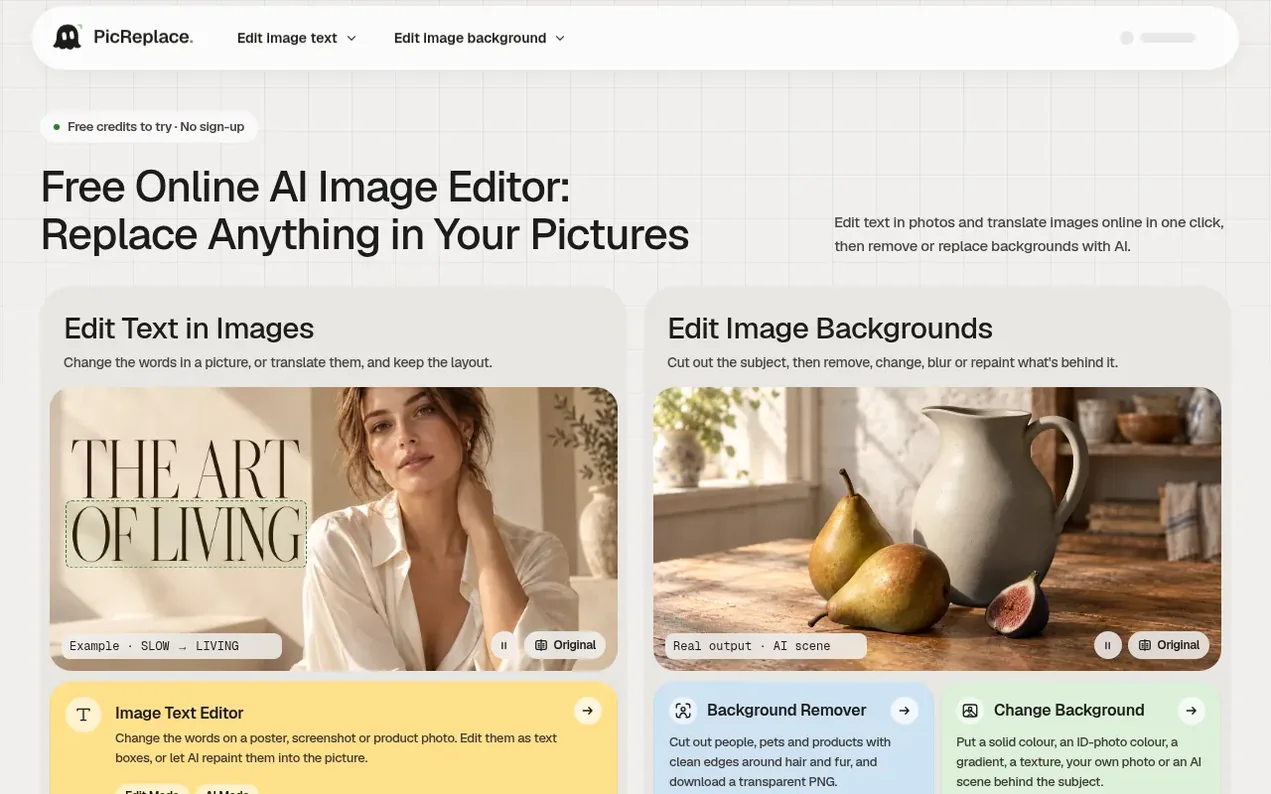
PicReplace is a browser-based image editor that lets you change the text in photos and translate it into 214 languages while keeping the layout. You can cut out subjects and remove, change, blur, or generate new backgrounds with AI.
The tool works entirely in your browser for basic editing, and uses AI for advanced features like reading text, translating images, cutting out subjects, and generating backgrounds. All pictures and edits are saved locally in your browser, and images only leave your device when going to an AI provider for specific tasks.
You get 100 free credits per visit without signing up, and 100 additional credits daily if you sign in with Google. Credits are only used for AI steps; basic editing, erasing, adding backgrounds, and downloading are always free. PicReplace has no paid plans and adds no watermark to downloads.
- browser-based
- image translation
- no sign-up
- image editor
- background removal
- ai background generator
- text editing
Features worth knowing
- Edit text in images while keeping original style
- Translate text in images into 214 languages
- Remove backgrounds with clean edges
- Replace backgrounds with colours, photos, or AI scenes
- Blur background for portrait mode effect
- Generate new backgrounds with AI
- Download as PNG, JPG, or WebP
- No watermark on downloads
- No account needed to start
- Local browser storage for pictures and edits
Pricing
Pricing model: Free
Free with no paid plans. New visitors get 100 free credits, and signing in with Google gives 100 additional credits daily. Credits are only used for AI features: reading text costs 10 credits, translating costs 40 credits, cutting out subjects costs 50 credits, and generating backgrounds costs 60–10
Follow PicReplace and hear about their milestones, new launches and demo videos by email. Stop any time.
PicReplace metrics
| Metric | Value |
|---|---|
| Domain Rating | 0 no change since last check |
| Trust Flow | 3 no change since last check |
| Citation Flow | 13 no change since last check |
| Referring domains | 5 no change since last check |
| External backlinks | 19 no change since last check |
Ahrefs Domain Rating scanned 13 Nov 2026, updated 13 Nov 2026. Main topic: Computers/Software/Operating Systems (3). Majestic scanned 13 Nov 2026, updated 13 Nov 2026. Link stats via Majestic. Trust Flow, Citation Flow and Topical Trust Flow are trademarks of Majestic-12 Ltd.
PicReplace domain facts
Reveal the domain facts
| Domain age | 1 month |
|---|---|
| Registered | |
| Expires | |
| Registrar | Cloudflare, Inc. |
| DNSSEC | Signed |
PicReplace launch results
| Measure | At launch, then latest |
|---|---|
| Domain Rating (Ahrefs) | 0 first measured 13 Nov 2026 |
| Trust Flow (Majestic) | 3 first measured 13 Nov 2026 |
| Referring domains (Majestic) | 5 first measured 13 Nov 2026 |
Day 0 since launch. Next receipt: day 30, 13 Dec 2026. The figures report a change; they do not say what caused it, and many things can. No figure here is a guess.
Launching something soon?
Free tips from Best Digital Launch for getting ready, launch day, the week after and what to do next.
- Set up
- On launch day
- The days after
- Beyond launch
Compare and explore
FAQ
- Is PicReplace free?
- Yes. PicReplace has no paid plans, and you don't need an account to start. Your first visit comes with free credits, and signing in with Google gives you more every day. Credits are only used for AI steps like reading or translating text, cutting out subjects, or generating backgrounds. Editing, erasing leftovers, adding backgrounds, and downloading don't use any credits.
- What happens to the images I upload?
- Your pictures and edits are saved in your own browser, and editing, erasing and exporting happen on your device. Images only leave your device for AI steps, where they go to an AI provider for that specific job. Cut-outs are cached for 7 days so the same picture isn't charged twice.
- Which files can I use?
- You can use PNG, JPG and WebP files. GIF and HEIC aren't supported. Pictures longer than 2,048 pixels on their long side are scaled down for AI work. You can download PNG, JPG or WebP one at a time or as a ZIP.
- What's the difference between the image text editor and the image translator?
- The text editor changes words in the language they're already in, like a price or headline. In Edit Mode you retype them as text boxes; in AI Mode AI repaints them. The translator reads every line and puts it back in another language, either as editable text or painted into the picture.
Leave a review for PicReplace
Nobody has reviewed PicReplace yet. Start things off.
A review is always free and can never be paid for. Go to the reviews and discussion
Reviews and chat · Product news · Send it on · Run this company? Claim it here · Report it
PicReplace has a free listing. The owner can unlock the full profile with a paid launch for $5:
- Founder story (locked)
- Milestones (locked)
- Demo video (locked)
- Dofollow website link (locked)
Alternatives to PicReplace
Turbogen
AI video and image studio with 28 models, pay per generation, no subscription
AI Media Generation1 votes. Log in to add your vote for TurbogenLayerGrab
Split any image into editable, named layers with AI
AI Media Generation1 votes. Log in to add your vote for LayerGrabKling 4.0
AI video generator that creates realistic videos up to 30 seconds from text or images with native 4K resolution and synchronized audio
AI Media Generation1 votes. Log in to add your vote for Kling 4.0Mutator
AI app for UGC-style videos and slideshows on TikTok and Instagram
AI Media Generation0 votes. Log in to add your vote for Mutator