HiRemote
Free Hisense TV remote app for iPhone, iPad, and Apple Watch that pairs in 30 seconds with no account required
- Upvotes
- 0
- DR
- 8 no change since last check
- Followers
- 0
HiRemote metrics
| Metric | Value |
|---|---|
| Domain Rating | 8 no change since last check |
| Trust Flow | 7 no change since last check |
| Citation Flow | 25 no change since last check |
| Referring domains | 18 no change since last check |
| External backlinks | 4,869 no change since last check |
Ahrefs Domain Rating scanned 25 Oct 2026, updated 25 Oct 2026. Main topic: Arts/Online Writing (5). Majestic scanned 25 Oct 2026, updated 25 Oct 2026. Link stats via Majestic. Trust Flow, Citation Flow and Topical Trust Flow are trademarks of Majestic-12 Ltd.
HiRemote domain facts
| Domain age | 5 months |
|---|---|
| Registered | |
| Expires | |
| Registrar | Namecheap Inc. |
| DNSSEC | Not signed |
A free remote control app for Hisense smart TVs on iPhone, iPad, and Apple Watch that connects over Wi-Fi without requiring an account or login.
About HiRemote
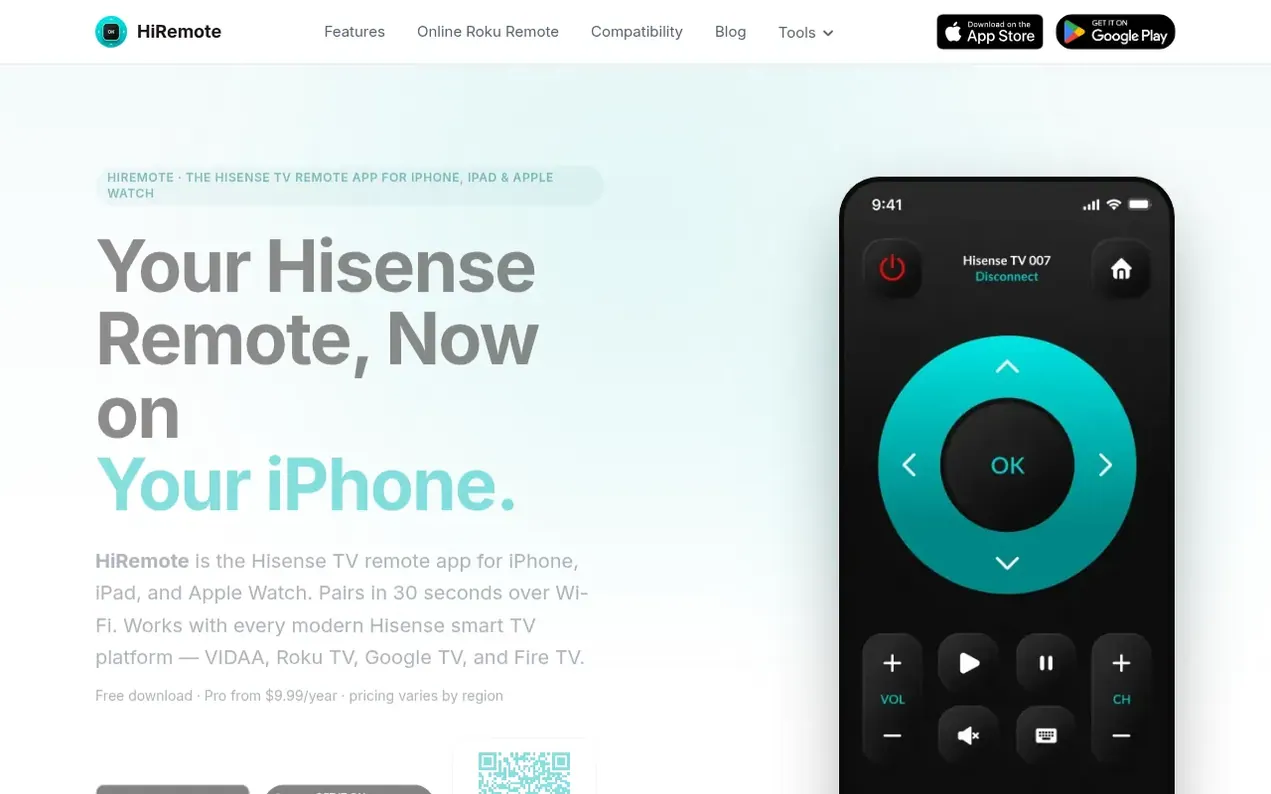
HiRemote is a remote control app for Hisense smart TVs available on iPhone, iPad, Apple Watch, and Android. It connects over local Wi-Fi in about 30 seconds without requiring an account, email, or phone number. The app works with all modern Hisense TV platforms including VIDAA, Roku TV, Google TV, and Fire TV Edition models.
The app includes a full QWERTY keyboard for typing passwords on streaming apps, touchpad navigation, direct shortcuts to Netflix, YouTube, Disney+, and Prime Video, and on iOS offers Apple Watch control and Lock Screen widgets. All commands run locally over Wi-Fi between the phone and TV with no cloud servers or telemetry—the app never sees what users watch. The free version includes all core remote functions; the Pro subscription ($9.99/year) adds Apple Watch support, widgets, ad-free mode, custom button mapping, voice search, and priority support.
- no account
- remote control
- apple watch
- hisense tv
- wi-fi control
- ios app
- privacy-focused
Features worth knowing
- Power, volume, and mute control
- Full QWERTY keyboard for streaming app passwords
- Direct app launch shortcuts (Netflix, YouTube, Prime, Disney+)
- Touchpad navigation mode
- Apple Watch app with complications and widgets
- Local Wi-Fi pairing without cloud servers
- Support for VIDAA, Roku, Google TV, and Fire TV platforms
- 30-second pairing process
- Custom button mapping (Pro)
- Voice search (Pro)
Pricing
Free: all core remote functions including power, volume, mute, channel navigation, smart TV menu navigation, touchpad, QWERTY keyboard, and app shortcuts. Pro: $9.99/year (pricing varies by region) adds Apple Watch app, Lock Screen and Home Screen widgets, ad-free mode, custom button mapping, macros
Compare and explore
FAQ
- How do I connect my iPhone to my Hisense TV as a remote?
- Phone and TV need to be on the same Wi-Fi network. Open the app and it scans your network and shows your TV by name in about 5 seconds. The pairing process depends on your TV's platform: VIDAA and Roku TVs don't require a PIN, Google TVs show a 4-digit PIN you type once, and Fire TVs show a confirmation prompt. From scan to first button press takes about 30 seconds, and reconnecting after pairing is instant on the same Wi-Fi.
- Does the Hisense TV remote app work without Wi-Fi?
- Yes, but your phone and TV must be on the same Wi-Fi network. The app talks to the TV directly over your home LAN using the TV's local control protocol. Cellular won't work even in the same room, and guest Wi-Fi networks usually isolate devices from each other.
- Why doesn't my Hisense TV show up in the remote app?
- Common reasons include the phone and TV being on different Wi-Fi networks, router having AP isolation or client isolation enabled, the TV's mobile app control setting being disabled, or the router needing to be restarted. The app has a full troubleshooting guide for deeper fixes.
- Can I control multiple Hisense TVs with one phone?
- Yes, you can control as many as you want. The app remembers every TV it's paired with indexed by MAC address, so you can switch between rooms with one tap. You can mix platforms freely on one phone and the app figures out which protocol to use per device.
- Do my phone and Hisense TV need to be on the same Wi-Fi network?
- Yes, every time. The app talks to the TV directly over Wi-Fi, which means your phone has to be on the same local network as the TV whenever you want to use it. No cellular fallback, no remote-from-office, no controlling your home TV from a hotel room. This is deliberate. Local-only means your button presses don't route through a server we run, which is faster (no round-trip latency) and means we don't see what channel you switched to or which app you opened. The downside is exactly what you're asking about — you have to be home.
Find HiRemote online
Leave a review for HiRemote
Nobody has reviewed HiRemote yet. Start things off.
A review is always free and can never be paid for. Go to the reviews and discussion
Reviews and chat · Product news · Send it on · Run this company? Claim it here · Report it
HiRemote has a free listing. The owner can unlock the full profile with a paid launch for $5:
- Founder story (locked)
- Milestones (locked)
- Demo video (locked)
- Dofollow website link (locked)
Alternatives to HiRemote
RoadTally
Private offline vehicle logbook for tracking fuel, maintenance, expenses and service reminders
Bookster
Your Reading Companion
Olmi
A simple plant care app for beginners that helps you remember watering, track care history, and build a routine that sticks
Mobile Apps0 votes. Log in to add your vote for OlmiNotifyTV
See calls and notifications from your Android phone on your TV