
GameClip
Auto-edit your gameplay into highlight videos and vertical clips with captions, zooms and sound effects
- Upvotes
- 0
- DR
- 12 +4 (up) since last check
- Followers
- 0
A desktop app that automatically edits gameplay VODs into highlight videos and short-form vertical clips, with AI-powered moment detection, captions, zooms and
About GameClip
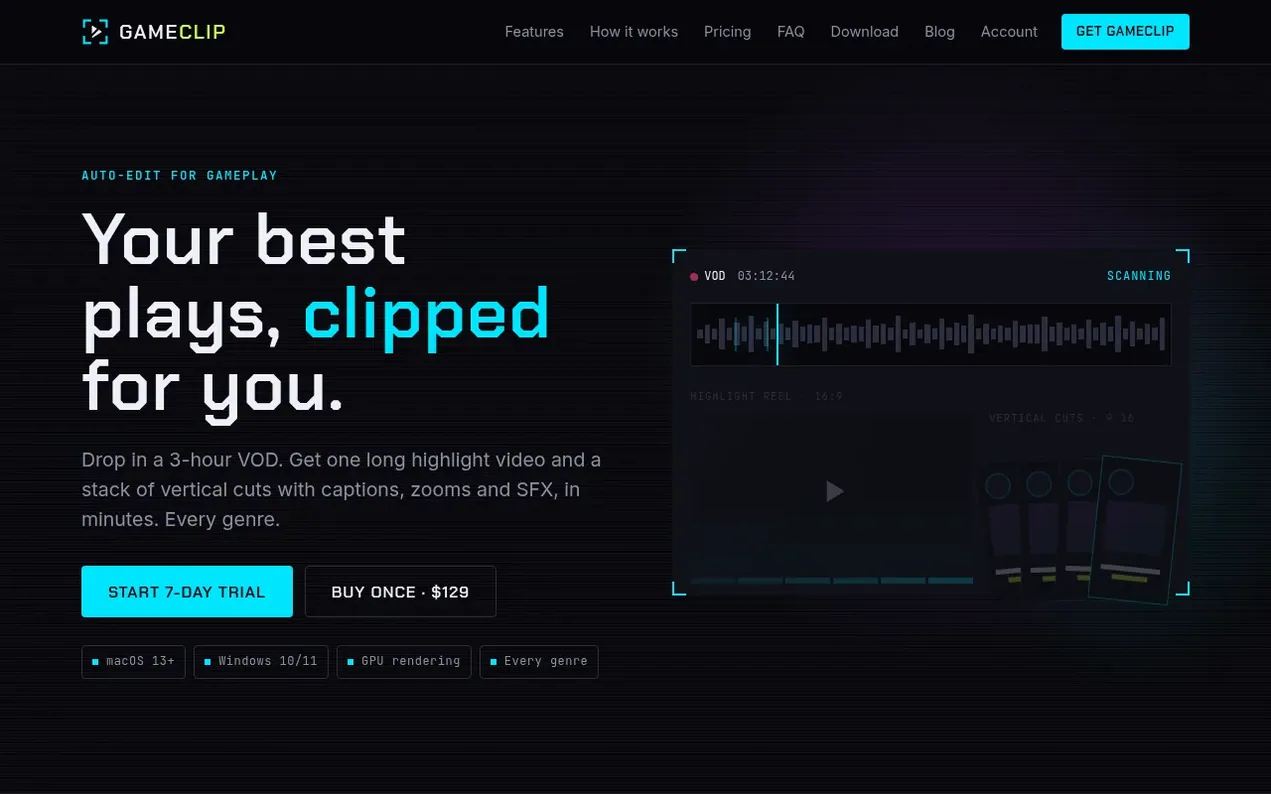
GameClip is a desktop application for macOS and Windows that transforms long gameplay recordings into polished highlight videos and vertical clips ready for social media. The app analyzes your VOD locally to detect the best moments based on game audio, voice, motion, scene cuts and what you say, then automatically creates a 16:9 highlight video for YouTube and 9:16 vertical clips for TikTok, YouTube Shorts and Instagram Reels. Each vertical clip includes captions transcribed locally in dozens of languages, auto-zooming effects, sound effects, and suggested titles. You can customize the style once and apply it to all clips, fine-tune individual elements on a full timeline editor, and export everything in one batch. The app offers two pricing options: AI Director, a monthly subscription with 7-day free trial that uses Claude to rank moments and write titles; or GameClip Lifetime, a one-time $129 purchase with local highlight detection.
- macos-windows
- short-form video
- video editing
- streaming
- gameplay highlights
- vod editor
- vertical clips
- auto-captions
Features worth knowing
- AI Director that ranks and titles moments using Claude
- Free local captions with Whisper supporting dozens of languages
- Drag-and-drop webcam positioning with shapes and styling
- Auto zooms on the peak of action with per-clip limits
- Built-in royalty-free sound effects library
- Multi-file import with sync timeline for multiple recordings
- Hardware-accelerated export up to 4K60 on GPU
- Batch export of long video and all vertical clips at once
- Apply edits to all clips at once with per-clip customization
Pricing
Pricing model: Freemium
AI Director: $29/month with 7-day free trial, includes 20 monthly AI credits. GameClip Lifetime: $129 one-time purchase with local highlight detection, free captions, editor, templates and 4K export.
Follow GameClip and hear about their milestones, new launches and demo videos by email. Stop any time.
GameClip metrics
| Metric | Value |
|---|---|
| Domain Rating | 12 +4 (up) since last check |
| Trust Flow | 2 no change since last check |
| Citation Flow | 6 no change since last check |
| Referring domains | 4 no change since last check |
| External backlinks | 5 no change since last check |
Ahrefs Domain Rating scanned 19 Nov 2026, updated 19 Nov 2026. Main topic: Computers/Internet/On the Web (2). Majestic scanned 17 Nov 2026, updated 17 Nov 2026. Link stats via Majestic. Trust Flow, Citation Flow and Topical Trust Flow are trademarks of Majestic-12 Ltd.
GameClip domain facts
Reveal the domain facts
| Domain age | 22 days |
|---|---|
| Registered | |
| Expires | |
| Registrar | HOSTINGER operations, UAB |
| DNSSEC | Not signed |
GameClip launch results
| Measure | At launch, then latest |
|---|---|
| Domain Rating (Ahrefs) | 8 to 12 +4 (up) since launch 17 Nov 2026, then 19 Nov 2026 |
| Trust Flow (Majestic) | 2 first measured 17 Nov 2026 |
| Referring domains (Majestic) | 4 first measured 17 Nov 2026 |
Day 2 since launch. Next receipt: day 30, 17 Dec 2026. The figures report a change; they do not say what caused it, and many things can. No figure here is a guess.
Launching something soon?
Free tips from Best Digital Launch for getting ready, launch day, the week after and what to do next.
- Set up
- On launch day
- The days after
- Beyond launch
Compare and explore
FAQ
- What are the system requirements?
- macOS 13 or later on Apple silicon or Intel, or Windows 10 or 11 (64-bit). A dedicated or recent integrated GPU makes analysis and export faster.
- Can I import several files and a separate webcam?
- Yes. Add as many gameplay files as you like and your webcam files too. A Sync timeline opens with both waveforms so you can drag each webcam file into place.
- What is the difference between Fit and Cover?
- Both turn a 16:9 clip into a 9:16 vertical. Fit keeps the whole frame and fills the top and bottom with a blurred copy. Cover crops the center to fill the screen.
- Does it work with OBS recordings?
- Yes. OBS, NVIDIA ShadowPlay, AMD ReLive, the Xbox Game Bar and other recorders save normal video files, and GameClip imports them.
- Which languages do captions support?
- Captions are transcribed with a Whisper speech model that handles dozens of languages including English, Spanish, Portuguese, French, German, Japanese and Korean.
Leave a review for GameClip
Nobody has reviewed GameClip yet. Start things off.
A review is always free and can never be paid for. Go to the reviews and discussion
Reviews and chat · Product news · Send it on · Run this company? Claim it here · Report it
GameClip has a free listing. The owner can unlock the full profile with a paid launch for $5:
- Founder story (locked)
- Milestones (locked)
- Demo video (locked)
- Dofollow website link: not on this free listing (its website link is nofollow)
Alternatives to GameClip
AI Rap Video
Turn two selfies into an original rap duo video
Video generation1 votes. Log in to add your vote for AI Rap VideoRemoveWatermark
Professional watermark removal for AI-generated videos with free tier and affordable Pro plans
Video generation1 votes. Log in to add your vote for RemoveWatermarkOpenVideoGenerator
Free AI video maker online and generator for creating videos from text and images
Video generation0 votes. Log in to add your vote for OpenVideoGeneratorStreamPulse Clips
Turn Twitch and Kick clips into vertical videos for TikTok, Shorts and Reels automatically
Video generation0 votes. Log in to add your vote for StreamPulse Clips