
StreamPulse Clips
Turn Twitch and Kick clips into vertical videos for TikTok, Shorts and Reels automatically
- Upvotes
- 0
- DR
- 3 no change since last check
- Followers
- 0
Browser-based tool that automatically converts horizontal Twitch and Kick clips into 9:16 vertical videos for social media, with automatic framing, captions and
About StreamPulse Clips
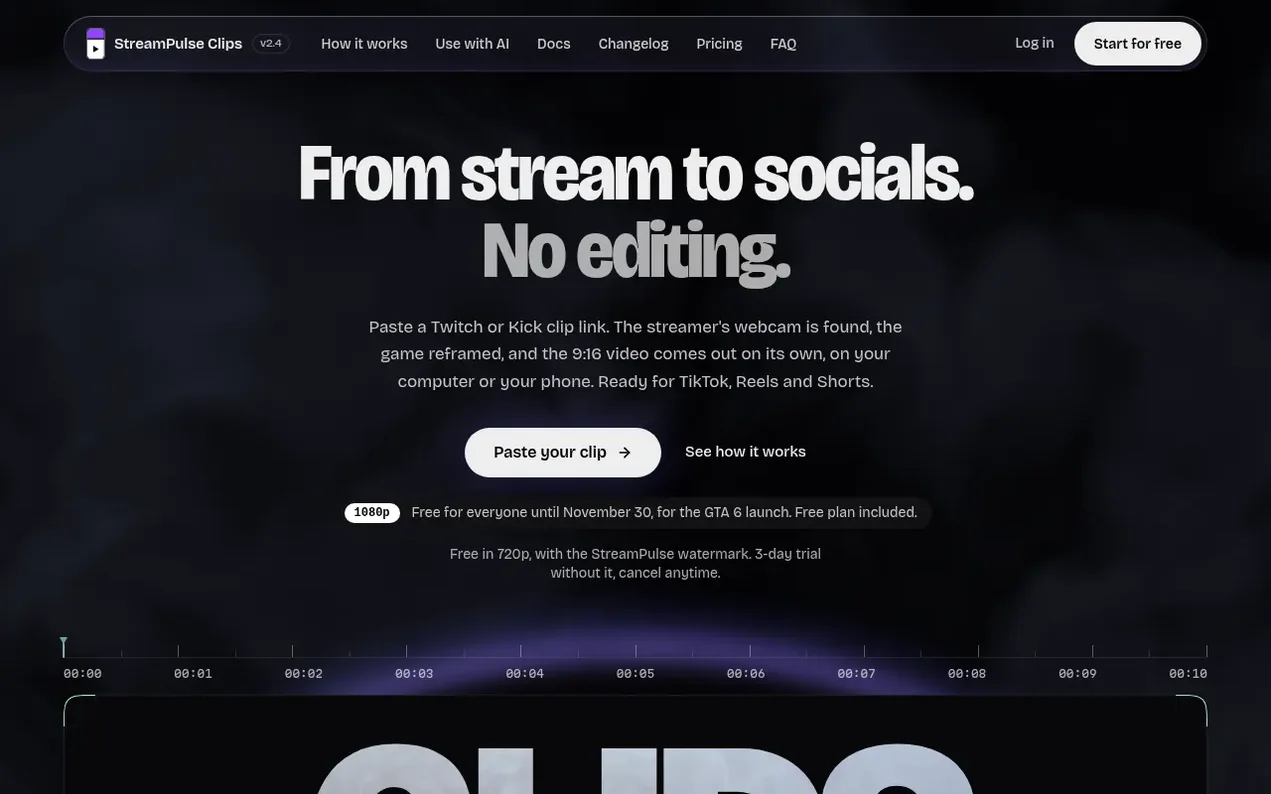
StreamPulse Clips converts Twitch and Kick clips into vertical 9:16 videos optimized for TikTok, YouTube Shorts, and Instagram Reels. The tool automatically detects the streamer's face and webcam overlay, separates it from gameplay, and recomposes them into a vertical format. All processing happens in your browser with no installation required.
The app provides automatic features including animated captions that sync with speech, hook generation, live chat integration, and customizable layouts. Users can adjust framing manually by dragging elements, choose from seven layout options, add zooms at key moments, and apply color and mood filters. Additional features include silence removal, sound normalization, and end screen templates.
StreamPulse Clips offers a free plan with 720p exports and watermark, plus Light and Pro paid plans. All plans include a 3-day free trial. The service is designed for content creators and clippers who need to quickly repurpose streaming content for social media platforms.
- clip converter
- auto-framing
- tiktok
- vertical video
- web-app
- twitch clips
- streaming
Features worth knowing
- Automatic webcam detection and framing
- AI-generated captions that sync with speech
- 7 customizable layout options
- Automatic hook and signature generation
- Live chat integration
- Automatic zoom detection on screams and laughs
- Silence removal and sound normalization
- In-browser rendering without server upload
- Support for Twitch and Kick clips
Pricing
Pricing model: Freemium
Free: €0, 720p with watermark. Light: €4.99/month, 720p without watermark, unlimited exports. Pro: €9.99/month, 1080p, includes AI assist. All plans include 3-day free trial.
Follow StreamPulse Clips and hear about their milestones, new launches and demo videos by email. Stop any time.
StreamPulse Clips metrics
| Metric | Value |
|---|---|
| Domain Rating | 3 no change since last check |
| Trust Flow | 2 no change since last check |
| Citation Flow | 21 no change since last check |
| Referring domains | 7 no change since last check |
| External backlinks | 174 no change since last check |
Ahrefs Domain Rating scanned 19 Nov 2026, updated 19 Nov 2026. Main topic: Science/Environment (2). Majestic scanned 19 Nov 2026, updated 19 Nov 2026. Link stats via Majestic. Trust Flow, Citation Flow and Topical Trust Flow are trademarks of Majestic-12 Ltd.
StreamPulse Clips domain facts
Reveal the domain facts
| Domain age | 1 month |
|---|---|
| Registered | |
| Expires | |
| Registrar | Register SPA |
| DNSSEC | Signed |
Launching something soon?
Free tips from Best Digital Launch for getting ready, launch day, the week after and what to do next.
- Set up
- On launch day
- The days after
- Beyond launch
Compare and explore
FAQ
- How does StreamPulse Clips' auto-framing work?
- StreamPulse Clips finds the streamer's face and webcam overlay in the original stream using face detection that runs in your browser. It then separates the cam from the gameplay and recomposes them into a 9:16 vertical format for TikTok, YouTube Shorts and Instagram Reels.
- Can I adjust the framing if detection isn't perfect?
- Yes. You can drag the webcam band right on the screen, change its height, zoom on the game, or pick one of 7 layouts: Cam on top, Cam at bottom, Floating cam, Round cam, Face tracking, Podcast duo or Full frame.
- Are my videos sent to a server?
- On the web, framing and export run in your browser with no render server and no queue. Pasted clips are fetched through the server to work around Twitch restrictions, then passed to you and not stored. Subscriber captions send audio to a transcription provider; files you import stay on your device.
- Which streaming platforms are supported?
- Twitch clips (clips.twitch.tv and twitch.tv) and Kick clips (kick.com) are supported by link, plus video files you can import. YouTube links are not yet supported.
- How does the free trial work?
- Every plan starts with a 3-day free trial, once per account, with everything unlocked. You can cancel anytime before the 3 days end and nothing is charged; otherwise the first period of your chosen plan is billed.
Leave a review for StreamPulse Clips
Nobody has reviewed StreamPulse Clips yet. Start things off.
A review is always free and can never be paid for. Go to the reviews and discussion
Reviews and chat · Product news · Send it on · Run this company? Claim it here · Report it
StreamPulse Clips has a free listing. The owner can unlock the full profile with a paid launch for $5:
- Founder story (locked)
- Milestones (locked)
- Demo video (locked)
- Dofollow website link: not on this free listing (its website link is nofollow)
Makers
- Alexis AMZFounder
Alternatives to StreamPulse Clips
AI Rap Video
Turn two selfies into an original rap duo video
Video generation1 votes. Log in to add your vote for AI Rap VideoRemoveWatermark
Professional watermark removal for AI-generated videos with free tier and affordable Pro plans
Video generation1 votes. Log in to add your vote for RemoveWatermarkOpenVideoGenerator
Free AI video maker online and generator for creating videos from text and images
Video generation0 votes. Log in to add your vote for OpenVideoGeneratorAirap Generator
Turn one or two photos into original rap videos with AI
Video generation0 votes. Log in to add your vote for Airap Generator