
FormResizer
Free signature and photo resizer for online forms
- Upvotes
- 0
- DR
- 0 no change since last check
- Followers
- 0
Resize signatures and photos to exact file size and pixel dimensions required by online forms, checked before download.
About FormResizer
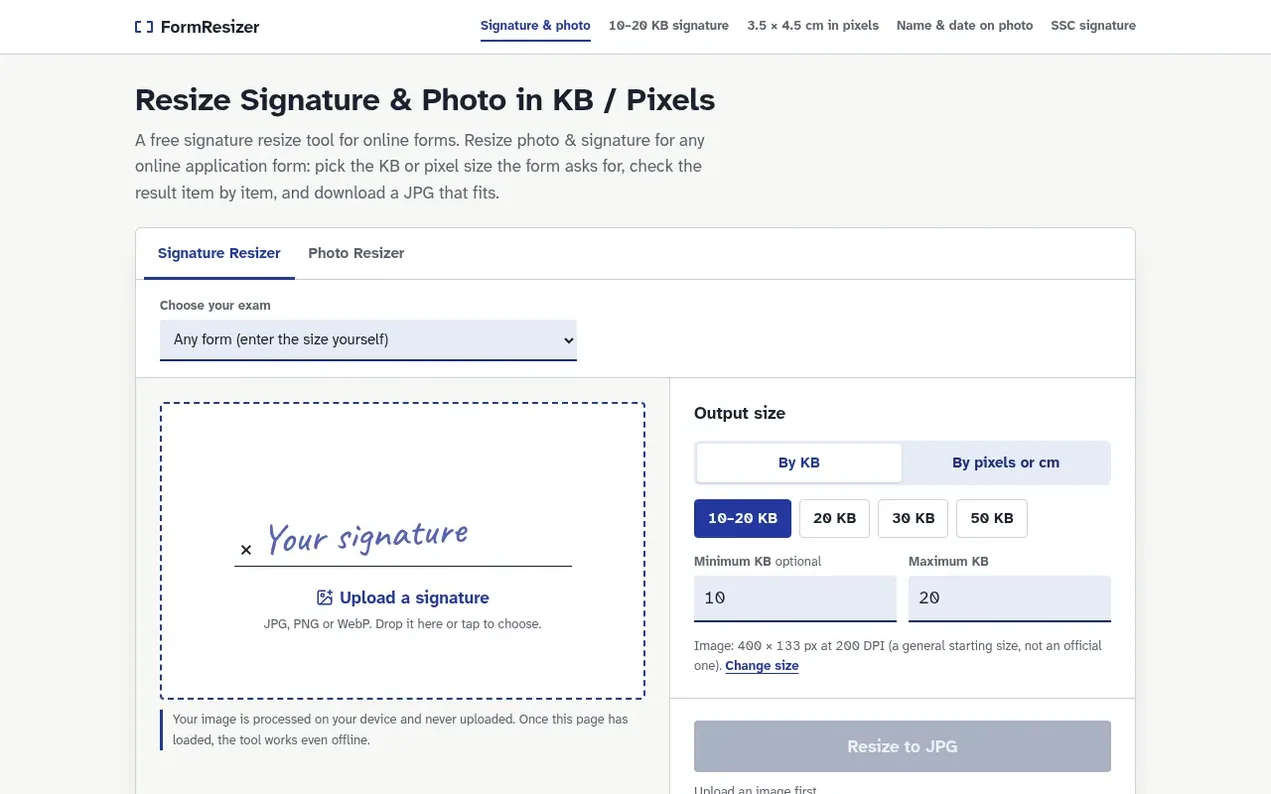
FormResizer prepares signatures and photos for online application forms including exams, recruitment, scholarships and government services. Users specify the file size and image dimensions their form requires, and the tool produces a JPG meeting both requirements, verified item by item before download. All processing happens locally on the user's device with no server uploads, and the tool works offline after the page loads.
- photo resizer
- online forms
- file size converter
- offline
- image compression
- browser tool
- signature resize
Features worth knowing
- Resize by KB file size or pixel dimensions
- Trim empty space and remove shadows from signatures
- Pre-download verification of pixels, file size, format and DPI
- Process images locally with no server uploads
- Works offline after page loads
- Support JPG, PNG and WebP input formats
- Outputs JPG format compatible with all forms
- Database of checked exam signature requirements
- Darken ink for clearer signature scans
- Works on mobile phones and browsers
Pricing
Pricing model: Free
Follow FormResizer and hear about their milestones, new launches and demo videos by email. Stop any time.
FormResizer metrics
| Metric | Value |
|---|---|
| Domain Rating | 0 no change since last check |
| Trust Flow | 0 no change since last check |
| Citation Flow | 0 no change since last check |
| Referring domains | 0 no change since last check |
| External backlinks | 0 no change since last check |
Ahrefs Domain Rating scanned 10 Nov 2026, updated 8 Nov 2026. Majestic scanned 8 Nov 2026, updated 8 Nov 2026. Link stats via Majestic. Trust Flow, Citation Flow and Topical Trust Flow are trademarks of Majestic-12 Ltd.
FormResizer domain facts
Reveal the domain facts
| Domain age | 4 days |
|---|---|
| Registered | |
| Expires | |
| Registrar | Cloudflare, Inc. |
| DNSSEC | Not signed |
FormResizer launch results
| Measure | At launch, then latest |
|---|---|
| Domain Rating (Ahrefs) | 0 to 0 no change since launch 8 Nov 2026, then 10 Nov 2026 |
| Trust Flow (Majestic) | 0 first measured 8 Nov 2026 |
| Referring domains (Majestic) | 0 first measured 8 Nov 2026 |
Day 2 since launch. Next receipt: day 30, 8 Dec 2026. The figures report a change; they do not say what caused it, and many things can. No figure here is a guess.
Launching something soon?
Free tips from Best Digital Launch for getting ready, launch day, the week after and what to do next.
- Set up
- On launch day
- The days after
- Beyond launch
Compare and explore
FAQ
- Is my signature uploaded anywhere?
- No. The signature resize happens in your browser with your device's own processor. Once the page has loaded you can even switch off your internet connection and the tool keeps working.
- Does it work on a phone, and without internet?
- Yes to both. The tool runs in any current mobile browser, so you can photograph a signature and resize it on the same phone. Once the page has loaded, it keeps working with mobile data or Wi-Fi switched off.
- Which file type does the tool produce?
- A JPG (JPEG) file, which almost every application form accepts. You can start from a JPG, PNG or WebP image. Transparent PNG signatures are placed on a white background.
- What size should my signature be?
- Use the size printed in your form's notice or upload page. Forms usually give a KB limit, often with both a minimum and a maximum, and sometimes a pixel or cm size. If the form gives only a KB limit, the default 400 × 133 px at 200 DPI is a reasonable starting size.
- What is 6 × 2 cm in pixels?
- At 300 DPI, 6 × 2 cm is 709 × 236 px; at 200 DPI it is 472 × 157 px. Use it when your form gives the signature size in cm. If the form lists pixels, use those pixels exactly.
Leave a review for FormResizer
Nobody has reviewed FormResizer yet. Start things off.
A review is always free and can never be paid for. Go to the reviews and discussion
Reviews and chat · Product news · Send it on · Run this company? Claim it here · Report it
FormResizer has a free listing. The owner can unlock the full profile with a paid launch for $5:
- Founder story (locked)
- Milestones (locked)
- Demo video (locked)
- Dofollow website link (locked)
Alternatives to FormResizer
bulkimage.io
Browser-based bulk image editor for local batch processing
Image generation0 votes. Log in to add your vote for bulkimage.ioPhotoCompressor
Compress photos in your browser, privately and free
Image generation0 votes. Log in to add your vote for PhotoCompressorCrunchyPic
Free online image tools that run entirely in your browser with no signup or uploads
Image generation0 votes. Log in to add your vote for CrunchyPicClearcove
Remove image backgrounds in full resolution up to 4K, free and fast
Image generation0 votes. Log in to add your vote for Clearcove