
bulkimage.io
Browser-based bulk image editor for local batch processing
- Upvotes
- 0
- DR
- 42 no change since last check
- Followers
- 0
About bulkimage.io
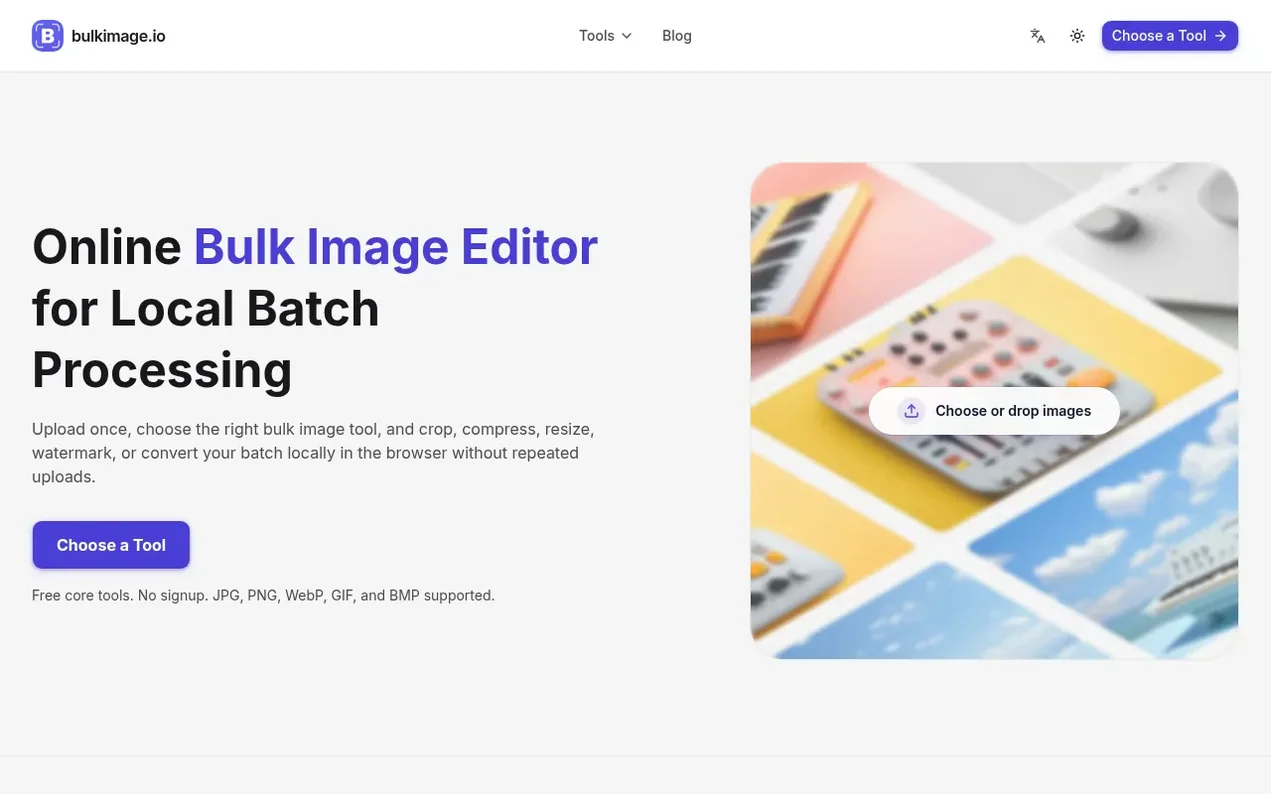
bulkimage.io is a browser-based bulk image editor designed for teams and creators who need to process many images with the same settings. Core editing tools run locally in the browser, allowing users to crop, resize, compress, remove backgrounds, add borders and watermarks, rename, apply filters, and convert images without sending files to remote servers.
The platform organizes workflows around batch processing: upload images once, choose a tool, apply shared settings across the queue, preview results, and export together. Users can continue processing the same batch through multiple tools without re-uploading. Standard tools like cropping, rotation, compression, and renaming are free and run entirely in the browser, with optional AI features available through paid plans.
The product is designed for e-commerce teams preparing product photos, content publishers needing consistent web-ready visuals, agencies standardizing client assets, and operations teams repeating image cleanup workflows. It supports importing JPG, PNG, WebP, GIF, and BMP formats and exporting as JPEG, PNG, or WebP.
- no signup required
- format conversion
- privacy-focused
- batch processing
- local-processing
- watermarking
Features worth knowing
- Batch crop to aspect ratio
- Batch resize to pixels or percentages
- Batch compress for web and email
- Add text and logo watermarks
- Batch rename with patterns
- Background removal
- Format conversion between JPG, PNG, WebP, GIF
- Face blur for privacy
- EXIF metadata removal
- Apply filters and color adjustments
Pricing
Pricing model: Freemium
Free plan with no fixed batch-size cap for standard tools. Starter: $9/mo (50 images per batch, 5,000 AI credits/mo, 2 GB AI image space). Pro: $29/mo (unlimited batch size, 50,000 AI credits/mo, 10 GB AI image space). Enterprise: $99/mo (unlimited batch size, unlimited AI credits, 50 GB AI image sp
Follow bulkimage.io and hear about their milestones, new launches and demo videos by email. Stop any time.
bulkimage.io metrics
| Metric | Value |
|---|---|
| Domain Rating | 42 no change since last check |
| Trust Flow | 6 no change since last check |
| Citation Flow | 26 no change since last check |
| Referring domains | 44 no change since last check |
| External backlinks | 147 no change since last check |
Ahrefs Domain Rating scanned 11 Nov 2026, updated 11 Nov 2026. Main topic: Recreation/Outdoors (5). Majestic scanned 11 Nov 2026, updated 11 Nov 2026. Link stats via Majestic. Trust Flow, Citation Flow and Topical Trust Flow are trademarks of Majestic-12 Ltd.
bulkimage.io domain facts
Reveal the domain facts
| Domain age | 5 months |
|---|---|
| Registered | |
| Expires | |
| Registrar | Spaceship, Inc. |
| DNSSEC | Not signed |
Launching something soon?
Free tips from Best Digital Launch for getting ready, launch day, the week after and what to do next.
- Set up
- On launch day
- The days after
- Beyond launch
Compare and explore
FAQ
- What is bulk image processing?
- Bulk image processing is editing many images with the same settings in one job. A bulk image editor lets you crop to a ratio, compress to a target size, resize to pixels, add a watermark, or rename with a pattern, with these steps run in a queue so you configure once and apply to all.
- Which formats does the bulk image editor support?
- The editor imports JPG, PNG, WebP, GIF, and BMP, and exports as JPEG, PNG, or WebP with adjustable quality. Mixed-format folders are processed file by file.
- Is the bulk image editor private?
- Standard tools process images locally in your browser. Face blur and background removal also run on-device and are not sent to a cloud AI provider.
- How many images can I process per batch?
- Free users can process batches without a fixed image-count cap. Standard editing runs in your browser, so practical capacity depends on your device memory, browser, and image dimensions. Paid plan batch limits are listed on the pricing page.
- How do I start a batch image editing job?
- Choose a bulk image tool from the homepage directory, upload your images, set options once, preview the batch, and export. If you need another step, carry the same batch into the next tool from the result card.
Leave a review for bulkimage.io
Nobody has reviewed bulkimage.io yet. Start things off.
A review is always free and can never be paid for. Go to the reviews and discussion
Reviews and chat · Product news · Send it on · Run this company? Claim it here · Report it
bulkimage.io has a free listing. The owner can unlock the full profile with a paid launch for $5:
- Founder story (locked)
- Milestones (locked)
- Demo video (locked)
- Dofollow website link (locked)
Alternatives to bulkimage.io
PhotoCompressor
Compress photos in your browser, privately and free
Image generation0 votes. Log in to add your vote for PhotoCompressorCrunchyPic
Free online image tools that run entirely in your browser with no signup or uploads
Image generation0 votes. Log in to add your vote for CrunchyPicClearcove
Remove image backgrounds in full resolution up to 4K, free and fast
Image generation0 votes. Log in to add your vote for ClearcoveSix-IR
Free image resizer for Instagram, TikTok, YouTube and other platforms with no watermark and no upload
Image generation0 votes. Log in to add your vote for Six-IR