ClipGlobe
AI video translation and dubbing to turn any video multilingual
- Upvotes
- 0
- DR
- 2 +1 (up) since last check
- Followers
- 0
A web-based AI video localization studio that automatically translates, subtitles, and dubs videos into multiple languages in minutes.
About ClipGlobe
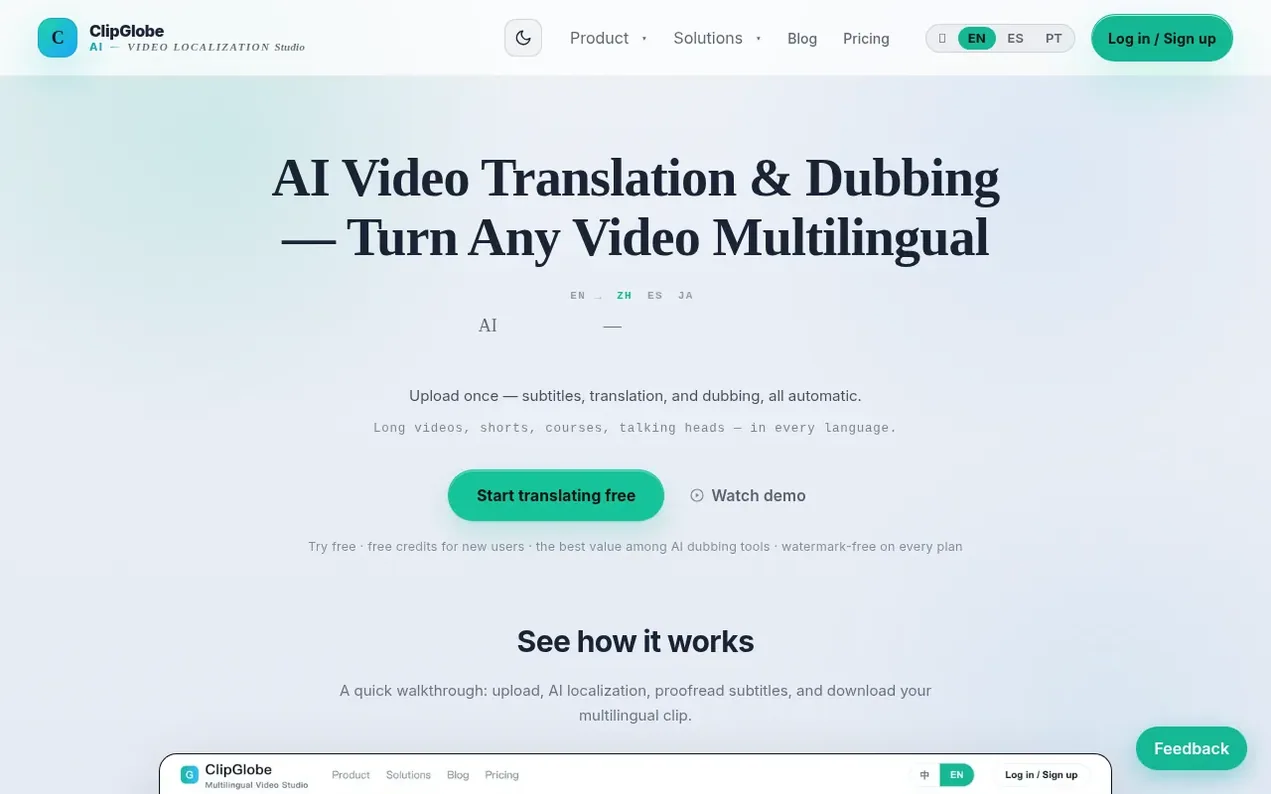
ClipGlobe is an AI video localization studio that streamlines multilingual video production. Upload a single video and the platform automatically detects speech, translates content, generates subtitles, and creates dubbed versions in 70+ languages. Features include an AI subtitle editor for sentence-by-sentence refinement, voice cloning to preserve original speakers, and batch processing for multiple target languages. The service exports watermark-free videos ready for publishing and commercial use across platforms like TikTok, Amazon, and Shopee. Processing is billed per video minute, with turnaround times as fast as 2 minutes.
- ai dubbing
- subtitle translation
- video localization
- video translation
- batch processing
- voice-cloning
- multilingual video
Features worth knowing
- AI transcription with speech recognition and timestamped text
- Multilingual translation with terminology consistency across 70+ languages
- AI voiceover with speech rate auto-matching original duration
- Subtitle editor for sentence-by-sentence translation review and timing adjustment
- Auto-render for subtitle burn-in and audio mixing in one step
- Watermark-free export on all plans for commercial use
- Batch task processing for multiple language versions simultaneously
- Voice cloning to preserve original speaker in multiple languages
- Up to 15 minutes long video processing and up to 3 minutes for shorts
Pricing
Pricing model: Paid
Starter plan $19/month with 100 min/period processing quota; Pro plan $59/month with 400 min/period; Studio plan $199/month with 1500 min/period. All plans include automatic multilingual subtitles, multi-voice AI dubbing, subtitle editing, watermark-free export, and 4K support. Save 17% on yearly bi
Follow ClipGlobe and hear about their milestones, new launches and demo videos by email. Stop any time.
ClipGlobe metrics
| Metric | Value |
|---|---|
| Domain Rating | 2 +1 (up) since last check |
| Trust Flow | 2 no change since last check |
| Citation Flow | 19 no change since last check |
| Referring domains | 8 no change since last check |
| External backlinks | 19 no change since last check |
Ahrefs Domain Rating scanned 11 Nov 2026, updated 11 Nov 2026. Main topic: Computers/Software/Operating Systems (2). Majestic scanned 7 Nov 2026, updated 7 Nov 2026. Link stats via Majestic. Trust Flow, Citation Flow and Topical Trust Flow are trademarks of Majestic-12 Ltd.
ClipGlobe domain facts
Reveal the domain facts
| Domain age | 1 month |
|---|---|
| Registered | |
| Expires | |
| Registrar | Cloudflare, Inc. |
| DNSSEC | Not signed |
ClipGlobe launch results
| Measure | At launch, then latest |
|---|---|
| Domain Rating (Ahrefs) | 1 to 1 no change since launch 7 Nov 2026, then 10 Nov 2026 |
| Trust Flow (Majestic) | 2 first measured 7 Nov 2026 |
| Referring domains (Majestic) | 8 first measured 7 Nov 2026 |
Day 3 since launch. Next receipt: day 30, 7 Dec 2026. The figures report a change; they do not say what caused it, and many things can. No figure here is a guess.
Launching something soon?
Free tips from Best Digital Launch for getting ready, launch day, the week after and what to do next.
- Set up
- On launch day
- The days after
- Beyond launch
Compare and explore
FAQ
- Which video formats are supported?
- Common formats like MP4 / MOV / WebM are supported, up to 4 GB per file, and up to 15 minutes for long videos.
- Can I edit subtitles after translation?
- Yes, you can open the subtitle editor to revise source and translation sentence by sentence and fine-tune timing, then re-render.
- Does re-rendering cost quota again?
- Re-rendering while a task is in review costs nothing extra. Once completed, re-rendering after subtitle edits consumes the corresponding video minutes again, totaling double with the original.
- How is my uploaded video used?
- Videos are used only to process your localization task. You can download and delete it once processing is complete.
- What if a task fails?
- The task page shows the reason for failure, and within 10 minutes you can retry in one click from the home Recent tasks section.
Leave a review for ClipGlobe
Nobody has reviewed ClipGlobe yet. Start things off.
A review is always free and can never be paid for. Go to the reviews and discussion
Reviews and chat · Product news · Send it on · Run this company? Claim it here · Report it
ClipGlobe has a free listing. The owner can unlock the full profile with a paid launch for $5:
- Founder story (locked)
- Milestones (locked)
- Demo video (locked)
- Dofollow website link (locked)
Alternatives to ClipGlobe
Turbogen
AI video and image studio with 28 models, pay per generation, no subscription
AI Media Generation1 votes. Log in to add your vote for TurbogenLayerGrab
Split any image into editable, named layers with AI
AI Media Generation1 votes. Log in to add your vote for LayerGrabKling 4.0
AI video generator that creates realistic videos up to 30 seconds from text or images with native 4K resolution and synchronized audio
AI Media Generation1 votes. Log in to add your vote for Kling 4.0RemakeMeme
Remake viral videos with your own photos
AI Media Generation0 votes. Log in to add your vote for RemakeMeme