
Burning Bridges AI Video Studio
Reimagine existing videos with character, outfit, product or scene references using motion transfer and object swap
- Upvotes
- 0
- DR
- 39 no change since last check
- Followers
- 0
An AI video studio that lets you transform source footage by applying new characters, outfits, products or scenes while preserving the original motion and
About Burning Bridges AI Video Studio
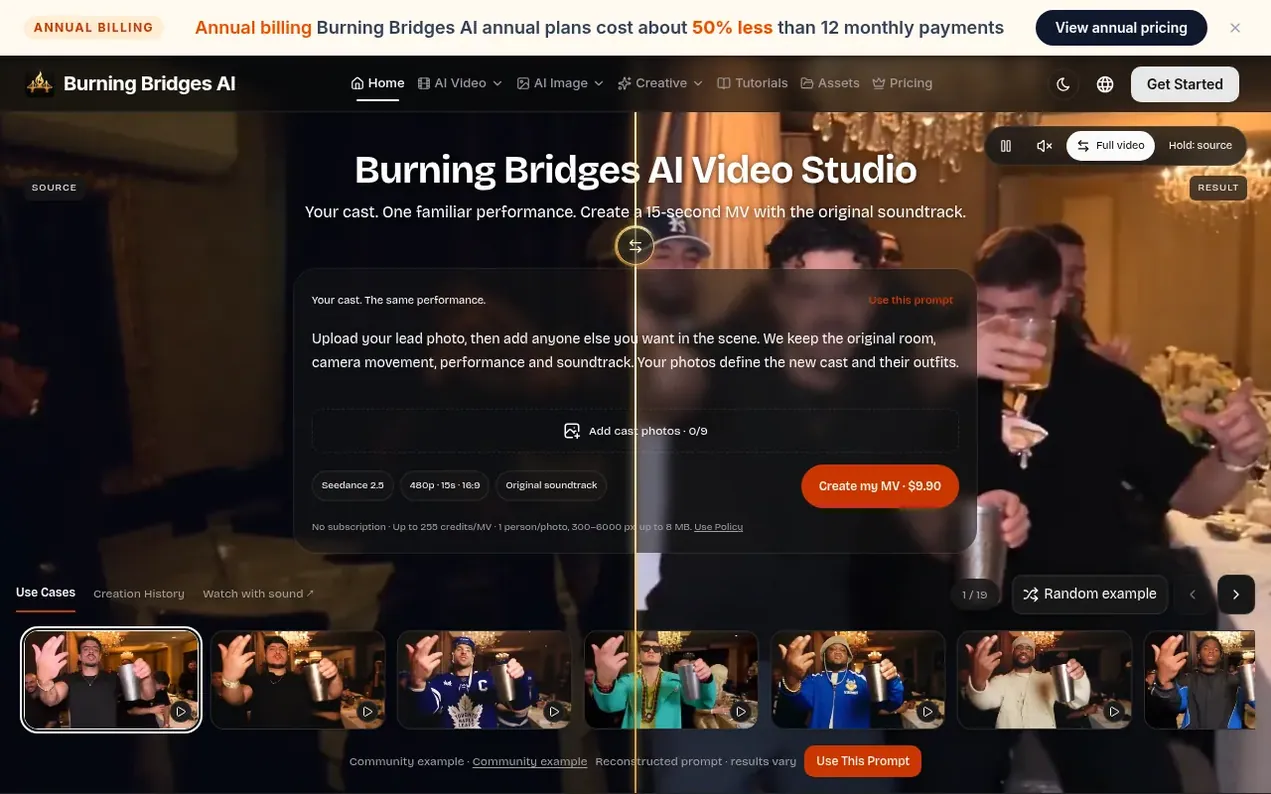
Burning Bridges AI Video Studio offers three main capabilities: Motion Transfer reimagines the cast and environment using the source movement and camera as a guide; Object Swap targets a character, outfit or product while keeping the rest of the scene consistent; and Restyle applies a visual style to the whole video with optional character references. The workflow involves choosing a 4-30 second source video, adding 1-8 reference images, selecting a mode with optional instructions, and comparing the result. Output options include 480p, 720p and 1080p resolutions. Users can quote a generation before paying, with failed jobs returning credits.
- ai video
- video editing
- motion transfer
- object swap
- video transformation
- character replacement
Features worth knowing
- Motion transfer with reference images to guide character and environment changes
- Object, character and outfit replacement in video
- Multiple output resolutions: 480p, 720p and 1080p
- Source-guided duration up to 30 seconds
- Reusable source video and ordered image workflows
- Failed generations automatically return credits
Pricing
Pricing model: Paid
Pay per MV: $9.90 for one 15-second video at 480p with 255 credits. Monthly and yearly subscription options available, with annual billing costing about 50% less than 12 monthly payments. Credit packs available for one-time purchase. All models use the same credits across different plan types.
See Burning Bridges AI Video Studio's full pricing (new browser tab)
Burning Bridges AI Video Studio metrics
| Metric | Value |
|---|---|
| Domain Rating | 39 no change since last check |
| Trust Flow | 4 no change since last check |
| Citation Flow | 26 no change since last check |
| Referring domains | 39 no change since last check |
| External backlinks | 75 no change since last check |
Ahrefs Domain Rating scanned 28 Oct 2026, updated 28 Oct 2026. Main topic: Regional/Asia (3). Majestic scanned 28 Oct 2026, updated 28 Oct 2026. Link stats via Majestic. Trust Flow, Citation Flow and Topical Trust Flow are trademarks of Majestic-12 Ltd.
Burning Bridges AI Video Studio domain facts
Reveal the domain facts
| Domain age | 17 days |
|---|---|
| Registered | |
| Expires | |
| Registrar | Spaceship, Inc. |
| DNSSEC | Not signed |
Compare and explore
- Alternatives to Burning Bridges AI Video Studio
- Image Layer Separator vs Burning Bridges AI Video Studio
- Hairstyle AI vs Burning Bridges AI Video Studio
- Oh You Can Make It Cap AI vs Burning Bridges AI Video Studio
- MeiGen AI vs Burning Bridges AI Video Studio
- Victoria Secret Runway vs Burning Bridges AI Video Studio
- AI Cartoon Generator vs Burning Bridges AI Video Studio
- More in AI Media Generation
FAQ
- Which Burning Bridges AI model should I choose?
- Use Motion Transfer to reinterpret a performance with new characters and environments. Use Object Swap to target a character, outfit or product inside the original shot. Use Restyle to give the whole video a selected visual style, with optional character images. Start with a similar example.
- Do I need a prompt?
- All three models accept an empty prompt. For precise changes, describe what should change and which ordered image supplies each character, outfit, product or setting, with a limit of 10,000 characters.
- How are credits calculated?
- Motion Transfer and Object Swap use whole source seconds and the selected resolution rate. Restyle uses a conservative budget: twice that rate plus 100 credits per character image. Successful jobs settle the displayed quote and failed or canceled jobs are refunded.
- What happens when I use an example?
- The source video, ordered images, prompt, model and selected style load into the studio. Compatible current settings are preserved. Reusing inputs does not generate or charge anything; check the quote and submit when ready. Some library originals exceed public API limits and remain reference-only.
Find Burning Bridges AI Video Studio online
Leave a review for Burning Bridges AI Video Studio
Nobody has reviewed Burning Bridges AI Video Studio yet. Start things off.
A review is always free and can never be paid for. Go to the reviews and discussion
Reviews and chat · Product news · Send it on · Run this company? Claim it here · Report it
Burning Bridges AI Video Studio has a free listing. The owner can unlock the full profile with a paid launch for $5:
- Founder story (locked)
- Milestones (locked)
- Demo video (locked)
- Dofollow website link (locked)
Alternatives to Burning Bridges AI Video Studio
LayerGrab
Split any image into editable, named layers with AI
AI Media Generation1 votes. Log in to add your vote for LayerGrabKling 4.0
AI video generator that creates realistic videos up to 30 seconds from text or images with native 4K resolution and synchronized audio
AI Media Generation1 votes. Log in to add your vote for Kling 4.0Outstanding Tiny Desk AI
Turn five photos into a vertical band video performing the viral Outstanding Tiny Desk concert
AI Media Generation0 votes. Log in to add your vote for Outstanding Tiny Desk AIMimolix
Animal AI video templates that turn one pet photo into a trend-inspired scene
AI Media Generation0 votes. Log in to add your vote for Mimolix