BgRemove
Free background remover that runs on your device with no uploads
- Upvotes
- 0
- DR
- 1 no change since last check
- Followers
- 0
BgRemove removes photo backgrounds using instant color removal or an optional AI model that runs entirely in your browser without uploading images.
About BgRemove
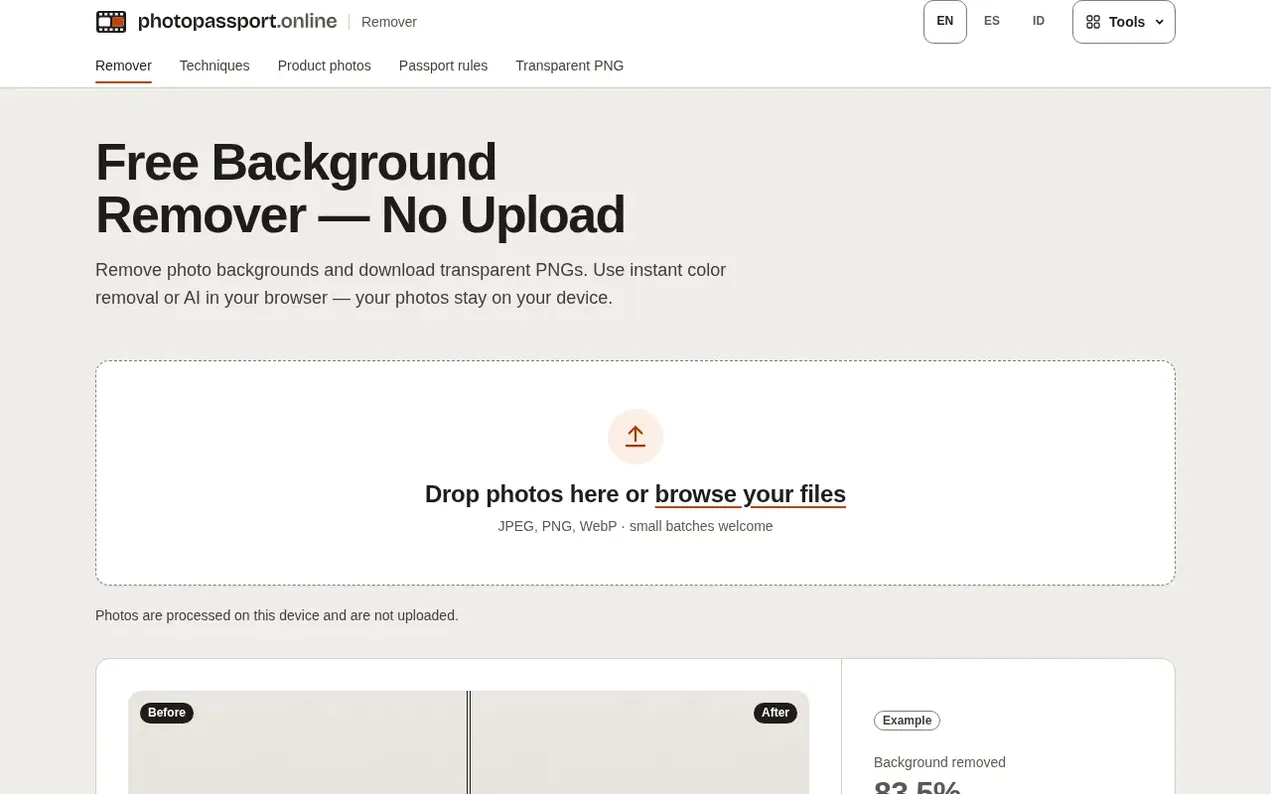
BgRemove is a free online tool that removes photo backgrounds entirely in your browser. It offers two modes: a color mode that instantly removes backgrounds by matching color and connected regions, ideal for studio shots and product photos; and an AI mode using the open U²-Netp model that handles complex backgrounds. Users can feather edges, compare before/after, fill with white or custom colors, and download transparent PNGs at full resolution. All processing happens on your device with no uploads to any server.
- transparent png
- browser-based
- background removal
- image editing
- privacy-first
- no upload
Features worth knowing
- Color mode for instant background removal on plain backgrounds
- AI mode using U²-Netp open model for complex backgrounds
- Tolerance and edge feather controls for refinement
- Before/after compare slider
- Batch processing of multiple photos
- White or custom color background fill
- Zoom and pan for checking edges
- Full resolution output PNG
- Fully offline operation after downloads
Pricing
Pricing model: Free
Follow BgRemove and hear about their milestones, new launches and demo videos by email. Stop any time.
BgRemove metrics
| Metric | Value |
|---|---|
| Domain Rating | 1 no change since last check |
| Trust Flow | 3 no change since last check |
| Citation Flow | 18 no change since last check |
| Referring domains | 4 no change since last check |
| External backlinks | 8 no change since last check |
Ahrefs Domain Rating scanned 11 Nov 2026, updated 7 Nov 2026. Main topic: Computers/Software/Operating Systems (3). Majestic scanned 7 Nov 2026, updated 7 Nov 2026. Link stats via Majestic. Trust Flow, Citation Flow and Topical Trust Flow are trademarks of Majestic-12 Ltd.
BgRemove domain facts
Reveal the domain facts
| Domain age | 9 months |
|---|---|
| Registered | |
| Expires | |
| Registrar | GoDaddy.com, LLC |
| DNSSEC | Not signed |
BgRemove launch results
| Measure | At launch, then latest |
|---|---|
| Domain Rating (Ahrefs) | 1 to 1 no change since launch 7 Nov 2026, then 10 Nov 2026 |
| Trust Flow (Majestic) | 3 first measured 7 Nov 2026 |
| Referring domains (Majestic) | 4 first measured 7 Nov 2026 |
Day 3 since launch. Next receipt: day 30, 7 Dec 2026. The figures report a change; they do not say what caused it, and many things can. No figure here is a guess.
Launching something soon?
Free tips from Best Digital Launch for getting ready, launch day, the week after and what to do next.
- Set up
- On launch day
- The days after
- Beyond launch
Compare and explore
FAQ
- Are my photos uploaded to a server?
- No. All decoding, masking, compositing and PNG encoding run in JavaScript and WebAssembly inside your browser tab with no upload endpoint. You can load the page, disconnect from the internet, and the color remover continues working; the AI model, once downloaded, also runs fully offline.
- What's the difference between color mode and AI mode?
- Color mode is instant with no download required; it removes pixels matching the background color either in the connected region or globally everywhere, ideal for studio shots and product photos. AI mode downloads a small U²-Netp open model (~4.6 MB) and WebAssembly runtime (~13 MB) once, then estimates a soft matte around the subject for any background—better for cluttered scenes but slower on first use and less precise on fine hair edges.
- Why does my cutout have a colored halo around the edges?
- Edge pixels blend the subject with the old background, most visible with green screens and strong backlight. You can increase edge feather slightly to soften the transition, lower tolerance so less edge is removed, or switch to AI mode which estimates a soft matte instead of a hard cut.
- How do I get a white or colored background instead of transparency?
- Set New background to White or Custom color before downloading. The result is flattened onto that color, which is the right output for marketplaces requiring pure white such as Amazon's main images or passport photos that need a plain light background.
- Can I process several photos at once?
- Yes, you can drop or pick a small batch. Each photo gets an automatic first pass with the dominant border color removed. You can refine any one of them in the editor, tick Apply to all images to share your settings across the batch, then download all.
Leave a review for BgRemove
Nobody has reviewed BgRemove yet. Start things off.
A review is always free and can never be paid for. Go to the reviews and discussion
Reviews and chat · Product news · Send it on · Run this company? Claim it here · Report it
BgRemove has a free listing. The owner can unlock the full profile with a paid launch for $5:
- Founder story (locked)
- Milestones (locked)
- Demo video (locked)
- Dofollow website link (locked)
Alternatives to BgRemove
bulkimage.io
Browser-based bulk image editor for local batch processing
Image generation0 votes. Log in to add your vote for bulkimage.ioPhotoCompressor
Compress photos in your browser, privately and free
Image generation0 votes. Log in to add your vote for PhotoCompressorCrunchyPic
Free online image tools that run entirely in your browser with no signup or uploads
Image generation0 votes. Log in to add your vote for CrunchyPicClearcove
Remove image backgrounds in full resolution up to 4K, free and fast
Image generation0 votes. Log in to add your vote for Clearcove