
VidSnappy
Free online video editing tools that run in your browser with no signup or upload
- Upvotes
- 0
- DR
- 1 no change since last check
- Followers
- 0
VidSnappy offers free browser-based video editing tools for compressing, converting, cropping and creating GIFs without installation or account signup. Premium
About VidSnappy
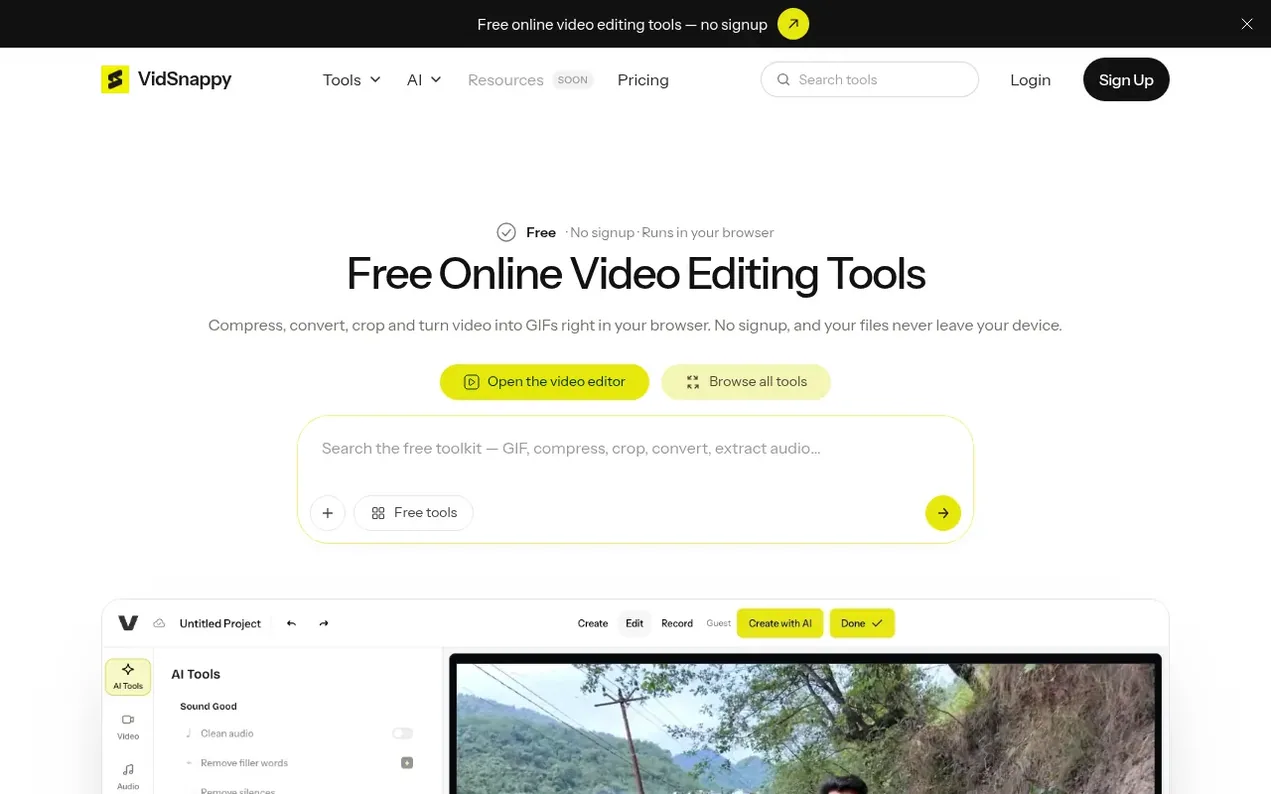
VidSnappy is a collection of free online video editing tools that run directly in your web browser. Users can compress videos, convert between formats like WebM to MP4, crop and reframe clips, extract audio, trim sections, and convert videos to animated GIFs—all without installing software or creating an account. Video files are processed locally on the user's device and never uploaded to a server, keeping content private.
The platform is built on a free-first model where everyday tools remain free and run in the browser. Premium paid plans add AI-powered features including video transcription, background removal, automatic clip generation, and an AI-assisted video editor, along with higher processing limits and watermark-free exports. Plans are month-to-month and can be cancelled anytime.
- video compression
- file conversion
- browser-based
- video editing
- gif creation
- privacy-focused
- no signup
- ai transcription
Features worth knowing
- Video compression with before/after file size display
- Convert between video formats (WebM to MP4, MKV to MP4)
- Crop and reframe video for multiple platform aspect ratios (9:16, 1:1, 4:5, 16:9)
- Extract audio from video and save as MP3
- Convert video to animated GIF
- AI video transcription with subtitle generation
- Automatic AI clip generation from long videos
- In-browser AI video editor with timeline
- All tools run locally in browser with no server upload required
Pricing
Pricing model: Freemium
Free tier with everyday tools. Paid plans: Starter $12/mo (120 credits/month), Pro $29/mo (310 credits/month), Studio $59/mo (640 credits/month). Prices in USD, month-to-month, cancel anytime.
Follow VidSnappy and hear about their milestones, new launches and demo videos by email. Stop any time.
VidSnappy metrics
| Metric | Value |
|---|---|
| Domain Rating | 1 no change since last check |
| Trust Flow | 0 no change since last check |
| Citation Flow | 11 no change since last check |
| Referring domains | 1 no change since last check |
| External backlinks | 1 no change since last check |
Ahrefs Domain Rating scanned 11 Nov 2026, updated 10 Nov 2026. Majestic scanned 10 Nov 2026, updated 10 Nov 2026. Link stats via Majestic. Trust Flow, Citation Flow and Topical Trust Flow are trademarks of Majestic-12 Ltd.
VidSnappy domain facts
Reveal the domain facts
| Domain age | 2 months |
|---|---|
| Registered | |
| Expires | |
| Registrar | NameCheap, Inc. |
| DNSSEC | Not signed |
VidSnappy launch results
| Measure | At launch, then latest |
|---|---|
| Domain Rating (Ahrefs) | 1 first measured 10 Nov 2026 |
| Trust Flow (Majestic) | 0 first measured 10 Nov 2026 |
| Referring domains (Majestic) | 1 first measured 10 Nov 2026 |
Day 0 since launch. Next receipt: day 30, 10 Dec 2026. The figures report a change; they do not say what caused it, and many things can. No figure here is a guess.
Launching something soon?
Free tips from Best Digital Launch for getting ready, launch day, the week after and what to do next.
- Set up
- On launch day
- The days after
- Beyond launch
Compare and explore
FAQ
- Are the video tools really free?
- Yes. The everyday tools (compress, convert, trim, crop and turn video into GIFs) run entirely in your browser with no signup and no upload, and your files never leave your device. There is nothing to pay for these tools.
- What do the paid plans add?
- Higher limits, saved projects with cloud restore, watermark-free editor exports, and monthly credits for AI features. Starter runs AI video up to 720p and 8 seconds with 2 jobs at once; Pro goes up to 1080p, 10 seconds and 3 jobs; Studio up to 1080p, 15 seconds and 5 jobs. The free browser-local tools stay free on every plan.
- What is a credit, and which tools use them?
- Credits are only spent by AI features (transcription, background removal, the clip maker and AI media in the editor) because those run on paid AI models. The everyday browser-local tools (compress, convert, trim, crop and GIF) never touch your credit balance and stay free on every plan.
- How many credits do the plans include?
- Starter includes 120 credits per month, Pro includes 310, and Studio includes 640. New accounts also get 1 credit on sign-up to try the AI image tools. There are no daily free credits.
- Can I cancel anytime?
- Yes, plans are month to month and you can change or cancel whenever you like. If you downgrade or cancel, the free browser-local tools keep working regardless, so you never lose access to the everyday editing you started with.
Leave a review for VidSnappy
Nobody has reviewed VidSnappy yet. Start things off.
A review is always free and can never be paid for. Go to the reviews and discussion
Reviews and chat · Product news · Send it on · Run this company? Claim it here · Report it
VidSnappy has a free listing. The owner can unlock the full profile with a paid launch for $5:
- Founder story (locked)
- Milestones (locked)
- Demo video (locked)
- Dofollow website link (locked)
Alternatives to VidSnappy
AI Rap Video
Turn two selfies into an original rap duo video
Video generation1 votes. Log in to add your vote for AI Rap VideoRemoveWatermark
Professional watermark removal for AI-generated videos with free tier and affordable Pro plans
Video generation1 votes. Log in to add your vote for RemoveWatermarkVideoToURL
Convert any video to a shareable URL in seconds, free with no sign-up
Video generation0 votes. Log in to add your vote for VideoToURLRap Song
AI duet rap video generator that creates shareable vertical clips from two photos
Video generation0 votes. Log in to add your vote for Rap Song