
Video to Prompt
Convert any video or image into a detailed AI prompt for Sora, Veo 3, Kling, Runway and Seedance
- Upvotes
- 0
- DR
- 1 no change since last check
- Followers
- 0
Video to Prompt metrics
| Metric | Value |
|---|---|
| Domain Rating | 1 no change since last check |
| Trust Flow | 5 no change since last check |
| Citation Flow | 20 no change since last check |
| Referring domains | 8 no change since last check |
| External backlinks | 36 no change since last check |
Ahrefs Domain Rating scanned 25 Oct 2026, updated 25 Oct 2026. Main topic: Computers/Software/Operating Systems (4). Majestic scanned 25 Oct 2026, updated 25 Oct 2026. Link stats via Majestic. Trust Flow, Citation Flow and Topical Trust Flow are trademarks of Majestic-12 Ltd.
Video to Prompt domain facts
| Domain age | 1 month |
|---|---|
| Registered | |
| Expires | |
| Registrar | Spaceship, Inc. |
| DNSSEC | Not signed |
Free AI tool that transforms videos and images into structured, model-optimized prompts for AI video generators. No sign-up required.
About Video to Prompt
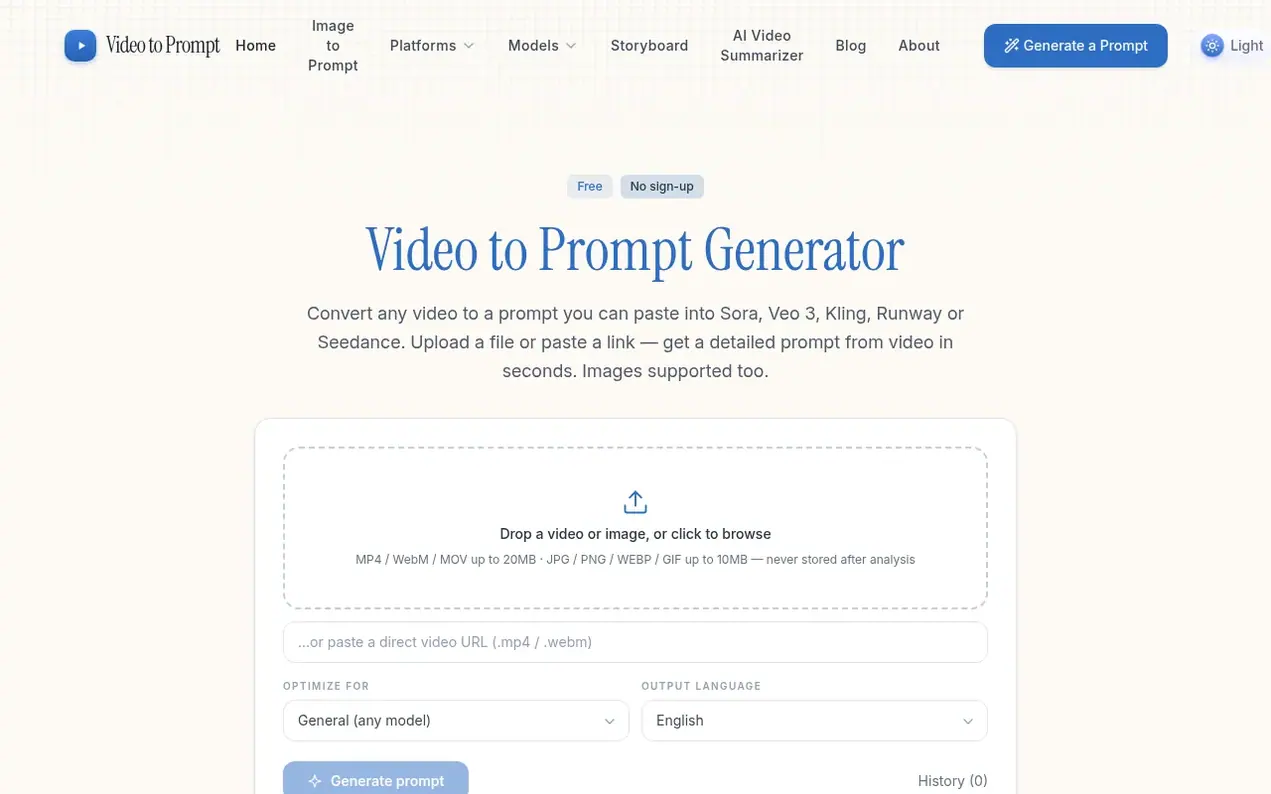
Video to Prompt is a free AI tool that analyzes any video or image and generates detailed, production-ready prompts for AI video models. Upload an MP4, WebM, MOV file or image (JPG, PNG, WEBP, GIF) or paste a direct link, and the tool's vision-language model watches the footage to extract subject, action, camera movement, lighting and style information. The output is structured like a professional brief and automatically adapted for your target model—Sora, Veo 3, Kling, Runway or Seedance each receive wording optimized to their specific requirements.
The tool operates completely free with no sign-up required and no watermarks. Prompts can be generated in ten languages including English, Simplified and Traditional Chinese, Japanese, Korean, Spanish, French, German, Portuguese and Russian. Video to Prompt is built privacy-first: videos are stored temporarily only during analysis then immediately deleted, images never touch storage, and browsing history stays only in your local browser with no account tracking.
Key features include storyboard mode for breaking clips into numbered shot lists for pre-production planning, and the ability to generate prompts from both video and still images. The tool is designed for AI video creators, marketers, editors, filmmakers and anyone learning to structure professional prompts.
- prompt optimization
- ai video prompt
- free tool
- image to prompt
- sora veo kling
- privacy-first
- video analysis
Features worth knowing
- Upload MP4, WebM, MOV videos up to 20MB or JPG, PNG, WEBP, GIF images up to 10MB
- Paste direct video links for analysis
- Model-optimized prompts for Sora, Veo 3, Kling, Runway, Seedance and GPT Image 2.5
- Generate prompts in ten output languages
- Storyboard mode breaks clips into numbered shot lists
- No sign-up required, no watermarks
- Local browser history storage, no data collection
- Daily usage allowance per visitor
Pricing
Pricing model: Free
Compare and explore
FAQ
- What is a video to prompt generator?
- It turns any video into a text prompt that recreates it with an AI video model. You upload a clip or paste a direct video URL and get a detailed prompt covering subject, action, style, lighting and camera work—ready for Sora, Veo 3, Kling, Runway or Seedance.
- Is the tool really free?
- Yes—no sign-up, no watermark. Each visitor gets a daily allowance of analyses to keep the service fast for everyone, and your prompts and history stay in your own browser.
- Do you store my videos?
- No. Videos are uploaded to private storage only for the seconds the model needs to analyze them, then deleted immediately. Images never leave the request. History lives in your browser's local storage—nothing is tied to an account.
- Can I get a prompt from an image instead?
- Yes—just drop a JPG, PNG, WEBP or GIF into the same box; the tool detects the file type automatically. You get the same detailed, model-optimized prompt for stills.
- What is storyboard mode?
- Storyboard mode breaks a clip into a numbered shot list instead of one paragraph—each line with a duration hint, shot size, camera move, action, lighting and style notes. It is designed for pre-production planning and multi-shot AI pipelines.
Leave a review for Video to Prompt
Nobody has reviewed Video to Prompt yet. Start things off.
A review is always free and can never be paid for. Go to the reviews and discussion
Reviews and chat · Product news · Send it on · Run this company? Claim it here · Report it
Video to Prompt has a free listing. The owner can unlock the full profile with a paid launch for $5:
- Founder story (locked)
- Milestones (locked)
- Demo video (locked)
- Dofollow website link (locked)
Alternatives to Video to Prompt
Kling 4.0
AI video generator that creates realistic videos up to 30 seconds from text or images with native 4K resolution and synchronized audio
AI Media Generation1 votes. Log in to add your vote for Kling 4.0ShotAI
Create AI videos and images in one place with advanced AI models
AI Media Generation0 votes. Log in to add your vote for ShotAIAnimate Photo AI
Turn photos into dynamic videos with AI in seconds
AI Media Generation0 votes. Log in to add your vote for Animate Photo AIDiss Track Generator
Create fire diss tracks with advanced AI technology
AI Media Generation0 votes. Log in to add your vote for Diss Track Generator