
Video Text Remover
Remove text from video with AI reconstruction—no blur
- Upvotes
- 0
- DR
- 28 no change since last check
- Followers
- 0
An AI-powered tool that removes on-screen text, captions, subtitles, logos and watermarks from videos by reconstructing the background without blurring, with
About Video Text Remover
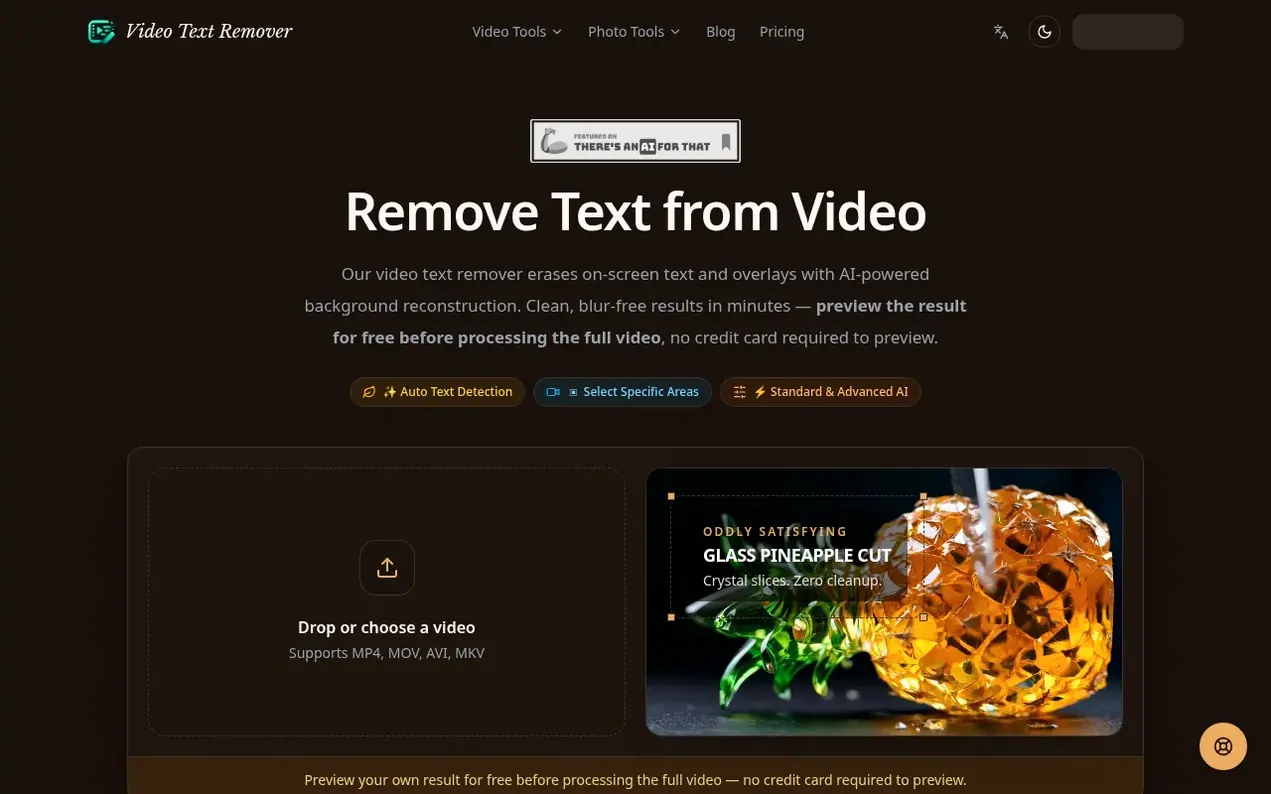
Video Text Remover is a web-based AI tool for removing text and overlays from videos. Users upload MP4, MOV, AVI, or MKV files up to 500MB directly in their browser. The AI detects text regions including titles, timestamps, captions, logos and watermarks on every frame, then reconstructs the background using color and texture data from surrounding frames rather than blurring. Processing is charged by duration: Standard processing costs 1 credit per second, Advanced text costs 2 credits per second. Users can sign in to preview results for free without a credit card before purchasing credits for full-video processing. Outputs maintain original resolution and frame rate with no tool watermark added.
- watermark removal
- subtitle removal
- no blur
- video editing
- text removal
- logo removal
- background reconstruction
- ai video
Features worth knowing
- Auto text detection
- Manual area selection
- Standard and Advanced AI modes
- Supports MP4, MOV, AVI, MKV formats
- Processes files up to 500MB in browser
- Free preview before full processing
- Maintains original resolution and frame rate
- No watermark on downloads
- Background reconstruction without blurring
- 7-day refund policy
Pricing
Pricing model: Freemium
Free preview available. Credit packs: Lite $6.99 (300 credits, approximately 5 minutes Standard processing), Creator $24.99 (1,800 credits, approximately 30 minutes Standard processing), Pro $59.99 (5,400 credits, approximately 90 minutes Standard processing). Annual plans save 20%. Credits valid fo
Video Text Remover metrics
| Metric | Value |
|---|---|
| Domain Rating | 28 no change since last check |
| Trust Flow | 11 no change since last check |
| Citation Flow | 23 no change since last check |
| Referring domains | 99 no change since last check |
| External backlinks | 2,688 no change since last check |
Ahrefs Domain Rating scanned 26 Oct 2026, updated 26 Oct 2026. Main topic: Adult/World (10). Majestic scanned 26 Oct 2026, updated 26 Oct 2026. Link stats via Majestic. Trust Flow, Citation Flow and Topical Trust Flow are trademarks of Majestic-12 Ltd.
Video Text Remover domain facts
Reveal the domain facts
| Domain age | 2 months |
|---|---|
| Registered | |
| Expires | |
| Registrar | Spaceship, Inc. |
| DNSSEC | Not signed |
Compare and explore
FAQ
- Will removing text blur my video?
- No. The tool uses AI to reconstruct the actual background that would have been behind the text by pulling color and texture data from surrounding frames, resulting in a natural look with no visible patch, color shift, or quality loss.
- What video formats do you support?
- MP4, MOV, AVI, and MKV are fully supported. Output keeps the original resolution and frame rate with no forced compression. Files up to 500MB can be processed directly in the browser, with charges of 1 credit per second for Standard and 2 credits per second for Advanced text.
- How does the free preview work?
- Sign in to generate a free result preview with no credit card required. Full-video processing uses credits after you confirm the result is worth finishing, at 1 credit per second for Standard or 2 credits per second for Advanced text.
- Is my video safe and private?
- Yes. Videos are uploaded over an encrypted connection, processed securely, and automatically deleted from servers once download is complete. Content is not stored, shared, reviewed, or used for any purpose other than the requested processing, and no human watches the video.
- What if the result isn't perfect?
- For most common scenarios like titles and overlays on clean backgrounds, results are clean and blur-free on the first try. For complex or animated text over busy backgrounds, you can contact the support team for help, and every paid plan includes a 7-day refund policy.
Leave a review for Video Text Remover
Nobody has reviewed Video Text Remover yet. Start things off.
A review is always free and can never be paid for. Go to the reviews and discussion
Reviews and chat · Product news · Send it on · Run this company? Claim it here · Report it
Video Text Remover has a free listing. The owner can unlock the full profile with a paid launch for $5:
- Founder story (locked)
- Milestones (locked)
- Demo video (locked)
- Dofollow website link (locked)
Alternatives to Video Text Remover
Kling 4.0
AI video generator that creates realistic videos up to 30 seconds from text or images with native 4K resolution and synchronized audio
AI Media Generation1 votes. Log in to add your vote for Kling 4.0Blinkvid
AI short video generator for TikTok, Instagram Reels, and YouTube Shorts
AI Media Generation0 votes. Log in to add your vote for BlinkvidPalette
AI tool to colorize black and white photos with realistic colors and 21+ filters
AI Media Generation0 votes. Log in to add your vote for PaletteDubpro.ai
AI video dubbing and localization platform
AI Media Generation0 votes. Log in to add your vote for Dubpro.ai