Subtitle Remover
AI tool that erases hard-coded subtitles, captions, watermarks and on-screen text from videos by reconstructing the pixels behind them
- Upvotes
- 0
- DR
- 32 no change since last check
- Followers
- 0
- Since
- 2025
Subtitle Remover metrics
| Metric | Value |
|---|---|
| Domain Rating | 32 no change since last check |
| Trust Flow | 16 no change since last check |
| Citation Flow | 25 no change since last check |
| Referring domains | 2,359 no change since last check |
| External backlinks | 3,113 no change since last check |
Ahrefs Domain Rating scanned 17 Oct 2026, updated 11 Oct 2026. Main topic: Regional/Asia (16). Majestic scanned 11 Oct 2026, updated 11 Oct 2026. Link stats via Majestic. Trust Flow, Citation Flow and Topical Trust Flow are trademarks of Majestic-12 Ltd.
Subtitle Remover domain facts
| Domain age | 4 months |
|---|---|
| Registered | |
| Expires | |
| Registrar | Spaceship, Inc. |
| DNSSEC | Not signed |
Subtitle Remover uses AI pixel reconstruction to remove hard-coded subtitles, captions, watermarks and on-screen text from videos without blur or black bars.
About Subtitle Remover
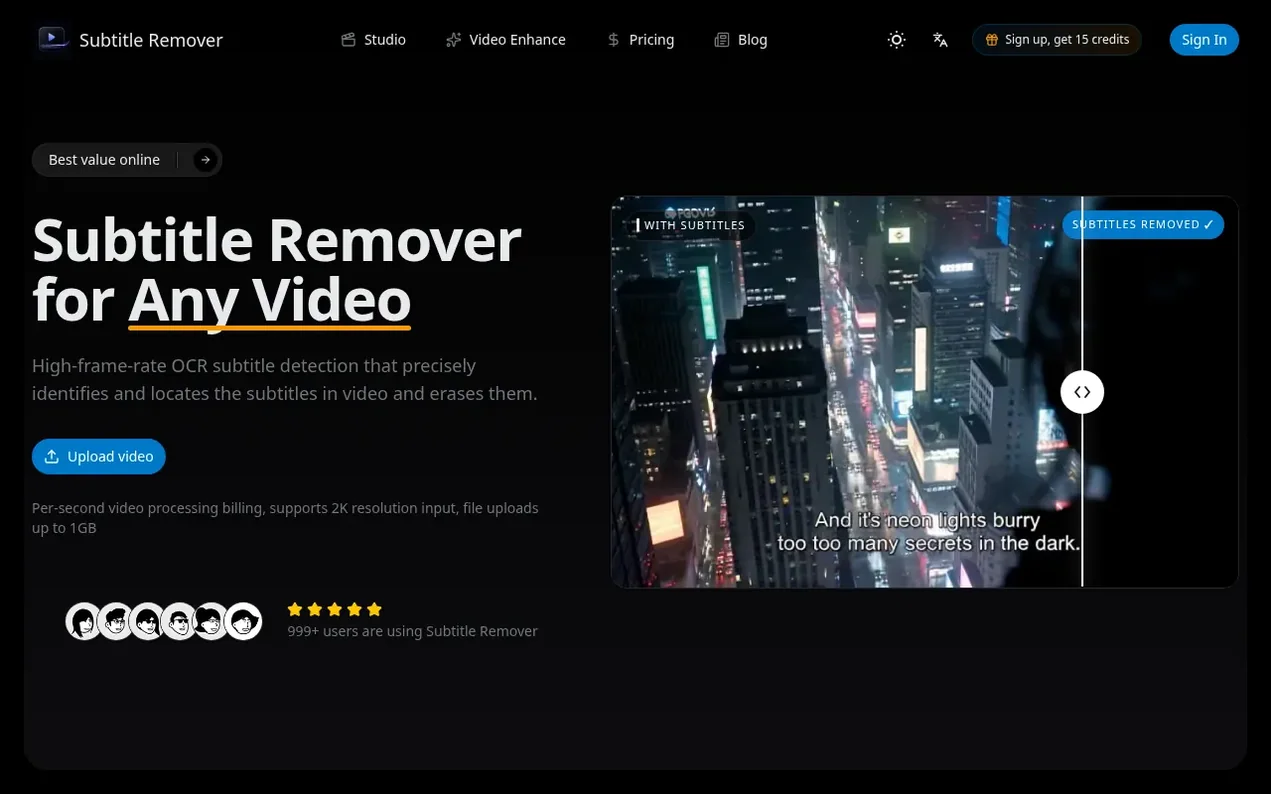
Subtitle Remover is an AI-powered video tool that removes hard-coded subtitles, captions, watermarks, logos and on-screen text from videos by reconstructing the pixels behind them frame by frame. Instead of covering text with blur or black bars, it uses OCR-assisted detection and temporal inpainting to rebuild what was actually behind the selected text.
The tool supports both automatic subtitle detection for bottom-screen captions and manual region selection for precise control over what gets erased. Input videos can be up to 2K resolution, with output up to 1080p MP4. Processing runs in the background, with typical clips taking 12-20 minutes to process.
Subtitle Remover is developed by ANIV AI TECHNOLOGIES LIMITED, a Hong Kong-based company founded in 2025. The company builds practical AI-powered video tools for creators, localization teams, marketers, educators and media professionals. Uploaded videos and output files are automatically deleted after 30 days, and the company does not use customer videos to train AI models.
- ai video
- video editing
- subtitle removal
- watermark removal
- pixel reconstruction
- video cleanup
Features worth knowing
- Hard-coded subtitle removal in 30+ languages
- Background processing up to 2K input
- Support for MP4, MOV and MKV formats
Pricing
Pricing model: Freemium
One-time packs and monthly/annual subscriptions. Basic monthly: $5.30/mo (billed annually at $63.60, 3,000 credits/month). Standard monthly: $17/mo (billed annually at $204, 15,000 credits/month). Pro monthly: $44/mo (billed annually at $528, 50,000 credits/month). Auto subtitle removal costs 1 cred
Compare and explore
FAQ
- How do I remove subtitles from a video?
- Upload the video clip, pick Auto-detect or draw a box around the subtitles, then download the rebuilt MP4. The tool reconstructs the pixels behind the text, with most videos finishing clean in about 12–20 minutes.
- How long does it take to process a video?
- Processing runs in the background and scales with video length. Clips longer than 1 minute average about 6–10× processing time (RTF), so a 2-minute video takes roughly 12–20 minutes. Shorter clips under 1 minute average about 25× RTF, so a 30-second clip takes around 12 minutes.
- How much does subtitle removal cost?
- You are billed by the second of video: auto mode costs 1 credit/sec, manual region mode costs 3 credits/sec. You can buy credits as one-time packs or subscribe monthly, with plans ranging from $5.30/mo to $44/mo depending on monthly credit allowance.
- Do my credits expire?
- Expiration depends on how you buy. One-time pack credits are valid for 1 year from purchase. Monthly subscription credits are granted at the start of each billing period and reset at the end of that period — unused subscription credits do not roll over to the next month.
- How do I remove hardcoded subtitles from MP4 files?
- Drag the MP4 into Subtitle Remover, choose Auto-detect for bottom-screen captions or Manual to draw boxes around any on-screen text, watermark or logo. The tool outputs a clean 1080p MP4.
Leave a review for Subtitle Remover
Nobody has reviewed Subtitle Remover yet. Start things off.
A review is always free and can never be paid for. Go to the reviews and discussion
Reviews and chat · Product news · Send it on · Run this company? Claim it here · Report it
Subtitle Remover has a free listing. The owner can unlock the full profile with a paid launch for $5:
- Founder story (locked)
- Milestones (locked)
- Demo video (locked)
- Dofollow website link (locked)
Alternatives to Subtitle Remover
CamArt AI
AI studio for generating images, video, and audio from social media playbooks
AI Media Generation0 votes. Log in to add your vote for CamArt AIAigazou
Free AI image and video generator without login or limits
AI Media Generation0 votes. Log in to add your vote for AigazouAnimeWall
AI anime wallpaper generator creating original HD desktop backgrounds from text prompts
AI Media Generation0 votes. Log in to add your vote for AnimeWallShotra
AI video generator for image to video and text to video creation
AI Media Generation0 votes. Log in to add your vote for Shotra