
Screen Browser
AI that creates automated demo videos for web apps by recording walkthroughs from plain language guides
- Upvotes
- 0
- DR
- 5 no change since last check
- Followers
- 0
Screen Browser metrics
| Metric | Value |
|---|---|
| Domain Rating | 5 no change since last check |
| Trust Flow | 11 no change since last check |
| Citation Flow | 27 no change since last check |
| Referring domains | 47 no change since last check |
| External backlinks | 99 no change since last check |
Ahrefs Domain Rating scanned 17 Oct 2026, updated 7 Oct 2026. Main topic: Regional/Europe (11). Majestic scanned 7 Oct 2026, updated 7 Oct 2026. Link stats via Majestic. Trust Flow, Citation Flow and Topical Trust Flow are trademarks of Majestic-12 Ltd.
Screen Browser domain facts
| Domain age | 1 year |
|---|---|
| Registered | |
| Expires | |
| Registrar | NameCheap, Inc. |
| DNSSEC | Not signed |
Screen Browser automates web app demo video creation. Users provide guides in plain language or let AI write them, and the platform signs in, records, narrates
About Screen Browser
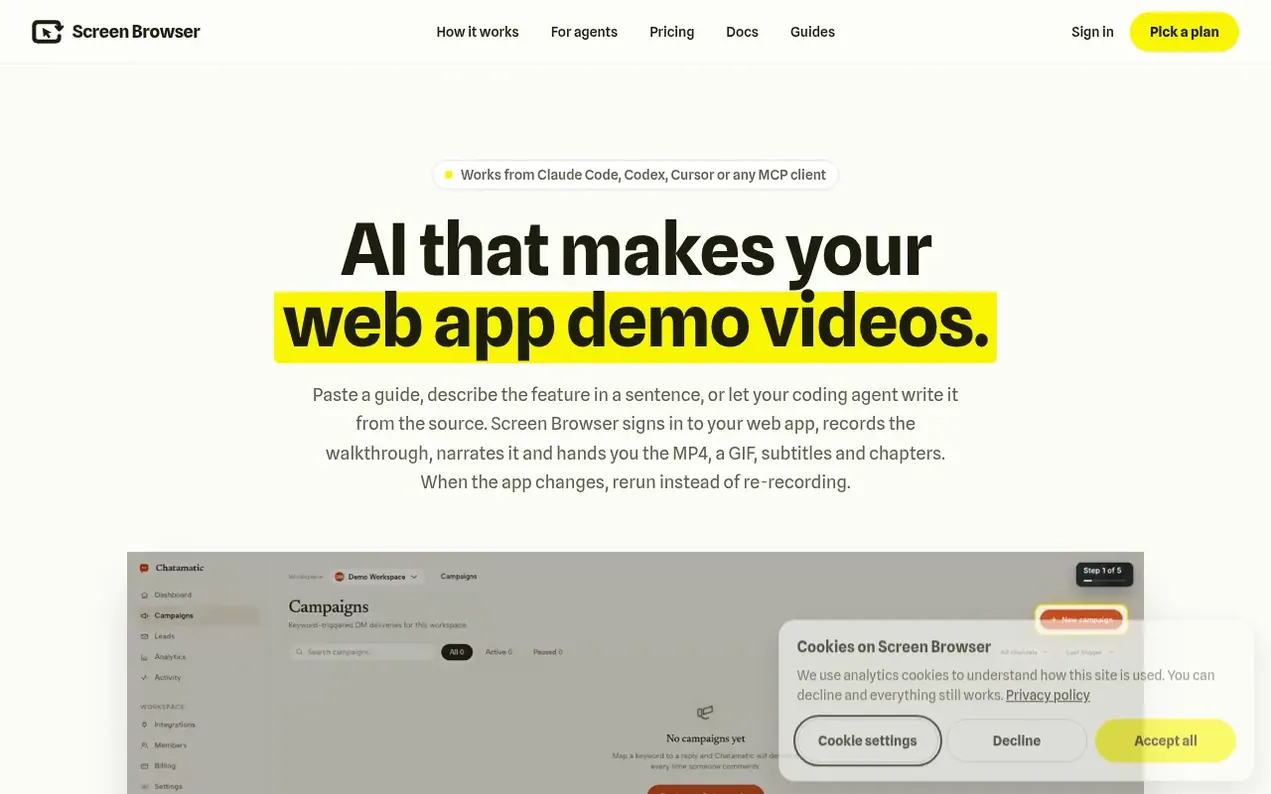
Screen Browser is an AI-powered platform that automatically generates demo videos for web applications. Users can provide plain language guides, paste existing documentation, describe features in a sentence, or let their coding agent write guides from source code.
The platform signs into the web app, records the user journey, adds professional narration, and delivers finished videos as MP4 files along with GIFs, subtitles, chapters and thumbnails. When an app changes, users rerun the guide instead of re-recording. Videos support 17 languages with customizable voices, including the option to use personal ElevenLabs voices.
Every video includes branded opening and closing sequences with the company's logo, colors and call-to-action. The platform offers 24 visual effects including highlights, zooms, tooltips, annotations and captions, with different effects available at different plan levels. Videos can be recorded in desktop or mobile layouts (iPhone, Pixel, iPad) and exported for YouTube, social media, pull requests or documentation.
The service integrates with coding agents through an MCP server, supports webhooks and API access, and pricing is based on finished video minutes rather than seats. Failed runs incur no charges.
- automation
- video creation
- mcp-server
- web-app
- demo videos
- narration
- product documentation
Features worth knowing
- Plain language guide writing or AI-generated guides from source code
- Automatic app sign-in with email and password credentials
- 17 language support with customizable voices
- 24 visual effects including highlights, zooms, tooltips and annotations
- Branded opening and ending sequences with logo and colors
- Desktop and mobile device recording (iPhone, Pixel, iPad)
- Video exports including MP4, GIF, subtitles, chapters and thumbnail
- Free guide checks before recording
- Webhook integration and API access
- MCP server integration for coding agents
Pricing
Pricing model: Paid
Starter: $49/month (approximately 20 minutes of video) or $490/year with 2 months free; Pro: $149/month (approximately 70 minutes of video) or $1,490/year with 2 months free; Team: from $399/month (approximately 200 minutes of video plus $2.00 per extra minute) or from $3,990/year with 2 months free
Compare and explore
FAQ
- What does my app need?
- Any web app with a URL we can reach and a demo user account that signs in with email and password. This includes SaaS products, internal tools, websites, and self-hosted apps like WordPress, Gitea or Keycloak. The demo account should be seeded with realistic data. OAuth, two-factor authentication, captchas and new-device emails are not supported. Apps can also be recorded in mobile layouts.
- What happens when the app changes?
- Rerun the guide instead of re-recording. The recorder learns how buttons and labels moved or changed, and adjusts automatically. If a step cannot be found, the run stops at that line and costs nothing.
- Is there a free plan or a trial?
- There is no free plan, but a 7-day trial is available for $3.99 on monthly Starter or Pro plans with about 5 minutes of video. Keep your plan after the trial and your first month includes bonus minutes (10 on Starter, 20 on Pro). Checking a guide before recording and any run that does not finish are always free.
- Can I use my own voice?
- Yes, if you have a voice registered on ElevenLabs. Register your voice ID with your ElevenLabs API key and every video can use your voice at the base rate. The API key is stored encrypted and used only for the narration call.
- How long can a video be?
- Five minutes. A good tutorial is ten to twenty-five steps, one to two minutes long. Split a long flow into several guides on the same project.
Leave a review for Screen Browser
Nobody has reviewed Screen Browser yet. Start things off.
A review is always free and can never be paid for. Go to the reviews and discussion
Reviews and chat · Product news · Send it on · Run this company? Claim it here · Report it
Screen Browser has a free listing. The owner can unlock the full profile with a paid launch for $5:
- Founder story (locked)
- Milestones (locked)
- Demo video (locked)
- Dofollow website link (locked)
Alternatives to Screen Browser
CamArt AI
AI studio for generating images, video, and audio from social media playbooks
AI Media Generation0 votes. Log in to add your vote for CamArt AIAigazou
Free AI image and video generator without login or limits
AI Media Generation0 votes. Log in to add your vote for AigazouAnimeWall
AI anime wallpaper generator creating original HD desktop backgrounds from text prompts
AI Media Generation0 votes. Log in to add your vote for AnimeWallShotra
AI video generator for image to video and text to video creation
AI Media Generation0 votes. Log in to add your vote for Shotra