PixText
Free photo text editor that edits text already in your image by clicking it, with AI-powered background rebuilding
- Upvotes
- 0
- DR
- 17 +2 (up) since last check
- Followers
- 0
A free online photo editor that lets you click and change text in images. The AI automatically erases the old text and rebuilds the background, with no
About PixText
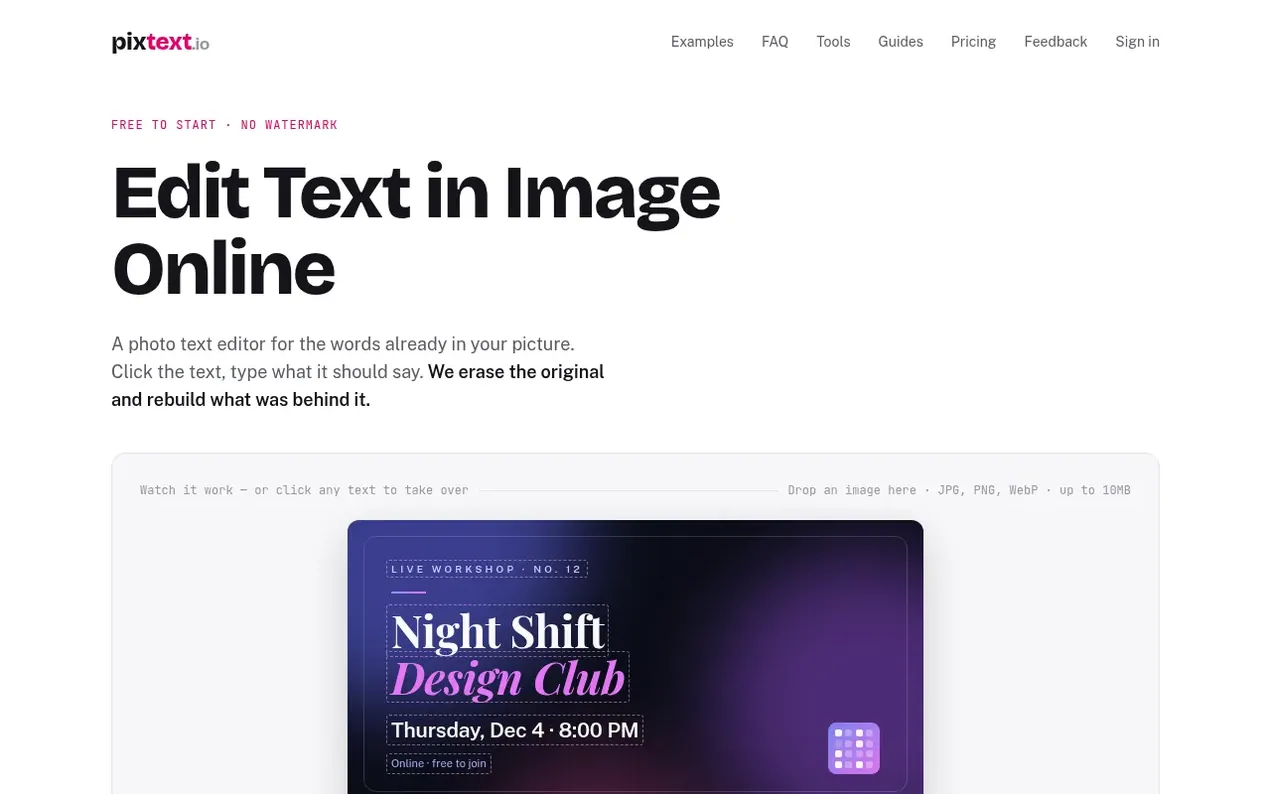
PixText is an online photo text editor that changes text already in images rather than adding text on top. Upload a screenshot, poster, or product photo, click any line of text, type your replacement words, and PixText automatically erases the original text and rebuilds the background behind it. Your new text is placed with matching size and color, and you download a clean PNG.
The tool detects text using RapidOCR and rebuilds backgrounds using LaMa, an open-source image model. You can edit text in JPG, PNG, or WebP images up to 10 MB. For lettering styles that don't match standard fonts—like neon signs or hand lettering—the AI match feature redraws the line in the image's own style.
Editing and downloading are completely free with no daily limits and no watermark. You need a free account to download. Sign in with Google to get 1 free AI match a day. Additional AI matches are available in one-time purchase packs starting at $1.99, with no subscription required.
- photo editor
- screenshot editor
- no watermark
- ai background removal
- text editing
Features worth knowing
- Click to select and edit any text in an image
- AI automatically rebuilds background behind edited text
- Automatic text detection and positioning
- Support for JPG, PNG, and WebP formats up to 10 MB
- Manual brush tool for touch-ups
- Add new text layers in addition to editing existing text
- Choice of 47 built-in open-licensed fonts
- Download results as clean PNG with no watermark
- Works on desktop and mobile browsers
Pricing
Pricing model: Freemium
Free to edit and download with no daily limit and no watermark. AI match packs: Starter $1.99 for 5 matches, Plus $9.90 for 40 matches (save 38%), Pro $39.90 for 180 matches (save 44%). All packs are one-time payments with matches that never expire. Sign in with Google for 1 free AI match a day.
Follow PixText and hear about their milestones, new launches and demo videos by email. Stop any time.
PixText metrics
| Metric | Value |
|---|---|
| Domain Rating | 17 +2 (up) since last check |
| Trust Flow | 3 no change since last check |
| Citation Flow | 20 no change since last check |
| Referring domains | 16 no change since last check |
| External backlinks | 60 no change since last check |
Ahrefs Domain Rating scanned 19 Nov 2026, updated 19 Nov 2026. Main topic: Computers/Software/Operating Systems (3). Majestic scanned 16 Nov 2026, updated 16 Nov 2026. Link stats via Majestic. Trust Flow, Citation Flow and Topical Trust Flow are trademarks of Majestic-12 Ltd.
PixText domain facts
Reveal the domain facts
| Domain age | 3 months |
|---|---|
| Registered | |
| Expires | |
| Registrar | NameCheap, Inc. |
| DNSSEC | Not signed |
PixText launch results
| Measure | At launch, then latest |
|---|---|
| Domain Rating (Ahrefs) | 5 to 15 +10 (up) since launch 16 Nov 2026, then 18 Nov 2026 |
| Trust Flow (Majestic) | 3 first measured 16 Nov 2026 |
| Referring domains (Majestic) | 16 first measured 16 Nov 2026 |
Day 3 since launch. Next receipt: day 30, 16 Dec 2026. The figures report a change; they do not say what caused it, and many things can. No figure here is a guess.
Launching something soon?
Free tips from Best Digital Launch for getting ready, launch day, the week after and what to do next.
- Set up
- On launch day
- The days after
- Beyond launch
Compare and explore
FAQ
- How do I edit text in an image online?
- Upload the image, click the text you want to change and type the new words. PixText erases the old text, rebuilds the background behind it and places your words in a matching size and colour. Then download a PNG. It runs in your browser on desktop and phone.
- Is PixText free?
- Yes. Editing and downloading are free, with no daily limit and no watermark. You need a free account to download. Sign in with Google to get 1 free AI match a day, or buy one-time AI match packs if you want more.
- What happens to my images?
- Images are processed in memory and never written to storage. Your editing session is cleared within 24 hours, and images are never used for training. AI match is the exception: the area around the edited line is sent to an AI provider, and small pictures of the result are kept for up to 72 hours for quality checks, then deleted.
- Can I edit text in a JPG or PNG file?
- Yes. Upload a JPG, PNG or WebP image up to 10 MB, edit the text, and download the result as a PNG. You don't need the original design file.
- What is AI match?
- AI match redraws one edited line to closely follow the image's own lettering—its style, texture and angle—instead of placing it as an editable text layer. It works on a single line of Latin-script text up to 80 characters. Matches in a pack never expire, and you get 1 free match per day when signed in with Google.
Leave a review for PixText
Nobody has reviewed PixText yet. Start things off.
A review is always free and can never be paid for. Go to the reviews and discussion
Reviews and chat · Product news · Send it on · Run this company? Claim it here · Report it
PixText has a free listing. The owner can unlock the full profile with a paid launch for $5:
- Founder story (locked)
- Milestones (locked)
- Demo video (locked)
- Dofollow website link: not on this free listing (its website link is nofollow)
Alternatives to PixText
Facy
Browser-based AI image and video editor for face swaps, head swaps, upscaling, and background removal
AI Media Generation10 votes. Log in to add your vote for FacyCicilili
AI music video generator for your songs
AI Media Generation3 votes. Log in to add your vote for CicililiSkryve
Turn videos into knowledge with visual AI analysis
AI Media Generation3 votes. Log in to add your vote for SkryveTurbogen
AI video and image studio with 28 models, pay per generation, no subscription
AI Media Generation1 votes. Log in to add your vote for Turbogen