OLED Control
Remote and settings toolkit for LG OLED TVs
- Upvotes
- 0
- DR
- 6 +4 (up) since last check
- Followers
- 0
Control LG OLED TVs from iPhone, iPad, Mac, Android and Windows with advanced settings, gaming presets, and service menu access.
About OLED Control
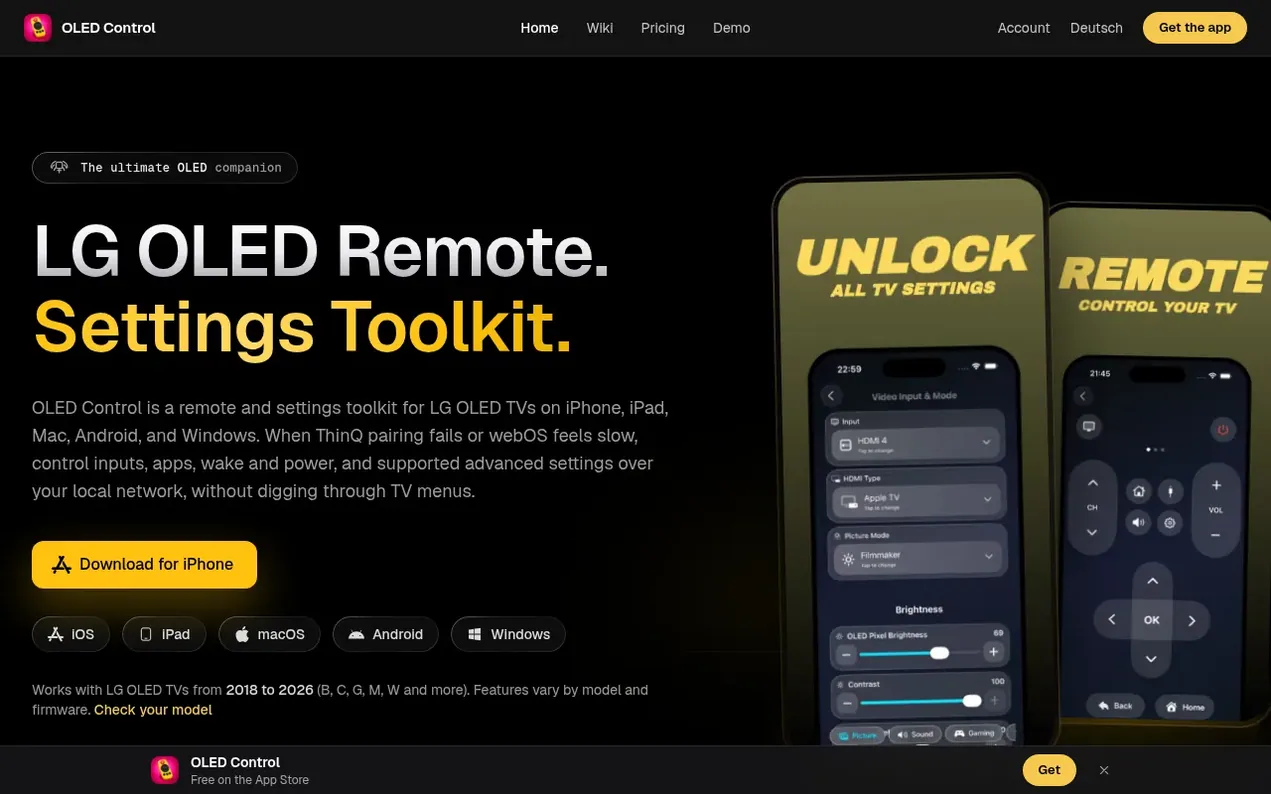
OLED Control is a remote and settings toolkit for LG OLED TVs available on iPhone, iPad, Mac, Android, and Windows. It provides control over TV inputs, apps, wake and power functions, and advanced settings over the local network when ThinQ pairing fails or webOS feels slow. The app offers practical controls including HGIG tone mapping in HDR Filmmaker Mode, auto-dimming toggles (TPC and GSR), service menu access on supported models, gaming presets with picture mode customization, color and brightness controls, and Wake-on-LAN functionality. The app works with LG OLED models including C1, C2, C3, C4, G4, G5, and G6, with available features varying by model and firmware version.
- tv remote
- lg oled
- settings toolkit
- calibration tools
- local network control
Features worth knowing
- HGIG tone mapping in HDR Filmmaker Mode on compatible TVs
- Disable TPC and GSR auto-dimming for desktop use
- Service menu access (EZAdjust, InStart) on supported models
- Switch HDMI inputs and launch TV apps from the app
- Gaming presets with picture mode and HGIG settings
- Wake-on-LAN and SIMPLINK Auto Power Sync
- Color Gamut selection with tint and temperature controls
- Peak Brightness level adjustment on supported TVs
- Video Range control (Auto, Limited, Full) for HDMI sources
- Model and firmware-aware controls for TV compatibility
Pricing
Pricing model: Freemium
Free: Core diagnostics on every install. Weekly: $2.99/week, renews weekly until canceled. Lifetime: $19.99 one-time purchase with forever access and all future updates included.
Follow OLED Control and hear about their milestones, new launches and demo videos by email. Stop any time.
OLED Control metrics
| Metric | Value |
|---|---|
| Domain Rating | 6 +4 (up) since last check |
| Trust Flow | 0 no change since last check |
| Citation Flow | 11 no change since last check |
| Referring domains | 2 no change since last check |
| External backlinks | 2 no change since last check |
Ahrefs Domain Rating scanned 6 Nov 2026, updated 6 Nov 2026. Majestic scanned 4 Nov 2026, updated 4 Nov 2026. Link stats via Majestic. Trust Flow, Citation Flow and Topical Trust Flow are trademarks of Majestic-12 Ltd.
OLED Control domain facts
Reveal the domain facts
| Domain age | 1 year |
|---|---|
| Registered | |
| Expires | |
| Registrar | NameCheap, Inc. |
| DNSSEC | Not signed |
OLED Control launch results
| Measure | At launch, then latest |
|---|---|
| Domain Rating (Ahrefs) | 0 to 2 +2 (up) since launch 4 Nov 2026, then 5 Nov 2026 |
| Trust Flow (Majestic) | 0 first measured 4 Nov 2026 |
| Referring domains (Majestic) | 2 first measured 4 Nov 2026 |
Day 1 since launch. Next receipt: day 30, 4 Dec 2026. The figures report a change; they do not say what caused it, and many things can. No figure here is a guess.
Launching something soon?
Free tips from Best Digital Launch for getting ready, launch day, the week after and what to do next.
- Set up
- On launch day
- The days after
- Beyond launch
Compare and explore
FAQ
- Which LG TV models are compatible with OLED Control?
- OLED Control works with LG webOS TVs, and the advanced settings are made for LG OLED models such as the C and G series. Compatible models include G6, G5, C4, C3, C2, and C1, with available features varying by model year and webOS version.
- How does OLED Control connect to my TV?
- Your device and the TV must be on the same home network. The app finds the TV on that network, or you can enter its IP address, and you accept the pairing prompt on the TV once. Discovery and TV commands use only your local network without requiring internet.
- Can I use the same plan on multiple devices?
- Yes. A plan works on the devices where you sign in with the same OLED Control account using the same Apple or Google sign-in, so your plan stays linked across all your devices.
- What is included in the free version?
- The free version includes the TV remote, launching TV apps, waking a saved TV when you connect, detailed logs and TV information. Weekly or Lifetime plans unlock full settings access and calibration tools.
- Can I upgrade from a Weekly plan to Lifetime?
- Yes. If you have a Weekly plan from the website, you can sign in and choose Upgrade to Lifetime on the pricing page.
Leave a review for OLED Control
Nobody has reviewed OLED Control yet. Start things off.
A review is always free and can never be paid for. Go to the reviews and discussion
Reviews and chat · Product news · Send it on · Run this company? Claim it here · Report it
OLED Control has a free listing. The owner can unlock the full profile with a paid launch for $5:
- Founder story (locked)
- Milestones (locked)
- Demo video (locked)
- Dofollow website link (locked)
Alternatives to OLED Control
RoadTally
Private offline vehicle logbook for tracking fuel, maintenance, expenses and service reminders
Psst
One tap says thinking of you
Mobile Apps0 votes. Log in to add your vote for PsstHaplo
Native apps for iPhone, Mac and Apple Watch
Mobile Apps0 votes. Log in to add your vote for HaploMotoLens
Smart dashcam app that auto-detects your ride and records in the background