Make Image Transparent
Create transparent PNG images from text or remake existing images with AI
- Upvotes
- 0
- DR
- 4 no change since last check
- Followers
- 0
Make Image Transparent metrics
| Metric | Value |
|---|---|
| Domain Rating | 4 no change since last check |
| Trust Flow | 10 no change since last check |
| Citation Flow | 29 no change since last check |
| Referring domains | 30 no change since last check |
| External backlinks | 90 no change since last check |
Ahrefs Domain Rating scanned 24 Oct 2026, updated 22 Oct 2026. Main topic: Regional/Asia (10). Majestic scanned 22 Oct 2026, updated 22 Oct 2026. Link stats via Majestic. Trust Flow, Citation Flow and Topical Trust Flow are trademarks of Majestic-12 Ltd.
Make Image Transparent domain facts
| Domain age | 2 months |
|---|---|
| Registered | |
| Expires | |
| Registrar | Cloudflare, Inc. |
| DNSSEC | Not signed |
An AI tool that creates transparent PNG images by remaking existing photos or generating new images from text descriptions, with no design experience needed.
About Make Image Transparent
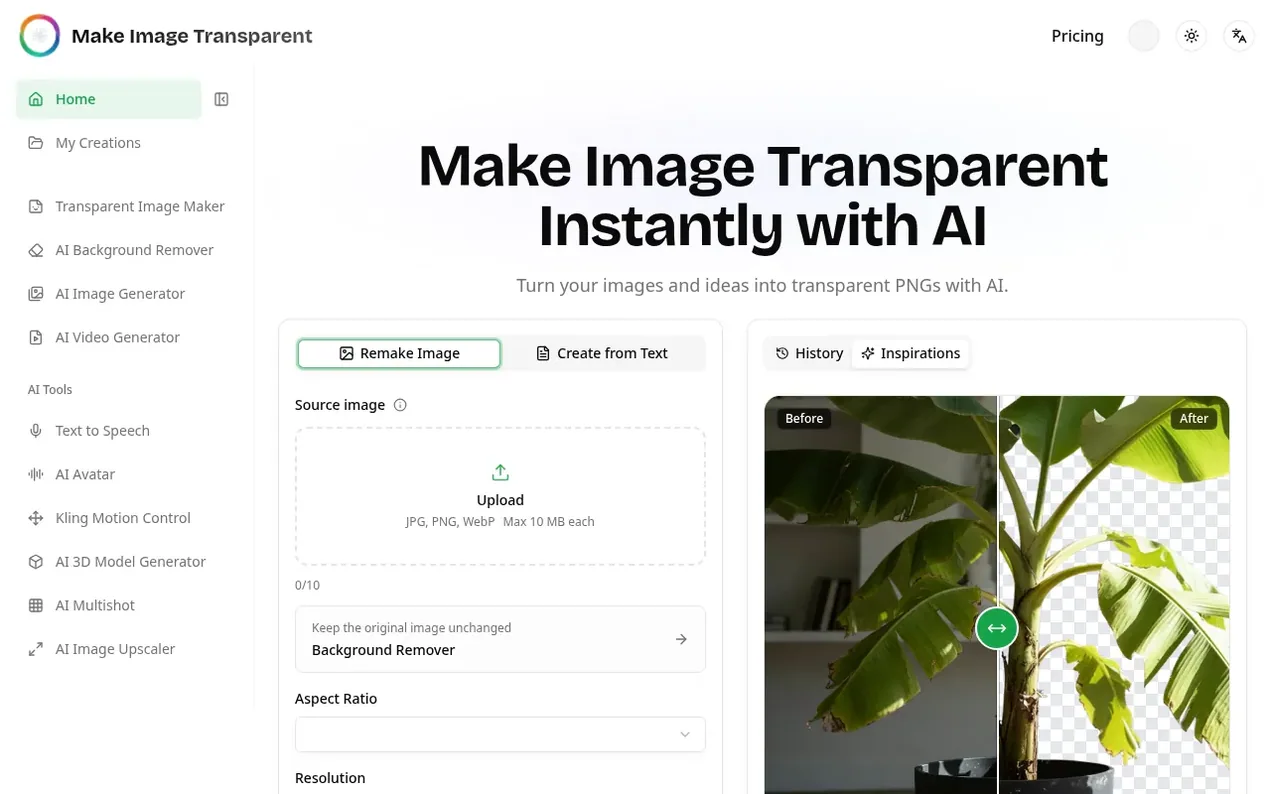
Make Image Transparent is an AI-powered tool that transforms images into transparent PNGs or generates new transparent assets from text descriptions. Users can either upload an existing image to have AI remake it with a transparent background, or describe their desired image using text prompts, and AI creates a new transparent asset directly.
The tool offers two primary workflows: Remake Image for existing photos of portraits, products, logos, or graphics, and Create from Text for generating entirely new transparent assets. Both modes produce real transparent backgrounds that can be placed over other colors and designs without background removal artifacts.
The service provides flexible output options with multiple aspect ratios and resolution choices up to 4K. AI handles complex details like hair edges, fabric textures, and reflective surfaces automatically, eliminating the need for manual masking or design experience. Results are available instantly as downloadable PNG files ready for use in design projects, online stores, presentations, social media, and games.
- background removal
- ai image generator
- design-automation
- transparent background
- png generator
- ai design tool
- image creation
Features worth knowing
- Remake existing images with transparent background
- Generate transparent images from text descriptions
- Clean edges around complex details like hair and fabric
- Real transparent backgrounds in PNG format
- Multiple aspect ratio and resolution options up to 4K
- Instant results without manual editing
- Commercial usage rights
- No watermark on generated images
- Priority generation queue
- High resolution output
Pricing
Pricing model: Freemium
Basic: $6.99/month (yearly, save 30%) or $9.99/month (monthly) with 200 credits/month. Pro: $18.99/month (yearly, save 35%) or $29/month (monthly) with 880 credits/month. Enterprise: $35/month (yearly, save 29%) or $49/month (monthly) with 1,800 credits/month. Annual plans available with discounts.
Compare and explore
FAQ
- What is Make Image Transparent?
- Make Image Transparent is an AI tool for remaking photos or creating new transparent images from text. Download each result as a transparent PNG file.
- Can AI create a transparent PNG from text?
- Yes. Open Create from Text and describe the subject, style, angle, materials, colors, and lighting you want. AI generates the asset directly with a transparent background.
- How is Transparent Image Maker different from Background Remover?
- Transparent Image Maker uses generative AI to create new assets or remake existing images, so it can rebuild edges and enhance the result. Background Remover keeps the original subject and removes only its existing background.
- Does it create a real transparent background?
- Yes. The result is created with real transparency, not a white background or a checkerboard pattern baked into the image. You can place the downloaded PNG over other colors, layouts, and designs.
- Can I cancel my subscription anytime?
- Yes, you can cancel your subscription at any time. You will continue to have access to your plan until the end of your current billing period.
Leave a review for Make Image Transparent
Nobody has reviewed Make Image Transparent yet. Start things off.
A review is always free and can never be paid for. Go to the reviews and discussion
Reviews and chat · Product news · Send it on · Run this company? Claim it here · Report it
Make Image Transparent has a free listing. The owner can unlock the full profile with a paid launch for $5:
- Founder story (locked)
- Milestones (locked)
- Demo video (locked)
- Dofollow website link (locked)
Alternatives to Make Image Transparent
Kling 4.0
AI video generator that creates realistic videos up to 30 seconds from text or images with native 4K resolution and synchronized audio
AI Media Generation1 votes. Log in to add your vote for Kling 4.0AnimeArc
AI anime drama generator that creates scripts, characters, storyboards, and videos from one story idea
AI Media Generation0 votes. Log in to add your vote for AnimeArcMagic Animal Creator
Mix any two animals, heroes, or mechs to create unique hybrid characters with AI
AI Media Generation0 votes. Log in to add your vote for Magic Animal CreatorQuickPeek
Turn any website into a stunning demo video with AI
AI Media Generation0 votes. Log in to add your vote for QuickPeek