
LensNote
AI lecture note taker that captures every slide and links it to the transcript
- Upvotes
- 0
- DR
- 0 no change since last check
- Followers
- 0
LensNote metrics
| Metric | Value |
|---|---|
| Domain Rating | 0 no change since last check |
| Trust Flow | 0 no change since last check |
| Citation Flow | 0 no change since last check |
| Referring domains | 0 no change since last check |
| External backlinks | 0 no change since last check |
Ahrefs Domain Rating scanned 25 Oct 2026, updated 25 Oct 2026. Majestic scanned 25 Oct 2026, updated 25 Oct 2026. Link stats via Majestic. Trust Flow, Citation Flow and Topical Trust Flow are trademarks of Majestic-12 Ltd.
LensNote domain facts
| Domain age | 4 months |
|---|---|
| Registered | |
| Expires | |
| Registrar | CloudFlare, Inc. |
| DNSSEC | Not signed |
LensNote automatically extracts important frames from lectures, meetings, and videos, matches each one with the relevant transcript, and writes key messages so
About LensNote
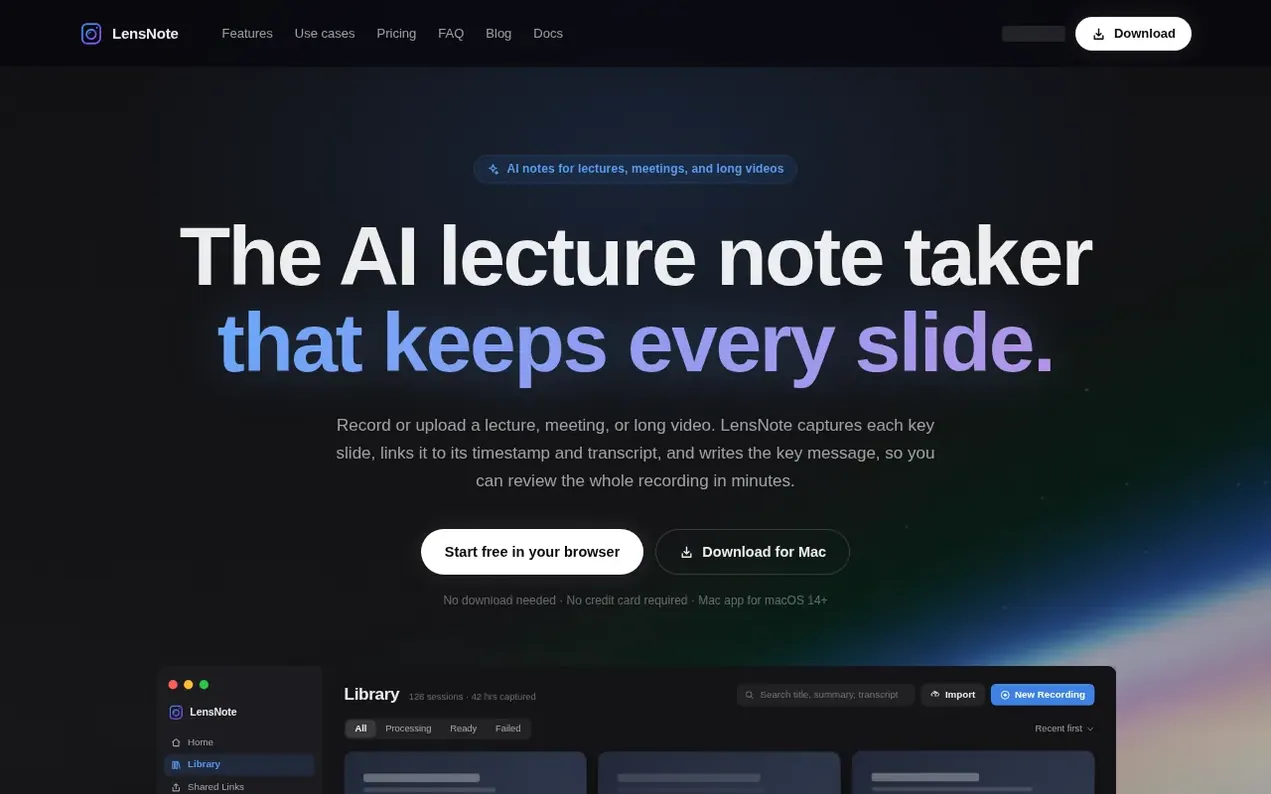
LensNote is an AI-powered note-taking service for lectures, meetings, and long-form videos. It records or uploads video and audio, then automatically detects slide changes and important visual moments, captures each frame, and matches it with the corresponding transcript, timestamp, and an AI-generated key message. The result is a structured visual document where every slide stays connected to what was said around it, giving you a visual record instead of plain text. You can curate the note before exporting to PPTX, Word, or PDF, with everything searchable by title, summary, or transcript.
LensNote works across multiple meeting platforms including Zoom, Google Meet, Microsoft Teams, and Webex, using the same workflow for each. It also supports uploading video files from courses and webinars. Every session includes a full timestamped transcript, a summary with key takeaways and action items, and speaker labels. The macOS app lets you record meeting playback directly without adding a bot to the call.
- transcription
- lecture notes
- ai-notes
- video notes
- slide capture
- meeting notes
Features worth knowing
- Automatic key frame capture from slide changes and visual moments
- Transcript with clickable timestamps
- AI-generated key messages and summaries
- Multi-platform support: Zoom, Google Meet, Teams, Webex
- Speaker-labeled transcripts
- Export to PPTX, PDF, Word, and TXT
- macOS app for local recording without meeting bot
- Action items extraction
- Search across recordings by title, summary, or transcript
- Slide curation before export
Pricing
Pricing model: Freemium
Free Trial: $0 for 14 days with 180 processing minutes (up to 90 min per video), 3 exports, 10 GB storage. Free Plan: $0/month with 30 processing minutes/month, up to 30 min per video, 1 export. Pro: $30/month with 1,200 processing minutes/month (up to 4 hours per video), 100 videos/month, 100 GB st
Compare and explore
FAQ
- What is LensNote?
- LensNote is an AI lecture note taker that automatically extracts important frames from lectures, meetings, and long videos, matches each one with the relevant transcript, and writes the key message and explanation so you can review the content as a structured visual document.
- How is LensNote different from a transcript or summary tool?
- Most AI note tools focus on text: transcripts, summaries, and action items. LensNote also preserves what was shown, keeping every important frame connected to the words and ideas around it, giving you a visual record instead of just text.
- Can LensNote analyze long videos like courses and webinars?
- Yes. You can upload the video file or record its playback window with the macOS app, and LensNote turns long-form lectures, tutorials, courses, and webinars into visual notes you can scan quickly, with the ability to jump back to the original timestamp for additional context.
- Do I still get a full transcript and summary?
- Yes. Every session includes a full transcript with clickable timestamps, a summary with key takeaways and action items, and a key message for each captured slide.
- What file types can I upload?
- Video files: MP4, MOV, M4V, MKV, AVI, WebM, and MPEG up to 5 GB. Audio files: MP3, WAV, M4A, AAC, FLAC, OGG, and OPUS up to 2 GB. Recordings can be up to 30 minutes on the free plan, 90 minutes on the trial, and 4 hours on Pro.
Leave a review for LensNote
Nobody has reviewed LensNote yet. Start things off.
A review is always free and can never be paid for. Go to the reviews and discussion
Reviews and chat · Product news · Send it on · Run this company? Claim it here · Report it
LensNote has a free listing. The owner can unlock the full profile with a paid launch for $5:
- Founder story (locked)
- Milestones (locked)
- Demo video (locked)
- Dofollow website link (locked)
Alternatives to LensNote
MultitaskAI
Custom chat interface for comparing and using multiple AI models simultaneously with split-screen multitasking
AI Chatbots & Assistants1 votes. Log in to add your vote for MultitaskAISetSmart
AI appointment setter for Instagram, WhatsApp and Messenger that qualifies leads and books sales calls 24/7
AI Chatbots & Assistants0 votes. Log in to add your vote for SetSmartSimple Chat
AI chatbot for your website, live in 5 minutes, no code required
AI Chatbots & Assistants0 votes. Log in to add your vote for Simple ChatAgentkit
Build custom AI agents trained on your website, docs, and FAQs, then embed them anywhere with one script tag
AI Chatbots & Assistants0 votes. Log in to add your vote for Agentkit