ImageToPixel.Art
Convert images to pixel art with authentic retro console palettes and adaptive dithering
- Upvotes
- 0
- DR
- 17 no change since last check
- Followers
- 0
ImageToPixel.Art metrics
| Metric | Value |
|---|---|
| Domain Rating | 17 no change since last check |
| Trust Flow | 6 no change since last check |
| Citation Flow | 27 no change since last check |
| Referring domains | 84 no change since last check |
| External backlinks | 933 no change since last check |
Ahrefs Domain Rating scanned 25 Oct 2026, updated 25 Oct 2026. Main topic: Society/People (6). Majestic scanned 25 Oct 2026, updated 25 Oct 2026. Link stats via Majestic. Trust Flow, Citation Flow and Topical Trust Flow are trademarks of Majestic-12 Ltd.
ImageToPixel.Art domain facts
| Domain age | 1 year |
|---|---|
| Registered | |
| Expires | |
| Registrar | Spaceship, Inc. |
| DNSSEC | Not signed |
A free online tool that converts photos and graphics into pixel art using hardware-accurate color palettes, adaptive dithering, and stylistic effects inspired
About ImageToPixel.Art
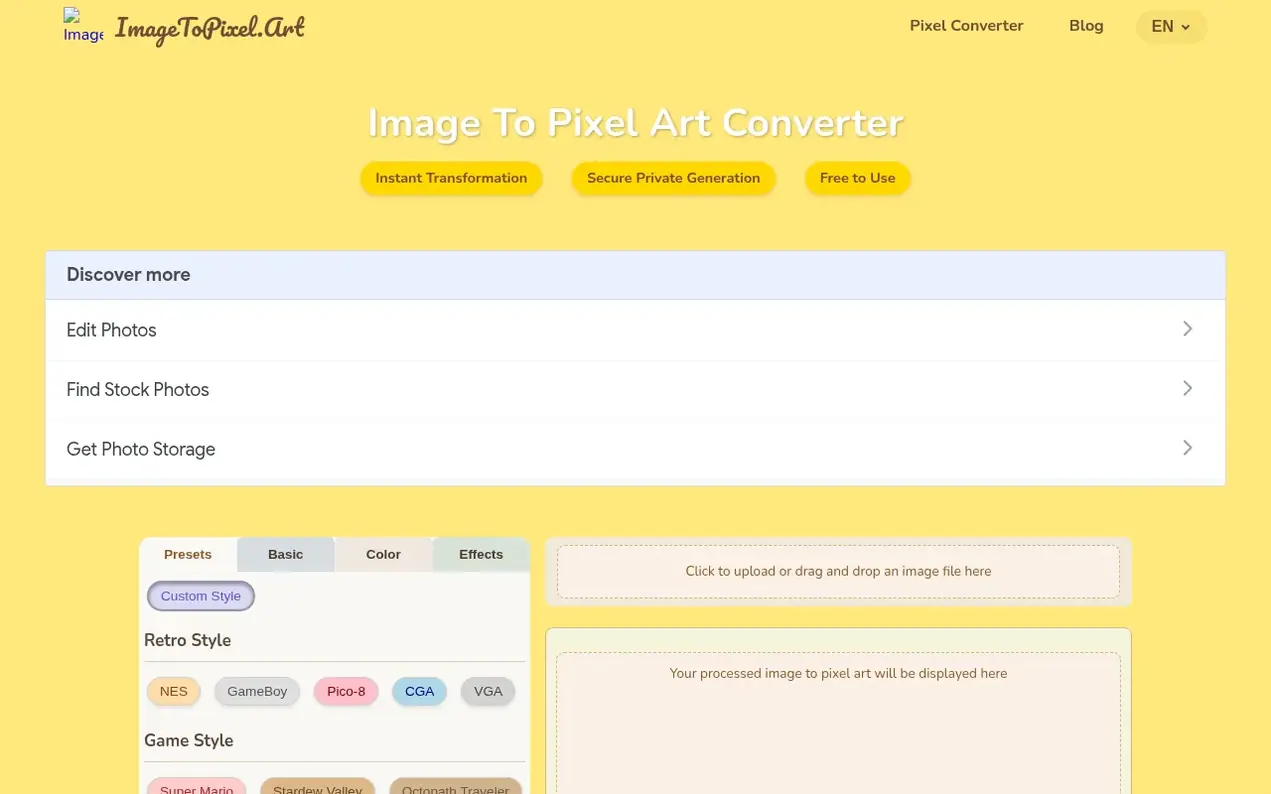
ImageToPixel.Art is a research-driven image-to-pixel-art converter designed for game developers, artists, and creators. Instead of using basic mosaic filters, it simulates authentic retro hardware palettes from systems like the NES, PC-98, Game Boy, and SNES. The tool features intelligent color quantization, adaptive dithering algorithms (Bayer, Floyd-Steinberg, blue-noise), and post-processing effects like CRT masks, scanlines, and bloom to create intentional, professional-quality pixel art.
Users upload JPG or PNG images and can choose from game-style presets or manually adjust pixel size, color palettes, dithering methods, brightness, contrast, and other parameters with real-time preview. The conversion happens in browser memory with no server-side persistence, ensuring privacy. All features are completely free with no registration required, and output is provided as high-quality PNG files.
The platform serves indie game studios, retro branding campaigns, educators demonstrating palette constraints and compression artifacts, and archivists preserving pixel-art aesthetics. Every preset references measured hardware specifications and gamma curves from actual devices.
- dithering
- sprite generation
- photo effects
- image converter
- retro
- game art
- pixel-art
Features worth knowing
- Hardware-accurate console palettes (NES, SNES, PC-98, Game Boy Advance, Mega Drive)
- Adaptive dithering algorithms (Bayer, Floyd-Steinberg, blue-noise)
- Real-time preview during customization
- Game style presets (NES, GameBoy, SNES, Minecraft, Stardew Valley)
- Color palette reduction (2, 4, 16, 256 colors or original)
- CRT effects (scanlines, CRT masks, bloom)
- Adjustable pixel size and aspect ratio
- Alpha transparency and threshold controls
- PNG export for easy download and sharing
- Edge-aware downscaling to preserve silhouettes
Pricing
Pricing model: Free
Compare and explore
FAQ
- What exactly is ImageToPixel.Art?
- ImageToPixel.Art is a free online tool that converts any image to pixel art. You can upload photos or graphics and use various controls to customize the pixelated look with different styles and effects.
- How do I turn a picture into pixel art using this tool?
- Upload your picture, use the intuitive sliders and presets to adjust pixel size, colors, and style, and download your finished pixel art. The real-time preview shows your changes instantly as you convert.
- What kind of images can I convert to pixel art?
- You can upload common image formats like JPG and PNG. It works great for photos, illustrations, and logos – pretty much any image you can think of.
- What makes ImageToPixel.Art a good choice for pixel art conversion?
- It offers a user-friendly interface, a wide range of customization options, real-time previews, and it's completely free. It's ideal for both beginners and experienced artists.
- Does the tool support transparency?
- Yes, you can manage transparency using the alpha threshold setting in the converter. This is perfect for creating sprites or graphics with transparent backgrounds.
Leave a review for ImageToPixel.Art
Nobody has reviewed ImageToPixel.Art yet. Start things off.
A review is always free and can never be paid for. Go to the reviews and discussion
Reviews and chat · Product news · Send it on · Run this company? Claim it here · Report it
ImageToPixel.Art has a free listing. The owner can unlock the full profile with a paid launch for $5:
- Founder story (locked)
- Milestones (locked)
- Demo video (locked)
- Dofollow website link (locked)
Alternatives to ImageToPixel.Art
VectoSolve
AI-powered PNG to SVG converter that transforms raster images into clean, scalable vectors in seconds
Image generation0 votes. Log in to add your vote for VectoSolveGrayscale Image
Free online converter to turn photos to grayscale with multiple methods, brightness and contrast controls, and browser-based processing
Image generation0 votes. Log in to add your vote for Grayscale ImageArtifox
AI image creation for avatars, portraits and memes
Image generation0 votes. Log in to add your vote for ArtifoxCutout Free
Remove backgrounds from images and download transparent PNGs for free online
Image generation0 votes. Log in to add your vote for Cutout Free