
Image to Layers
Split flat images into editable layers for PSD or ZIP
- Upvotes
- 0
- DR
- 11 no change since last check
- Followers
- 0
Image to Layers metrics
| Metric | Value |
|---|---|
| Domain Rating | 11 no change since last check |
| Trust Flow | 7 no change since last check |
| Citation Flow | 15 no change since last check |
| Referring domains | 7 no change since last check |
| External backlinks | 18 no change since last check |
Ahrefs Domain Rating scanned 25 Oct 2026, updated 25 Oct 2026. Main topic: Science/Environment (6). Majestic scanned 25 Oct 2026, updated 25 Oct 2026. Link stats via Majestic. Trust Flow, Citation Flow and Topical Trust Flow are trademarks of Majestic-12 Ltd.
Image to Layers domain facts
| Domain age | 1 month |
|---|---|
| Registered | |
| Expires | |
| Registrar | Dynadot Inc |
| DNSSEC | Not signed |
AI tool that converts flat images into editable visual layers for design and compositing work.
About Image to Layers
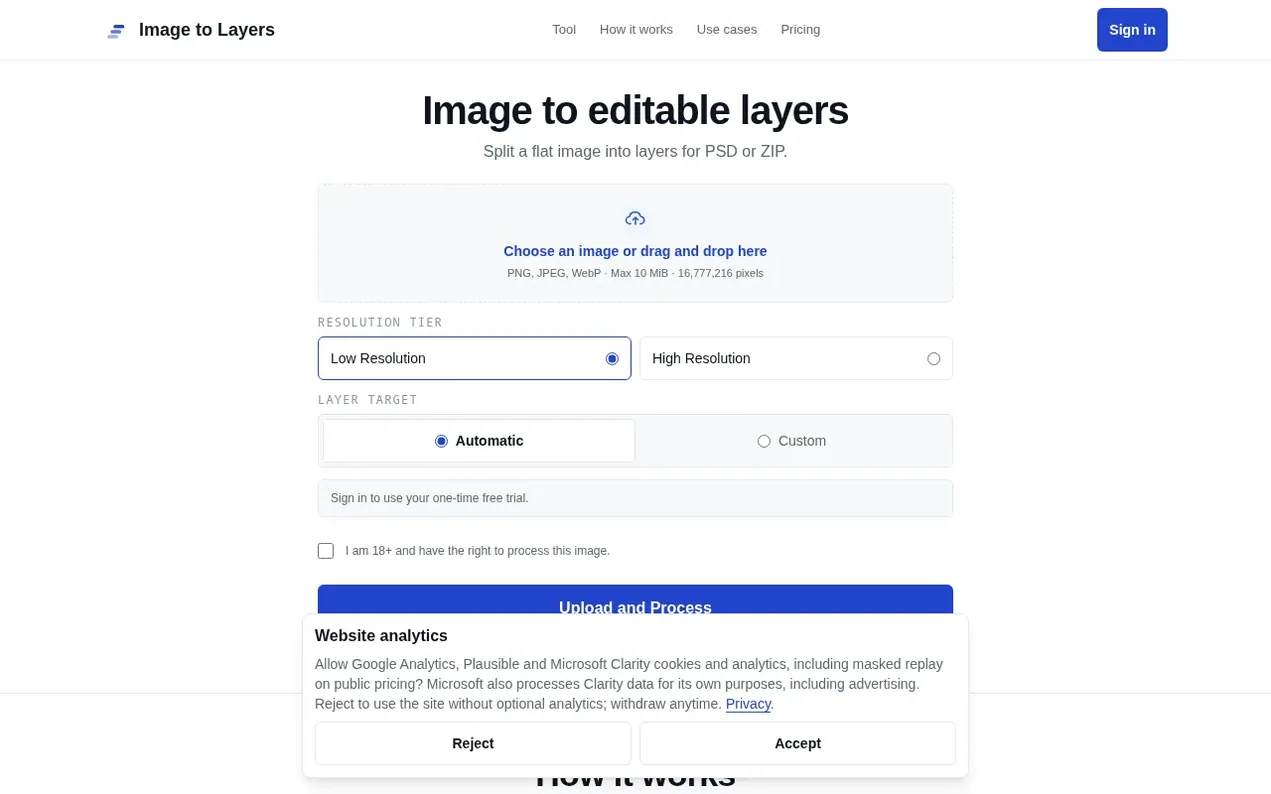
Image to Layers uses AI to separate flat images into editable visual passes. Users upload PNG, JPEG, or WebP images and receive layered files in PSD or ZIP format. The tool provides an exact credit quote before processing begins. Each user receives one free trial on first sign-in with low resolution automatic processing. After the trial, processing uses credits charged by actual layer count. The service supports three use cases: preparing character art for rigging, exploring logo passes for recoloring, and creating landscape passes for compositing and parallax effects.
- psd
- design
- ai
- compositing
- image editing
- layers
Features worth knowing
- Supports PNG, JPEG, and WebP image formats up to 10 MiB
- Low and High resolution processing options
- Automatic and custom layer target modes
- Download output as ZIP or build PSD in browser
- Exact credit quote before processing begins
- One free trial job per account on first sign-in
Pricing
Pricing model: Freemium
Free trial: one Low Resolution + Automatic job. Subscriptions: Starter $10.99/month or $8/month with 12-month commitment (34 credits/month), Pro $29/month or $23/month with 12-month commitment (94 credits/month), Studio $69/month or $55/month with 12-month commitment (259 credits/month). One-time pa
Compare and explore
FAQ
- How does image decomposition work?
- AI image decomposition separates an image into editable visual layers. Results vary by image and target layer counts are guidance, not a guarantee.
- How are credits charged?
- Low resolution reserves 17 credits and settles at 3-17. High resolution reserves 34 credits and settles at 5-34. The final charge uses actual total layers including the background.
- What happens if a job fails?
- A job without a qualifying result returns reserved credits to their original buckets. The interface waits for server confirmation before reporting that return.
- Can I request an exact layer count?
- No. Automatic is the default. A 2-16 object-layer target is a soft prompt, and the model may return more or fewer; one background layer is counted separately.
- Can I buy a pack without subscribing?
- Yes. Packs need no subscription, do not renew automatically, and purchased pack credits do not expire. Applicable tax is included.
Leave a review for Image to Layers
Nobody has reviewed Image to Layers yet. Start things off.
A review is always free and can never be paid for. Go to the reviews and discussion
Reviews and chat · Product news · Send it on · Run this company? Claim it here · Report it
Image to Layers has a free listing. The owner can unlock the full profile with a paid launch for $5:
- Founder story (locked)
- Milestones (locked)
- Demo video (locked)
- Dofollow website link (locked)
Alternatives to Image to Layers
Kling 4.0
AI video generator that creates realistic videos up to 30 seconds from text or images with native 4K resolution and synchronized audio
AI Media Generation1 votes. Log in to add your vote for Kling 4.0ShotAI
Create AI videos and images in one place with advanced AI models
AI Media Generation0 votes. Log in to add your vote for ShotAIAnimate Photo AI
Turn photos into dynamic videos with AI in seconds
AI Media Generation0 votes. Log in to add your vote for Animate Photo AIDiss Track Generator
Create fire diss tracks with advanced AI technology
AI Media Generation0 votes. Log in to add your vote for Diss Track Generator