Image to Image
Upload a reference image, describe the change, and compare the edit with your original.
- Upvotes
- 0
- DR
- 4 no change since last check
- Followers
- 0
An AI image editor that lets you describe changes to a photo and see the result compared with the original before downloading.
About Image to Image
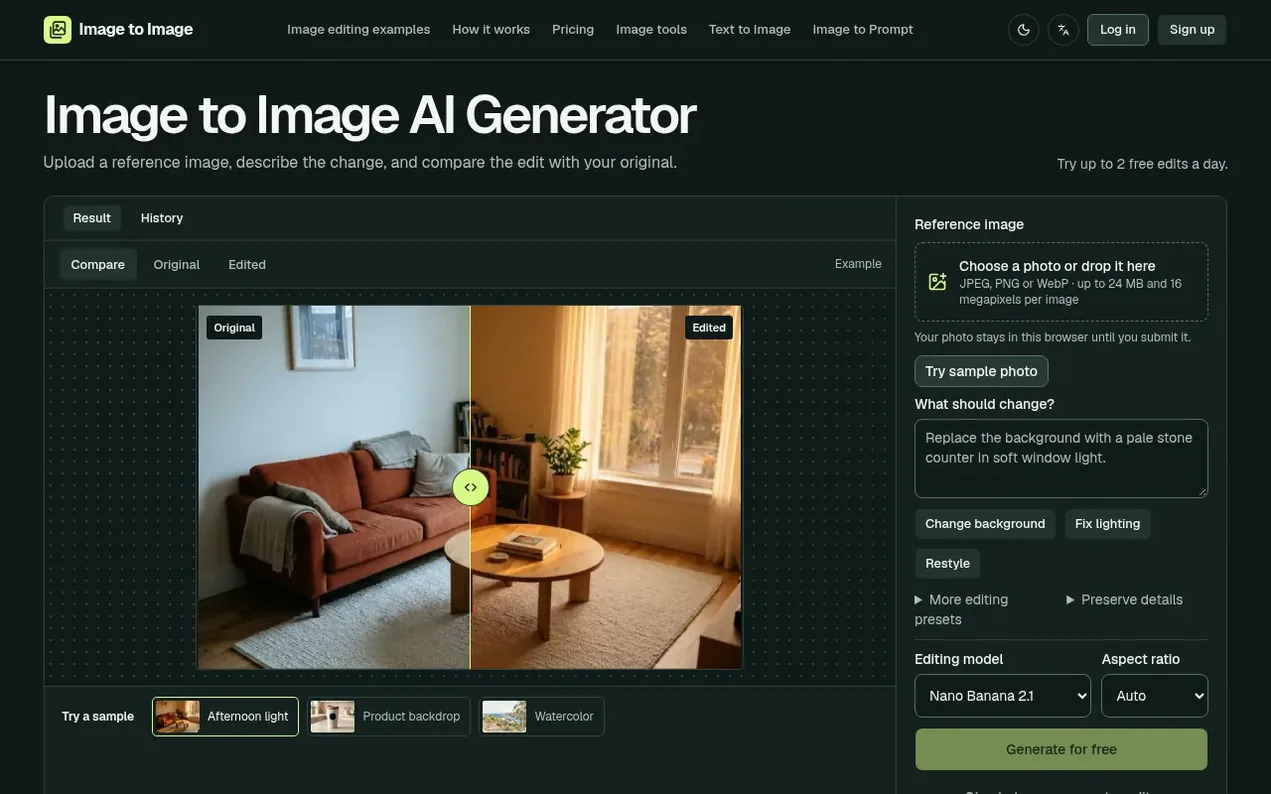
Image to Image is an AI-powered photo editor that takes a reference image and edits it based on written instructions. You can make targeted changes like adjusting lighting, changing backgrounds, or applying new styles while preserving important details like faces and logos. The tool shows you the editing cost before you submit and lets you compare the edited result with your original before downloading.
Guests can try up to 2 free edits per day with the default model. Paid users purchase credit packs that never expire, with each edit using a certain number of credits depending on the model and settings chosen. The editor supports multiple image formats (JPEG, PNG, WebP) up to 24 MB and 16 megapixels, and offers various aspect ratios and editing models to choose from.
- ai photo editor
- photo restoration
- prompt-based editing
- background removal
- image editing
- style transfer
Features worth knowing
- Compare edited result with original side-by-side
- Multiple AI editing models including Nano Banana, GPT Image, and Seedream variants
- Support for multiple aspect ratios from 1:8 to 8:1
- Preserve details feature to protect specific elements like faces and logos
- Support for JPEG, PNG, and WebP formats up to 24 MB and 16 megapixels
- Editing presets for common tasks like background changes, lighting fixes, and restyling
- Cost preview before submitting edits
Pricing
Pricing model: Freemium
Free: up to 2 daily edits for guests. Paid: Starter (140 credits, $6.99), Essential (500 credits, $19.99), Plus (900 credits, $29.99), Studio (1,600 credits, $49.99), Max (3,600 credits, $99.99). Credits do not expire.
Follow Image to Image and hear about their milestones, new launches and demo videos by email. Stop any time.
Image to Image metrics
| Metric | Value |
|---|---|
| Domain Rating | 4 no change since last check |
| Trust Flow | 0 no change since last check |
| Citation Flow | 0 no change since last check |
| Referring domains | 0 no change since last check |
| External backlinks | 0 no change since last check |
Ahrefs Domain Rating scanned 19 Nov 2026, updated 19 Nov 2026. Majestic scanned 19 Nov 2026, updated 19 Nov 2026. Link stats via Majestic. Trust Flow, Citation Flow and Topical Trust Flow are trademarks of Majestic-12 Ltd.
Image to Image domain facts
Reveal the domain facts
| Domain age | 4 days |
|---|---|
| Registered | |
| Expires | |
| Registrar | Spaceship, Inc. |
| DNSSEC | Not signed |
Launching something soon?
Free tips from Best Digital Launch for getting ready, launch day, the week after and what to do next.
- Set up
- On launch day
- The days after
- Beyond launch
Compare and explore
FAQ
- When is my image uploaded?
- The preview stays in your browser. The image is only uploaded when you submit the edit after completing the verification check if editing as a guest.
- Which images can I use?
- You can use still JPEG, PNG, or WebP images. Each image can be up to 24 MB and 16 megapixels, and the editor optimizes large files before uploading.
- Can I try image editing for free?
- You can try the editor as a guest and make up to 2 free edits per day with the default model while the daily trial is open, after completing the verification check.
- Will the edit preserve every detail?
- You can tell the editor which details to keep, but faces, product details, and text can change, so you should check them against the original before using the result.
- How do I choose an aspect ratio?
- Consider where you'll use the image: try a square for a product thumbnail, a wide image for a banner, or a vertical image for a phone screen. Pick from the ratios available for your model.
Leave a review for Image to Image
Nobody has reviewed Image to Image yet. Start things off.
A review is always free and can never be paid for. Go to the reviews and discussion
Reviews and chat · Product news · Send it on · Run this company? Claim it here · Report it
Image to Image has a free listing. The owner can unlock the full profile with a paid launch for $5:
- Founder story (locked)
- Milestones (locked)
- Demo video (locked)
- Dofollow website link: not on this free listing (its website link is nofollow)
Alternatives to Image to Image
Facy
Browser-based AI image and video editor for face swaps, head swaps, upscaling, and background removal
AI Media Generation10 votes. Log in to add your vote for FacyCicilili
AI music video generator for your songs
AI Media Generation3 votes. Log in to add your vote for CicililiSkryve
Turn videos into knowledge with visual AI analysis
AI Media Generation3 votes. Log in to add your vote for SkryveTurbogen
AI video and image studio with 28 models, pay per generation, no subscription
AI Media Generation1 votes. Log in to add your vote for Turbogen