
Image Text Editor
Edit text in images online without the original design file
- Upvotes
- 0
- DR
- 39 no change since last check
- Followers
- 0
Image Text Editor metrics
| Metric | Value |
|---|---|
| Domain Rating | 39 no change since last check |
| Trust Flow | 11 no change since last check |
| Citation Flow | 29 no change since last check |
| Referring domains | 71 no change since last check |
| External backlinks | 1,006 no change since last check |
Ahrefs Domain Rating scanned 25 Oct 2026, updated 25 Oct 2026. Main topic: Regional/Europe (11). Majestic scanned 25 Oct 2026, updated 25 Oct 2026. Link stats via Majestic. Trust Flow, Citation Flow and Topical Trust Flow are trademarks of Majestic-12 Ltd.
Image Text Editor domain facts
| Domain age | 3 months |
|---|---|
| Registered | |
| Expires | |
| Registrar | Spaceship, Inc. |
| DNSSEC | Not signed |
An online tool for replacing words embedded in JPG, PNG, or WebP images using AI, without needing the original design file or Photoshop.
About Image Text Editor
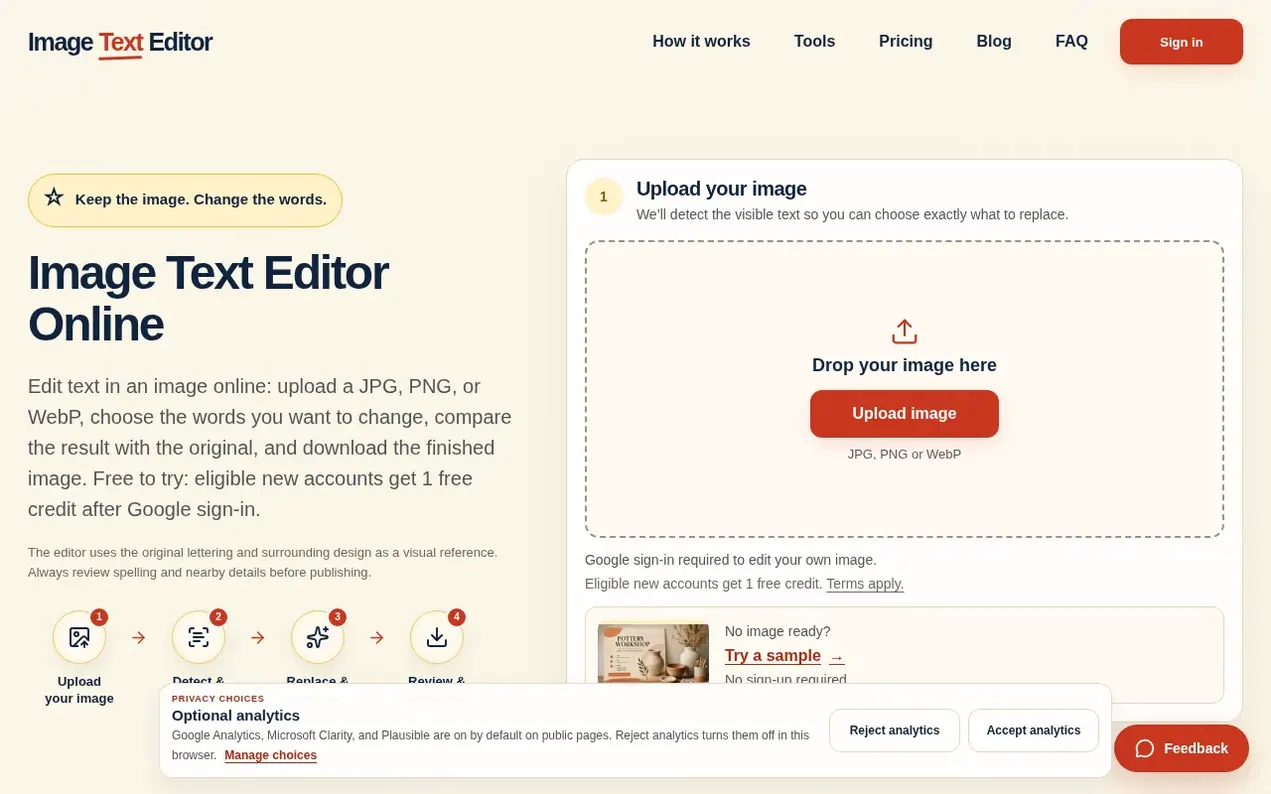
Image Text Editor is an online application that allows users to edit text already embedded in finished images. Users upload a JPG, PNG, or WebP file, the tool detects visible text blocks, and they select which text to replace. After entering new wording, the AI generates an edited version using the original lettering and surrounding design as visual reference, producing a flattened PNG result ready to download.
The service is designed for practical, focused edits when the original design file is unavailable. Common use cases include updating seasonal headlines on posters, changing labels in product photos, correcting dates on event flyers, refreshing screenshots, and revising marketing graphics. Users can compare the before-and-after images before downloading to verify spelling, placement, and visual consistency.
Image Text Editor emphasizes simplicity and speed: it detects text automatically, lets users select specific blocks to change, and delivers results without layers or rebuilding entire designs. The workflow includes before-and-after review to catch errors before publishing. Results are stored privately for 7 days after saving.
- no design file
- product images
- image editing
- design tools
- ai text replacement
- marketing graphics
- online editor
Features worth knowing
- Detects visible text blocks automatically
- Replace text using AI generation
- Before-and-after comparison
- Supports JPG, PNG, and WebP formats
- Download as flattened PNG
- Standard 1K and HD 2K output quality modes
- Results stored for 7 days
- Google sign-in authentication
- No-sign-in sample demo
Pricing
Pricing model: Freemium
Free: 1 free credit for one Standard 1K result after sign-in (eligible new accounts). One-time credit packs: 12 Credits for $4.99, 30 Credits for $9.99. Monthly subscriptions (charged annually): Basic $99.90/year (40 monthly credits), Pro $199.90/year (90 monthly credits), Studio $399.90/year (200 m
Compare and explore
FAQ
- What is an AI image text editor?
- An AI image text editor is an online tool for changing words already embedded in a JPG, PNG, or WebP image. Upload the image, select detected wording, enter the replacement, and an AI model generates a new version using the surrounding visual style as reference. The result is a flattened image, not an editable text layer.
- How do I edit text in a picture?
- Upload a JPG, PNG, or WebP image, wait for the visible text to be detected, select the text block you want to change, and enter the new wording. Generate the edited version, compare it with the original, and download the flattened PNG. Uploading your own image requires Google sign-in; the sample demo does not.
- Can I edit text without the original design file?
- Yes. You do not need the original PSD, Canva, or Figma file. Upload the finished JPG, PNG, or WebP and replace one detected text block at a time. The output is a flattened image, so use the original design file instead when you need exact fonts, reusable text layers, or broad layout changes.
- Is there a free option to try Image Text Editor?
- Yes. It is free to try, not unlimited. The sample demo does not require sign-up. Eligible new accounts receive 1 free credit after Google sign-in, available for one Standard 1K result; abuse safeguards apply. After that, you can buy one-time credit packs or choose a monthly subscription.
- What should I review before downloading an edited image?
- Compare the before and after images at full size. Check spelling one character at a time, confirm that nearby details remain clean, and review typography, color, spacing, and line breaks.
Leave a review for Image Text Editor
Nobody has reviewed Image Text Editor yet. Start things off.
A review is always free and can never be paid for. Go to the reviews and discussion
Reviews and chat · Product news · Send it on · Run this company? Claim it here · Report it
Image Text Editor has a free listing. The owner can unlock the full profile with a paid launch for $5:
- Founder story (locked)
- Milestones (locked)
- Demo video (locked)
- Dofollow website link (locked)
Alternatives to Image Text Editor
Kling 4.0
AI video generator that creates realistic videos up to 30 seconds from text or images with native 4K resolution and synchronized audio
AI Media Generation1 votes. Log in to add your vote for Kling 4.0ShotAI
Create AI videos and images in one place with advanced AI models
AI Media Generation0 votes. Log in to add your vote for ShotAIAnimate Photo AI
Turn photos into dynamic videos with AI in seconds
AI Media Generation0 votes. Log in to add your vote for Animate Photo AIDiss Track Generator
Create fire diss tracks with advanced AI technology
AI Media Generation0 votes. Log in to add your vote for Diss Track Generator