
Creavit Studio
Screen recorder and video editor for Mac with automatic zooms, AI editing, and 4K export
- Upvotes
- 0
- DR
- 7 no change since last check
- Followers
- 0
A macOS screen recorder and video editor that automates zooms and cursor movement, includes built-in timeline editing and AI chat, and exports up to 4K at 60
About Creavit Studio
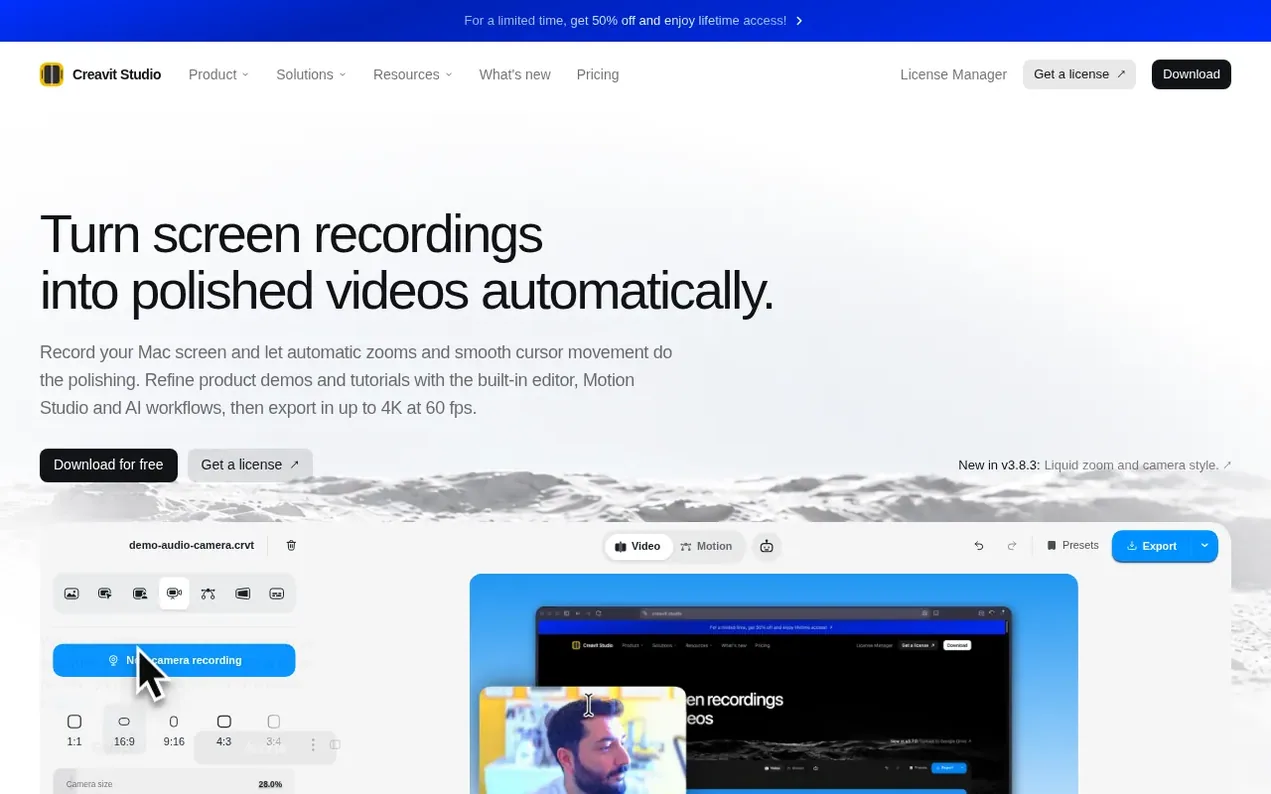
Creavit Studio is a screen recording and video editing application for Mac that captures your screen, camera, microphone, and system audio. It automatically adds zooms and smooth cursor movement to recordings, lets you edit on a timeline with effects like perspective, device mockups, and text overlays, and includes a built-in AI chat for edits and a Motion Studio for animation. You can export videos in up to 4K at 60 fps with transparent backgrounds, and the app supports AI agents through an open MCP server to control recording and editing from Claude Code, Codex, or Cursor. All recordings stay locally on your Mac.
- video editor
- mac software
- 4k export
- screen capture
- motion graphics
- ai editing
- screen recorder
Features worth knowing
- Automatic zoom that follows clicks and important UI elements
- Cursor styling, smoothing, and click feedback visualization
- Camera background removal after recording without green screen
- Dynamic camera layouts to position webcam next to screen
- Perspective and 3D framing effects for flat UI captures
- Text overlays and on-canvas labels that pin to zoom
- Device mockups and presentation-ready framing
- Motion Studio for animated titles and reusable motion templates
- AI agent control via MCP for Claude Code, Codex, and Cursor
- Export up to 4K at 60 fps with transparent background support
Pricing
Pricing model: Freemium
Free trial with 5 exports. Paid plans: Monthly $9.90/month (billed monthly, was $19.80), Yearly $49.90/year (was $99.80), Lifetime $99 one-time (was $198). All paid plans include unlimited 4K exports, free lifetime updates, and use on up to 5 Mac devices. 14-day money-back guarantee.
Creavit Studio metrics
| Metric | Value |
|---|---|
| Domain Rating | 7 no change since last check |
| Trust Flow | 4 no change since last check |
| Citation Flow | 25 no change since last check |
| Referring domains | 40 no change since last check |
| External backlinks | 159 no change since last check |
Ahrefs Domain Rating scanned 26 Oct 2026, updated 25 Oct 2026. Main topic: Computers/Software/Operating Systems (4). Majestic scanned 25 Oct 2026, updated 25 Oct 2026. Link stats via Majestic. Trust Flow, Citation Flow and Topical Trust Flow are trademarks of Majestic-12 Ltd.
Creavit Studio domain facts
Reveal the domain facts
| Domain age | 1 year |
|---|---|
| Registered | |
| Expires | |
| Registrar | NameCheap, Inc. |
| DNSSEC | Not signed |
Compare and explore
FAQ
- Can I turn a screen recording into a polished video automatically?
- Yes. Creavit Studio adds automatic zooms and smooth cursor movement to your screen recordings. Choose a background and framing, then refine the result on the timeline or ask the built-in AI chat to make edits. Your video stays editable.
- Can I export screen recordings in 4K at 60 fps?
- Yes. Export MP4 videos in up to 4K at 60 fps for product demos, tutorials and launch videos. Choose the resolution and frame rate in the export settings.
- How does Creavit Studio differ from other screen recording applications?
- Creavit Studio uses native screen recording APIs for high-quality captures with system audio, enables perspective and cinematic effects, lets you remove camera backgrounds after recording, and combines auto zoom, cursor styling, timeline editing, and export all in one streamlined macOS app.
- Can I use it on multiple devices?
- Yes. The lifetime plan can be used on up to 5 compatible Mac devices tied to the same license.
- Can an AI agent control Creavit Studio?
- Yes. The editor has a built-in Agent panel that runs Claude Code or Codex already installed on your Mac, and the app ships an open MCP server so Claude Code, Codex, Cursor, or any MCP client can drive it from your terminal. You can ask for zooms, cuts, privacy masks, motion scenes, recordings, or an export. The MCP bridge runs locally on your Mac.
Find Creavit Studio online
Leave a review for Creavit Studio
Nobody has reviewed Creavit Studio yet. Start things off.
A review is always free and can never be paid for. Go to the reviews and discussion
Reviews and chat · Product news · Send it on · Run this company? Claim it here · Report it
Creavit Studio has a free listing. The owner can unlock the full profile with a paid launch for $5:
- Founder story (locked)
- Milestones (locked)
- Demo video (locked)
- Dofollow website link (locked)
Makers
- Onur AslanFounder
Alternatives to Creavit Studio
RemoveWatermark
Professional watermark removal for AI-generated videos with free tier and affordable Pro plans
Video generation1 votes. Log in to add your vote for RemoveWatermarkCaptions Cut
AI auto-captions for short videos, on iPhone and in your browser
Video generation0 votes. Log in to add your vote for Captions CutBad Times AI
Put yourself, your dog or your cat into the viral Bad Times TikTok trend with one photo
Video generation0 votes. Log in to add your vote for Bad Times AIPromptFy
AI teleprompter and video creation app for iPhone and web
Video generation0 votes. Log in to add your vote for PromptFy